We’ve all been there—staring at an empty room, feeling that familiar mix of excitement and total paralysis. Where do you even begin? The fear of making a costly mistake, picking the wrong paint color, or buying a sofa that just doesn't fit can be enough to stop a redesign in its tracks.
This is exactly where AI-powered interior design tools are changing the game. They give you a way to see dozens of professional-quality concepts in your actual room before you commit to anything or spend a single dollar, saving you time, money, and a whole lot of stress.
Reimagine Your Home With AI Design Tools
Think about it: you snap a photo of your living room, and just a few seconds later, you can cycle through countless designs. That's the magic of AI interior design. These tools work like a creative assistant, taking the guesswork out of the process that so often leads to expensive do-overs. For homeowners, it means you can finally test out that bold accent wall or see how a completely new furniture layout feels, all without any real-world risk.
This isn't some futuristic gimmick; it's a practical solution used by millions. The market for these tools is exploding—it was valued at USD 1.47 billion in 2024 and is expected to climb to an incredible USD 6.96 billion by 2032. That kind of growth sends a clear message: people want smarter, faster ways to design their spaces and have creative control in their own hands.
Why This Matters for Your Space
The benefits aren't just for professional designers. Whether you're sprucing up your own place, managing a rental, or selling property, the advantages are immediate. Forget spending weeks on Pinterest boards; now you can generate endless, targeted inspiration for your specific room.
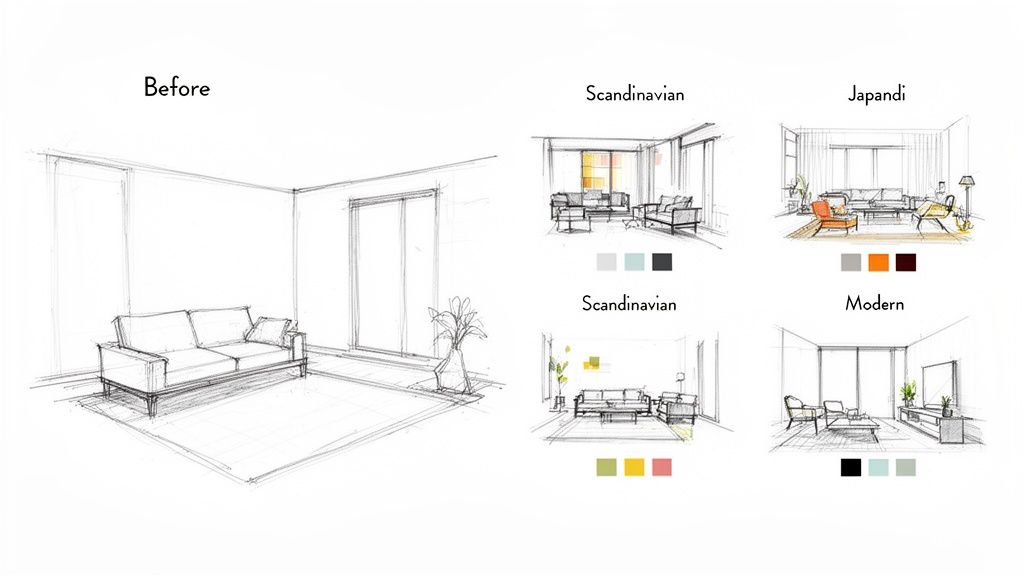
- For Homeowners: Finally figure out if that Japandi style you love—a beautiful blend of Japanese minimalism and cozy Scandinavian warmth—will actually look good in your bedroom. You can see it before you buy a single thing.
- For Airbnb Hosts: Quickly generate mockups to show how a refreshed space could look, helping your listing stand out and attract more guests. Better visuals can significantly boost your booking appeal.
- For Real Estate Agents: Virtually stage an empty house in minutes. This helps potential buyers connect emotionally with the property and picture themselves living there, which can speed up a sale.
If you want to dig deeper into how these technologies are changing the game, it's worth understanding how AI-powered design tools are making waves across all creative industries.
The real power of AI design is its ability to turn "what if" into "what is" on your screen. It bridges the gap between your imagination and reality, giving you the confidence to make bold design choices.
At the end of the day, these platforms give you the tools to unlock your home's true potential. They offer a visual playground where you can experiment freely, discover your personal style, and make smart decisions that will save you time and money.
How AI Actually Designs Your Room
Ever wondered what’s going on behind the scenes when an AI-powered interior design tool redesigns your room from a single photo? It’s not magic, but it’s close. Think of the AI as a designer who has studied millions of beautiful rooms, absorbing every nuance of color theory, furniture placement, and architectural style.
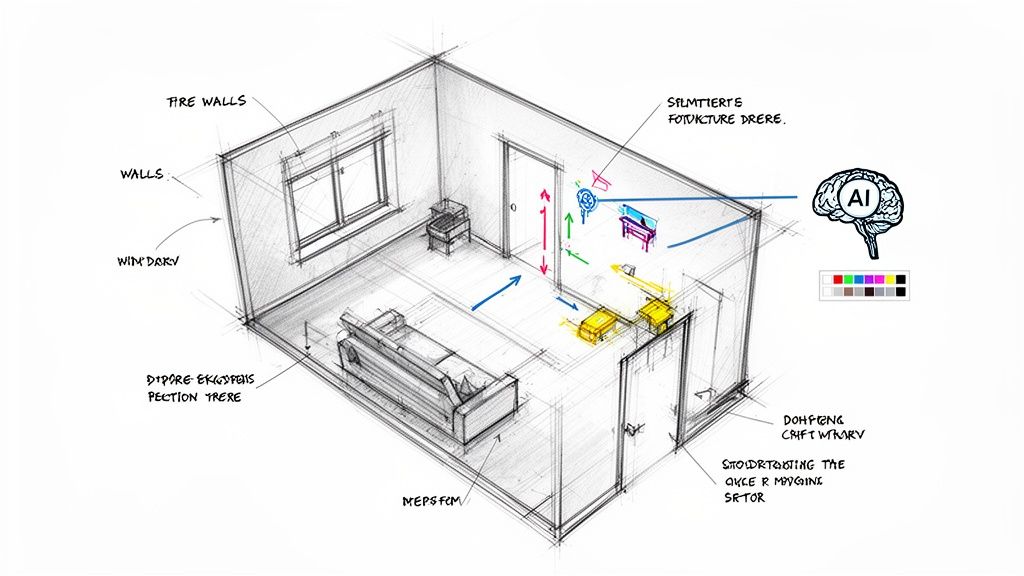
When you upload a picture of your space, the AI’s first job is to play detective. It meticulously scans the image to identify the non-negotiables—the walls, windows, doors, and even ceiling height. This step creates a digital blueprint of your room’s existing structure.
This initial analysis is what keeps the final designs grounded in reality. The AI isn't just generating a pretty picture; it's re-imagining your specific room.
The Creative Engine: Generative AI
Once the AI understands your room's layout, the creative part begins. This is where a technology called generative AI comes into play. You simply tell it what you’re dreaming of: a "Modern Farmhouse" living room, a "Minimalist" bedroom, or maybe you just want to see a new wall color.
The AI takes your prompt and layers that style onto the digital blueprint it just built. It knows exactly which elements to pull from its vast knowledge base to fit your request.
- Want a Modern look? It will likely bring in clean lines, a neutral color palette, and furniture with sleek metal or glass details.
- Leaning toward a Bohemian vibe? Expect to see warm, earthy tones, layered textiles, and natural materials like rattan and wood.
This process lets you audition dozens of styles in an instant—a massive help for anyone stuck in a cycle of indecision. It’s a lot less messy than painting endless test swatches on the wall.
The real breakthrough is how AI combines analytical precision with creative generation. It respects the fixed rules of your space (like where the window is) while creatively exploring infinite design possibilities within those boundaries.
From Simple Inputs to Realistic Renders
The best part? You don’t need to be a tech wizard. The entire experience is built to be intuitive. You’re not fussing with complicated software; you’re just describing what you want in plain English.
A typical workflow is incredibly straightforward:
- Upload: Start with a photo of your room—even a rough sketch can work.
- Select: Choose a style, color, or material from a simple menu. You might pick "Japandi" style with "Oak" flooring.
- Generate: The AI gets to work and produces a high-quality, realistic image in just a few seconds.
This simple process opens up a world of possibilities for real-world design challenges. If you're an Airbnb host, you can generate concepts to see if a cozy, rustic theme might attract more bookings. For homeowners in a small apartment, you can test layouts that create more "negative space"—the open, uncluttered areas that make a room feel bigger.
These tools put high-end design visualization into everyone's hands, helping you build a space you truly love with confidence.
Saving Time, Money, and Stress with AI
Let's be honest: the biggest hurdles in any design project are time, money, and the stress of making a choice you'll regret. A room makeover can feel like a high-stakes gamble. Will that expensive sofa actually work in your space? This is where AI-powered interior design tools become your secret weapon.
Think of them as a crucial buffer between your imagination and your bank account. By letting you visualize countless ideas in your actual room, they help you sidestep costly mistakes before they ever happen. It’s like a design dress rehearsal—you get to see the final look without spending a dime.
This isn't just about preventing bad decisions; it's about making smarter, more confident ones right from the start.
Instantly Generate Ideas and Skip the Guesswork
Remember the old way of finding inspiration? You’d spend weeks scrolling through Pinterest or painstakingly piecing together a mood board. AI shrinks that entire process down to a few seconds. Instead of trying to imagine how a "Coastal Grandmother" vibe might look in your landlocked living room, you can just see it. Instantly.
This rapid visualization is incredibly liberating, especially if you've ever been stuck in "decision paralysis." For example, when planning a kitchen renovation, you can compare dozens of cabinet colors and countertop materials in minutes, making a choice based on a realistic preview, not a tiny sample square.
The real magic is making your vision tangible. AI takes the abstract ideas swirling in your head and puts them on the screen, grounded in the reality of your own room. That clarity is what turns an overwhelming project into an exciting one.
For anyone who has ever felt creatively stuck, this immediate feedback loop is a game-changer. It keeps the momentum going and slashes the time you'd normally spend just thinking and researching.
Real-World Benefits for Your Property
The practical uses for these tools go way beyond personal projects. For anyone in the property business, AI is a powerful tool for boosting a space's appeal. An Airbnb host can test-drive different decor styles to figure out which one creates the most inviting and "bookable" atmosphere for their online listing, potentially increasing bookings.
Real estate agents can transform photos of empty rooms into fully furnished, welcoming homes. This virtual staging helps potential buyers connect with a space on an emotional level, making it far easier for them to picture their life there and helping to speed up the sale.
Traditional Design vs. AI-Powered Design: A Quick Comparison
The table below breaks down the key differences between the old-school interior design process and using modern AI tools.
| Aspect | Traditional Design Process | AI-Powered Design Process |
|---|---|---|
| Time to First Concept | Days or Weeks | Seconds or Minutes |
| Cost of Revisions | Can be costly (designer hours) | Free and instantaneous |
| Furniture Testing | Requires measuring tape and guesswork | Virtually place items to check scale |
| Material Visualization | Relies on small physical samples | See full walls or floors instantly |
This shift toward efficiency isn't just about making things easier; it's about getting better results with fewer resources. You can explore more ways to make design accessible with our guide on free AI tools for home design.
Reduce Stress and Enjoy the Creative Process
At the end of the day, designing your space should be fun, not a source of anxiety. AI tools take away the fear of the unknown. By showing you what’s possible, they empower you to be more adventurous and creative. You can finally try that bold wallpaper or experiment with an unconventional layout without any risk.
This freedom to play around and instantly see the outcome is what makes the design journey enjoyable again. It puts you in the driver's seat, armed with the vision and confidence to create a space you'll absolutely love.
Your Step-By-Step Guide to Using Design AI
Jumping into an AI-powered interior design tool for the first time is exciting, and getting great results is easier than you might think. Forget grappling with complicated software—the whole process is built to be intuitive and fun.
Let's walk through a simple, step-by-step workflow for a common project: giving a small apartment living room a much-needed refresh. This guide will show you exactly how to go from a simple photo to a collection of stunning designs you can actually use.
Step 1: Capture the Perfect Photo of Your Space
The quality of your final design hinges on the quality of your first photo. The AI uses this image as its canvas, so giving it a clear, well-lit picture is the most important thing you can do to start.
Here are a few simple tips to get the best shot:
- Use Natural Light: Open the curtains and take your photo during the day. Natural light reveals the real colors and dimensions of your room, giving the AI more accurate information to work with.
- Find the Right Angle: Stand in a corner of the room, facing the main area. This angle captures more of the space and gives the AI a better sense of the layout.
- Clear the Clutter: You don’t need to deep clean, but tidying up major messes helps the AI better identify the room's actual structure—the walls, floors, and windows.
- Keep it Level: Hold your phone straight to avoid distorted angles. A level shot gives the AI the most realistic foundation to build on.
Step 2: Choose Your Desired Design Style
With your photo uploaded, you get to the best part: picking a style. This is where you tell the AI what kind of vibe you're going for. Most tools offer a wide menu of options, so you’re not stuck with just one or two choices.
Let’s say for our small apartment living room, we’re torn between two aesthetics:
- Minimalist: This style is all about simplicity, clean lines, and a neutral palette. It’s perfect for small spaces because it reduces visual noise and creates a feeling of calm and openness.
- Industrial: This look pulls inspiration from old warehouses. It’s defined by raw materials like exposed brick, metal, and distressed wood, and it can add a lot of character and an edgy, urban feel.
The beauty here is that you can generate designs in both styles in seconds. This lets you visually compare which one feels right for your home, taking the guesswork out of your decision.
Step 3: Experiment with Colors and Materials
Once you’ve found a style you like, you can start tweaking the details. This is where you can really make the design your own. Maybe you love the Minimalist concept, but you’re curious to see it with a warmer color scheme or different flooring.
This is a massive advantage for anyone on a budget or living in a rental. Before you commit to a big purchase or a permanent change, you can test-drive different options virtually.
- Test Paint Colors: Thinking about a sage green accent wall? Just tell the AI. You can see how it looks instantly without buying a single paint sample.
- Swap Flooring: Wondering if oak floors would look better than your current carpet? Generate a version with wood flooring to see if it’s an investment worth making.
- Change Furniture Materials: See if that leather sofa really fits the Industrial vibe better than a fabric one.
This visual process—from the initial idea, to visualization, and then finalization—is what makes AI such a powerful design partner.
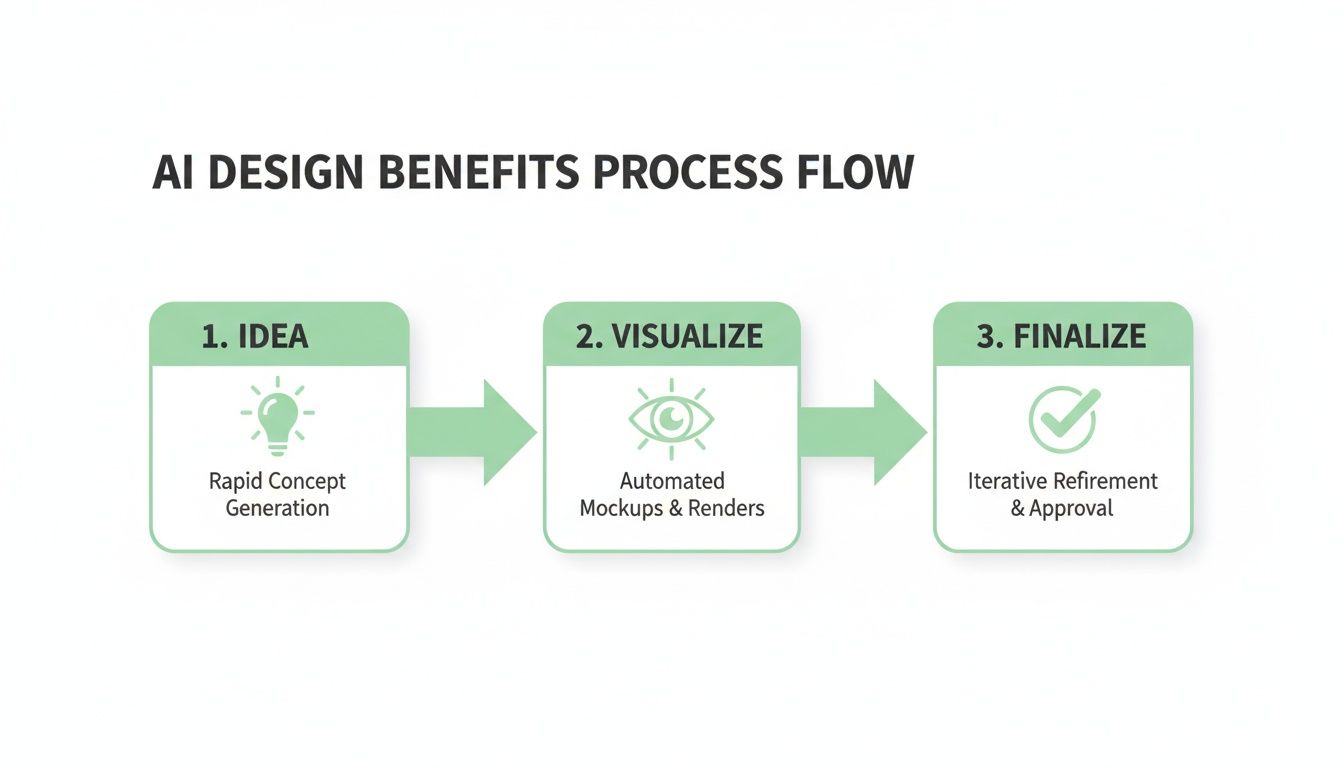
This simple workflow shows how AI takes you from a basic idea to a finalized concept by letting you see every possibility first.
Step 4: Refine and Iterate on Your Favorite Designs
Great design is often about refining the little things. The best AI-powered interior design tools give you the control to make specific changes without starting over. This is where you get to act like a real designer and perfect your vision.
For our apartment living room, you might:
- Isolate an Element: Maybe you love everything about the Industrial design except the coffee table. Some tools let you select just that area and ask the AI to generate new options for only that piece of furniture.
- Generate Variations: If a design is almost perfect, ask the AI to create several slight variations. This might produce a version with a different rug or lighting fixture that ties the whole room together.
This ability to iterate so quickly is a massive time-saver. You can let your design evolve until it’s exactly what you had in mind. If you're looking for more guidance, check out our deep dive into using an online home design tool to its fullest potential.
Remember, the AI is a creative partner, not a final authority. The best results come from combining the AI’s rapid visualization with your own personal taste. Don't be afraid to mix and match ideas from different designs it gives you.
By following these simple steps, you can confidently use any AI design tool to turn your ideas into beautiful, practical plans.
Bringing Your Vision to Life, Room by Room
Theory is great, but seeing is believing. The real magic happens when you apply AI-powered interior design tools to your own space. To get your creative gears turning, let's walk through some practical, room-by-room examples that show how AI can take the guesswork out of design.
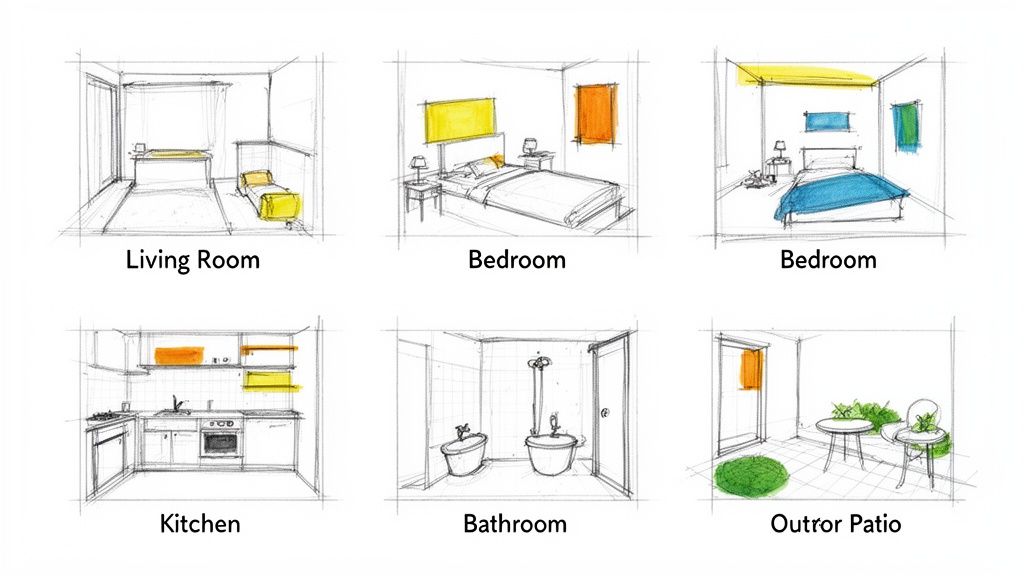
This technology is a game-changer for DIY homeowners, Airbnb hosts, and real estate agents, letting them produce professional-looking designs without years of formal training. Firms can save significantly on costs by automating tasks like material selection and space planning, which is especially useful for today's smaller urban homes.
The Living Room: Your Social Hub
The living room wears many hats—family movie night, entertaining guests, quiet reading nook—which can make it a challenge to design. AI is brilliant for helping you find that perfect balance between comfort, style, and function.
- Test-drive new layouts. Wondering if your sofa would look better on the other wall? Instead of throwing your back out, upload a photo and let AI Interior Designer rearrange things for you. You can immediately see how a new setup changes the flow of the room.
- Visualize a bold accent wall. Painting a wall is a big commitment. Use an AI tool to "paint" that wall a deep navy or a rich emerald green. You can even try out different wallpapers to see the full effect before you buy a can of paint.
- Find the perfect rug. Getting the size and style of a rug right is tricky. With AI, you can generate options showing exactly how a vintage Persian rug looks compared to a modern geometric one, ensuring it works with your existing furniture.
The Bedroom: Your Personal Sanctuary
Your bedroom should be a true retreat. AI is the perfect partner for exploring styles that help you relax and recharge.
The whole point is to make your space feel right for you. AI gives you the visuals to play with, but your own comfort is the ultimate measuring stick. Think of the generated images as a jumping-off point to discover and refine your unique style.
A fantastic way to keep your ideas organized is with a mood board. To see how different textures, colors, and materials work together, check out our guide on creating great interior design mood board examples.
- Explore serene styles. Have you heard of Japandi (a mix of Japanese minimalism and Scandinavian function) or considered a cozy Bohemian vibe? You can apply these styles to your bedroom in seconds to see which one creates the most peaceful atmosphere.
- Try on different headboards. The headboard is a huge focal point. Use AI Interior Designer to see what a soft, upholstered headboard looks like versus a rustic, reclaimed wood one.
- Make the most of a small space. If your bedroom is on the smaller side, ask the AI to render it in a Minimalist style. It’s amazing how this can reveal new ways to create a sense of openness just by simplifying furniture and using a lighter color palette.
The Kitchen and Bathroom: Functional Transformations
In kitchens and bathrooms, even small changes can have a huge impact—and a hefty price tag. AI Interior Designer lets you preview those expensive updates, so you can be confident your investment will pay off.
- Preview cabinet colors. Thinking about painting those old oak cabinets? See what they’d look like in modern gray, classic white, or even a trendy two-tone scheme. This one step can save you from a costly mistake.
- Test backsplashes and countertops. Want to see how a sleek marble backsplash looks with concrete countertops? Seeing these materials in your actual kitchen’s lighting is a game-changer.
- Experiment with bathroom tiles. For a bathroom remodel, use AI to visualize how different tile patterns—like herringbone or hexagonal—will look on the floor or in the shower.
Outdoor Spaces: Your Extended Living Area
Don't forget about your patio, balcony, or backyard! AI can help you turn these often-overlooked areas into stylish, functional extensions of your home.
- Design a cozy patio lounge. Snap a picture of your empty patio and ask for a "Modern Farmhouse" or "Coastal" design. AI Interior Designer can instantly add outdoor sofas, fire pits, and string lights to help you imagine an inviting retreat.
- Visualize a balcony garden. If you're in an apartment, AI can show you how to use vertical gardens and compact seating to transform a tiny balcony into your own private green oasis.
These tools are a creative playground, giving you the freedom to explore what’s possible in every corner of your home.
Picking the Right AI Tool (and Knowing Its Limits)
With a flood of AI interior design tools on the market, it’s easy to feel a bit lost. They aren't all created equal, so knowing what to look for will help you find a platform that actually works for you.
Think of it as finding a creative partner—one that should make your design process simpler, not more frustrating.
What to Look For in a Design AI
Before you start uploading photos, think about what you really need. A homeowner who just wants to see a new paint color has different needs than a professional designer mocking up concepts for a client. If you want a better grasp of the AI tech out there, it's worth checking out some of the best AI tools for creators.
Here are the key things to keep an eye out for:
- A Wide Range of Styles: A solid tool needs to offer more than just "modern" or "traditional." Look for platforms with specific aesthetics like Japandi, Industrial, or Coastal. The more variety, the more creative you can be.
- Simple to Use: The best tools just make sense. You shouldn't need a tech manual to figure it out. A clean interface, easy photo uploads, and clear controls are a must.
- Good Editing Tools: High-quality platforms let you tweak what the AI generates. Being able to change just the flooring or swap out a single piece of furniture gives you the fine-tuned control you need to perfect the final image.
- High-Quality Images: Pay attention to the output resolution. High-resolution renders are critical for seeing details and are non-negotiable for real estate agents or designers who need sharp visuals for presentations and listings.
Keeping Your Expectations in Check
AI is an amazing brainstorming partner, but it's important to be honest about its limitations. Understanding what it can—and can't—do helps you use it effectively without getting frustrated.
Think of AI as your creative co-pilot, not the architect. It's fantastic for exploring styles and trying out colors. But it can't replace the technical know-how of a professional for big renovations.
For instance, an AI tool can whip up a gorgeous open-concept kitchen in seconds. What it can't tell you is whether the wall you want to remove is load-bearing. For anything involving structural changes, plumbing, or electrical work, you absolutely need to consult a licensed professional.
The best approach is to use AI to nail down your vision first. Generate concepts, pick what you love, and then take those crystal-clear visuals to your contractor. It gets everyone on the same page from day one, which saves time and prevents miscommunication.
Ready to see how it works? Try Interior Redesigne AI now—just upload a photo or sketch of your room and instantly reimagine your space.
Got Questions? We've Got Answers
Jumping into new technology always brings up a few questions. To help you get started with confidence, here are some of the most common things people ask about using AI for interior design.
Can AI Actually Help Me Figure Out My Room Layout?
Absolutely. This is one of its most powerful features. After analyzing your room's dimensions from a photo, an AI tool can suggest optimal furniture placement to make the space feel open and easy to navigate.
So, instead of just guessing whether that huge sectional will overwhelm your living room, the AI can show you. It's a fantastic way to check traffic flow and ensure the layout works in real life—all before you have to lift a single heavy box.
Are These Tools Any Good for Small Apartments or Rentals?
They're practically made for these situations. For small apartments, AI is brilliant at coming up with ideas that make a room feel bigger, like suggesting clever furniture arrangements or lighter color schemes.
And if you're renting? You can play around with non-permanent changes. Think new rugs, different furniture, or even removable wallpaper. AI Interior Designer lets you put your own stamp on a place without worrying about your security deposit, showing you how to make a big impact with changes you can easily take with you.
The Bottom Line: It's all about making smart, low-commitment choices. AI gives renters and anyone in a small space the freedom to experiment and find what truly works without making permanent changes or expensive mistakes.
How Realistic Are the Colors and Textures in the AI Pictures?
The renders you get from AI are impressively realistic, but it's important to remember they're still digital images. How a color or material looks on your screen can be influenced by your monitor's settings and, more importantly, the specific lighting in your actual room.
It's best to treat the AI-generated image as your ideal starting point, not a 100% perfect match. Before you commit to a purchase, always get physical samples of paint, fabric, and flooring. See how they look in your home's light at different times of the day—that's the only way to know for sure.
Ready to stop guessing and start visualizing? Try Interior Redesigne AI to instantly reimagine your room from a photo or sketch.