
An online home design tool is your personal digital sandbox for decorating and remodeling. It’s a platform that lets you experiment with layouts, furniture, and colors without lifting a single heavy object, giving you a completely risk-free way to see your ideas come to life.
What Is an Online Home Design Tool?
Think of it like trying on clothes before you buy them, but for your house. This software puts you in the driver's seat of your own design project, turning those vague ideas floating around in your head into something you can actually see and tweak.
Finally, you can find out if that massive sectional sofa will swallow your living room whole or if that bold, moody paint color will make your bedroom feel like a cozy retreat instead of a cave. This isn't just for the pros anymore; it’s a game-changer for anyone looking to improve their space with confidence, saving you time and money.
Who Benefits From an Online Home Design Tool?
These tools aren't just about picking paint colors. They solve very real, practical problems for a wide range of people, impacting everything from budgets and client presentations to property sales.
A quick look at the table below shows how different people get the most out of these platforms.
| User Type | Primary Goal | Key Benefit |
|---|---|---|
| Homeowners & Renters | Plan a functional and beautiful space. | Avoid costly mistakes by visualizing layouts and decor before committing. |
| Airbnb Hosts | Create a photogenic, appealing rental. | Test styles that attract more bookings and boost listing appeal. |
| Real Estate Agents | Help buyers envision a property's potential. | Virtually stage empty homes to sell them faster and for a better price. |
| Interior Designers | Generate and present concepts quickly. | Speed up the creative workflow and offer clients multiple options in minutes. |
Each group finds a unique advantage, turning a challenging task into a manageable and even creative one.
The numbers back this up. The market for this kind of software was valued at $2.1 billion in 2023 and is projected to hit around $7.6 billion by 2033, largely driven by the boom in DIY home projects. You can explore more insights about the online home design software market to see just how much it's growing.
In the end, finding the right tool makes the entire design process smoother, reduces decision stress, and is a lot more fun.
Core Features That Make Design Simple
Stepping into an online home design tool can feel like you've been handed the keys to a professional studio, but the best ones are built for absolutely everyone. They are successful because they are easy to use, getting the technical stuff out of your way so you can focus on what really matters: your vision. Let’s pull back the curtain on the core functions that make complex design feel intuitive.
From 2D Blueprints to 3D Previews
Most projects start with a simple 2D floor plan. Think of it as your blueprint or a bird's-eye view of the space. Here, you can drag and drop walls, windows, and furniture to map everything out. This is the practical first step to answer questions like, “Will this sofa actually fit?” or “Is there enough room to walk around the dining table?”
But the magic really kicks in with 3D visualization. With just a click, that flat floor plan springs to life as a three-dimensional, walkable room. This is a total game-changer, especially if you have a hard time picturing how a layout will feel in reality. You can finally see how morning light will hit a new paint color or whether open shelves will make your kitchen look cluttered.
Endless Catalogs and AI-Powered Ideas
What makes these tools so powerful is the sheer volume of options at your fingertips. They come packed with massive digital libraries of furniture, flooring, paint colors, and decor. You can try out a sleek marble countertop and then swap it for a rustic butcher block in seconds, all without spending a cent.
Why this matters for your budget: For renters or anyone on a tight budget, this is huge. It lets you test-drive expensive looks virtually, so you can find affordable alternatives that capture the same vibe before you commit to a purchase.
When you hit a creative wall, AI-powered suggestions are there to give you a nudge. Tools like Interior Redesign AI can take a photo of your room and generate a dozen styled concepts instantly. This rapid ideation takes the guesswork out of matching colors and textures and is a big reason why the global interior design software market is projected to hit $9.66 billion by 2030.
These smart features give you a fantastic starting point that you can then tweak and personalize. You can learn more about how it all works in our complete guide to AI interior design software.
Redesign Your Home, Room by Room
Let's walk through some real-world examples to see how this works in practice. Using an online home design tool takes the guesswork out of the process, saving you from common (and costly) mistakes.
Step 1: Create Your Digital Canvas
First things first, you need to give the tool a blueprint of your space. Don't worry, this is easier than it sounds. You’ve got a couple of simple options:
- Upload a Photo: The quickest way to start is to snap a picture of your current room. AI-powered tools like Interior Redesign AI can analyze that single image and understand the layout, dimensions, and existing features almost instantly.
- Sketch a Floor Plan: If you're starting from scratch with an empty room or planning a major remodel, a basic 2D sketch is your best bet. You don't need to be an architect—just measure the walls and mark where doors and windows are. This creates your digital playground.
This simple starting point grounds every idea you generate in the reality of your actual space. It’s the key to avoiding mismatched furniture and awkward layouts down the road.
Step 2: Define Your Style and Generate Ideas
Now we get to the creative part. What kind of feel are you going for? Are you drawn to Japandi style, a calming blend of Japanese minimalism and cozy Scandinavian warmth? Or maybe the iconic, clean lines of Mid-Century Modern are more your speed.
Once you’ve picked a direction, you just tell the tool what you want. Instead of falling down a Pinterest rabbit hole for hours, you can generate a whole range of design concepts in seconds. This lets you "try on" completely different aesthetics with zero commitment, helping you discover a look that truly feels like you. If you want to see this in action, check out our guide on how free AI can revolutionize your room design.
The entire design workflow really boils down to three core stages, from initial layout to the final touches.
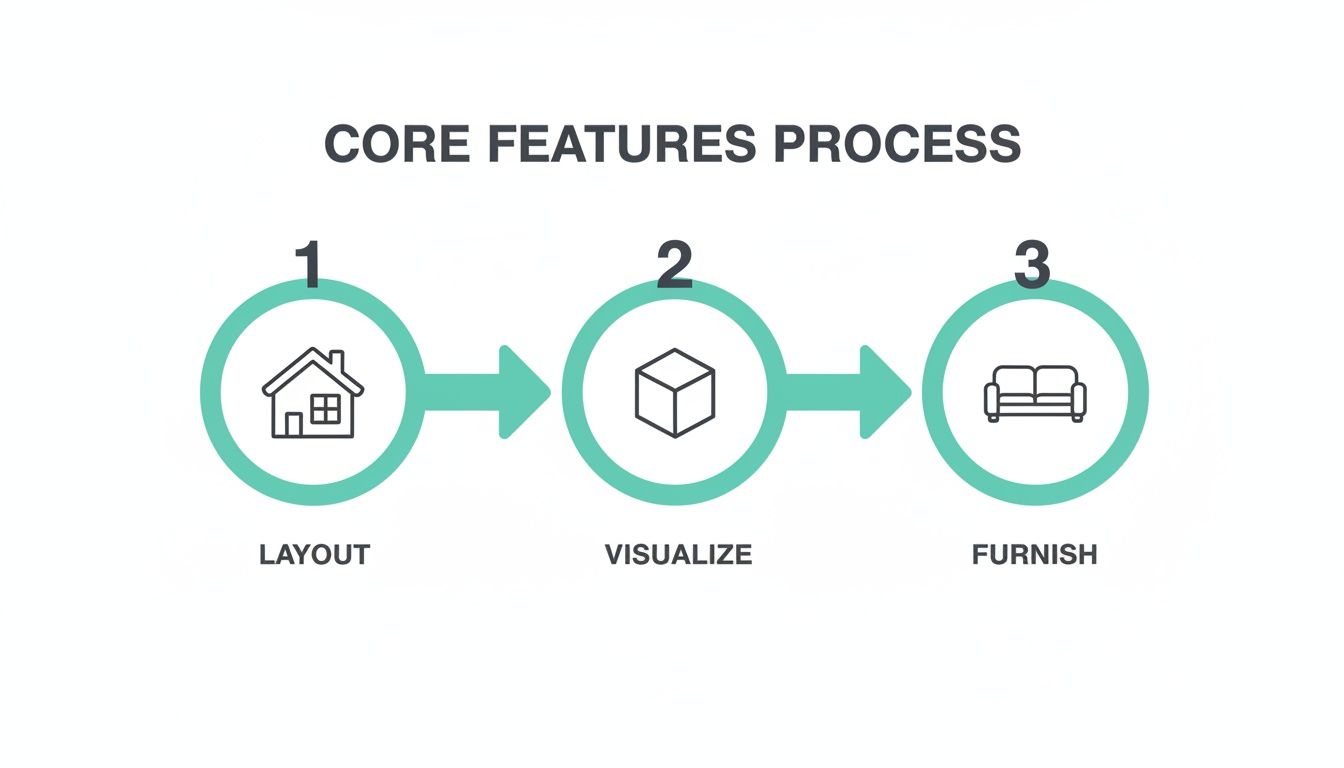
This process moves you from a blank slate to a fully realized 3D concept far more efficiently than traditional methods.
Step 3: Refine and Personalize Your Design
With a few strong concepts in hand, it's time to zoom in and tweak the details. Here’s where you can play with layouts to see how they impact the room's flow. What if you moved the sofa to the opposite wall? Would that open up more floor space for the kids to play?
Why this matters for your space: AI Interior Designer makes this iteration process a breeze. You can swap out rug textures, visualize how different light fixtures alter the mood, and make sure that new coffee table actually works with your existing armchair. This refinement stage is where a good design becomes a great one—a space that’s not just beautiful, but perfectly tailored to your life.
Practical Examples for Every Room
Alright, let's get practical. How do these online home design tools actually help people with real-world projects? It's about more than just making pretty pictures—it’s about making smart decisions that save you time, money, and a whole lot of stress.
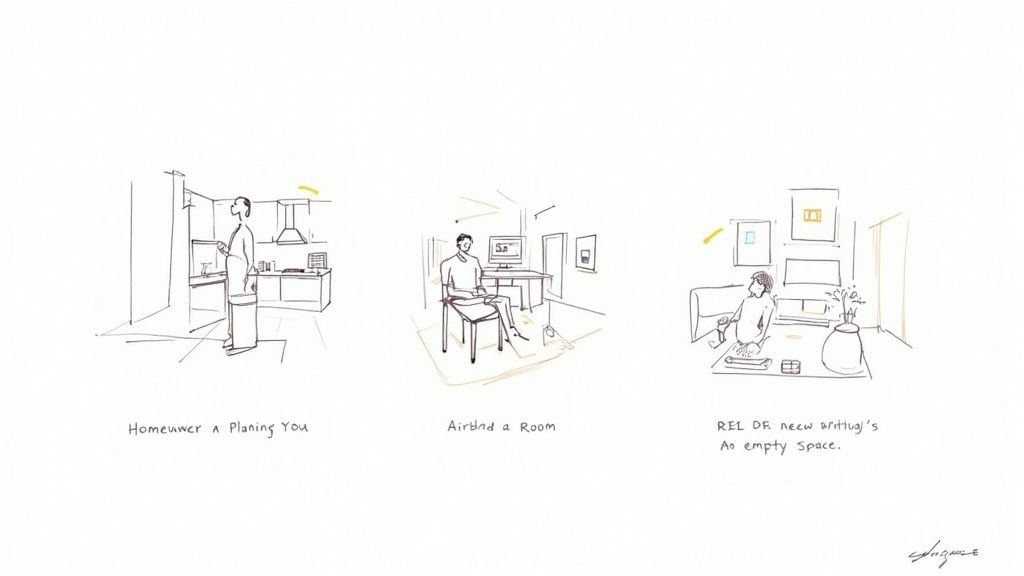
Living Room & Bedroom Makeovers
For homeowners, the budget is usually the biggest hurdle. A design tool lets you experiment with different materials before you open your wallet.
- Example: In the living room, visualize if an exposed brick accent wall feels cozy or too dark for your space. In the bedroom, test whether a king-size bed will leave enough room for nightstands and a dresser. This prevents costly "it doesn't fit" moments.
For renters, these tools are a lifesaver. You can map out the perfect furniture layout for a tiny apartment to make sure everything fits, all without breaking your back moving heavy pieces.
Kitchen & Bathroom Remodels
These rooms are expensive to change, so getting it right the first time is critical.
- Example: For a kitchen refresh, use a tool to see what a high-end quartz countertop looks like versus a more affordable laminate. For a small bathroom, test whether a floating vanity creates a sense of more floor space compared to a traditional one.
Outdoor Spaces & Airbnb Listings
In the crowded short-term rental market, great photos are non-negotiable. An Airbnb host can use a tool like Interior Redesign AI to instantly test-drive different decor themes.
- Example: Wondering if your outdoor patio would look better as a cozy lounge or a dining area? Generate visuals for both to see which one will attract more guests and boost your listing's appeal.
Real estate agents face a similar challenge with empty listings. It's tough for buyers to see themselves in a vacant, echoey room. Virtual staging is the answer. It digitally furnishes an empty home to showcase its true potential, helping properties sell faster by creating an emotional connection. This has quickly become a standard practice. If you want to learn more, check out our guide on virtual staging for real estate. For professionals, it's just one piece of a larger digital puzzle, often included among the best real estate marketing tools available today.
Choosing the Right Online Home Design Tool
With so many design tools out there, picking the right one can feel like a project in itself. The trick is to sidestep the flashy features you'll never use and focus on what actually matches your goals, budget, and comfort level with technology.
Before you dive in, take a moment to think about what you really need. Is it simple enough to use right away, or does it feel like you need an engineering degree to get started? A few minutes of upfront thinking can save you hours of frustration later.
Key Factors to Consider
As you start comparing options, keep these four things in mind. They’ll help you cut through the noise and find a tool that genuinely works for you.
- Ease of Use: A great tool shouldn't have a steep learning curve. Look for a clean, intuitive interface. If you can't figure out how to add a sofa in the first five minutes, it’s probably not the right choice for a quick room makeover.
- Features and Realism: What's your end goal? Do you need to draft a precise 2D floor plan, or are you just trying to visualize a new color scheme? For most homeowners, seeing a realistic 3D image is the real prize. This is where AI tools excel by delivering photorealistic previews without complex modeling.
- Cost (Free vs. Paid): Many platforms have free tiers that are perfect for experimenting. Paid plans typically open up better features and higher-quality images. Just be sure to check what you get for your money.
- Data Privacy: This is a big one. Some tools want you to upload detailed scans or models of your home. It's smart to pick a service you trust with images of your personal space.
Comparing Online Home Design Approaches
Deciding between traditional software and a newer AI tool often comes down to your priorities—control versus speed. Here’s a quick breakdown to help you see which approach fits your project best.
Comparing Online Home Design Approaches
| Feature | Traditional Software | Interior Redesign AI |
|---|---|---|
| Speed | Slow; requires manual 3D modeling and rendering. | Extremely fast; generates dozens of ideas in seconds. |
| Learning Curve | Often steep, requiring tutorials and practice. | Minimal; upload a photo and select your style. |
| Privacy | May require uploading detailed floor plans/scans. | High; only needs a single photo of the room. |
| Creative Input | You control every detail from scratch. | You guide the AI with text and style selections. |
| Best For... | Architects, contractors, and detailed new builds. | Homeowners, designers needing quick mockups. |
Ultimately, traditional tools like SketchUp give you granular control, which is great for building from the ground up. But for redesigning an existing space, AI offers a much faster and more intuitive path to a finished concept.
Why Interior Redesign AI Stands Out
While traditional software offers deep, manual control, modern AI tools like Interior Redesign AI are built for speed and inspiration. You can go from a single photo of your room to dozens of professional-quality design ideas in a matter of seconds.
Why this matters for privacy: Instead of building and uploading a detailed 3D model of your entire home, you only share one image of the space you’re working on. It’s a simple way to get powerful results without oversharing your data.
Better yet, the platform gives you advanced controls to steer the AI's creativity. You can get specific with styles, colors, and even materials like "dark oak" or "white marble" to nudge the design closer to what you have in mind. If you’re weighing your options, our complete breakdown of the best online interior design tools can help you make a final decision.
Tips for Getting Professional-Quality Results
Turning a simple idea into a design that looks genuinely professional is more achievable than you might think. The trick is to combine the power of these design tools with a few classic design principles. A little know-how goes a long way.
Follow these simple tips, and you’ll be amazed at how much you can elevate your virtual creations.
Master the Basics First
It's tempting to jump straight to the fun stuff—picking out furniture and playing with colors. But before you do, take a step back and focus on the fundamentals.
- Measure Twice, Design Once: Inaccurate measurements are the number one cause of frustration. Grab a tape measure and get the real dimensions of your room, paying close attention to windows and doors. This ensures that the virtual sofa you love will actually fit in your living room.
- Embrace Negative Space: Don't feel pressured to fill every inch of the room. Negative space, the empty area around your furniture, is a designer's secret weapon. It gives your design room to breathe and can make even a small apartment feel surprisingly spacious.
Use AI as Your Co-Pilot
The real magic of a tool like Interior Redesign AI isn't that it replaces your creativity, but that it acts as your creative partner. It’s there to spark ideas, not dictate the final look.
Why this matters: Think of the AI as your design co-pilot, not the autopilot. Use its suggestions as a jumping-off point, and then bring your own personality into the mix. If the AI suggests a shade of blue that isn’t quite right, swap it for one that feels more you. Combine AI ideas with your own taste to create a space that's truly personal.
Be honest about AI limitations. While it's fantastic for visualization, it can't know your family's unique needs or your home's structural quirks. For major renovations, it's always a good idea to combine AI concepts with the expertise of a professional designer or contractor.
A Few Final Questions
Still have a few things on your mind? Perfect. Let's tackle some of the most common questions people ask before diving into an online home design tool.
Do I Actually Need Design Skills to Use This?
Not at all. The whole point of modern tools, especially AI platforms like Interior Redesign AI, is to make great design accessible to everyone. They're built for people who have ideas but maybe not the technical skills to draw them up.
You just start with a photo of your space, and the technology handles the complex stuff—like perspective, lighting, and scale. This frees you up to do the fun part: exploring different styles and figuring out what you truly want.
Can This Really Help Me Stay on Budget?
Yes, and it’s one of their most powerful features. Visualizing the entire project before you buy a single can of paint or piece of furniture is a huge money-saver. It’s like creating a financial blueprint for your room makeover.
This approach lets you "try on" different looks without any financial risk. You can see if that expensive designer sofa really makes a difference or if a more budget-friendly option achieves the same vibe. It’s all about making informed spending decisions and avoiding costly mistakes.
So, Does This Replace a Professional Designer?
It depends on your project. For many homeowners looking to refresh a room or tackle a straightforward DIY makeover, an online home design tool is often all you need to get a beautiful, cohesive result.
But for a major gut renovation or a new construction project, these tools become incredible collaboration aids. Instead of trying to describe your vision with words, you can show your designer or contractor exactly what you're thinking. It gets everyone on the same page instantly, which saves time and prevents headaches down the road.
Ready to stop wondering and start seeing? Instantly reimagine your room from a simple photo or sketch with Interior Redesign AI.