Ever wished you had an interior designer on call, ready to brainstorm hundreds of ideas for your room in seconds? That's the magic of AI interior design software. It’s not science fiction; it’s a practical tool that acts as your personal design assistant, turning a simple photo of your space into a gallery of stunning, realistic possibilities.
Welcome to Your Smart Design Assistant
The old way of redesigning a room was often a long, expensive headache. It meant weeks of pinning images, collecting samples, and agonizing over decisions, all while hoping it would look good in the end. This process often leads to second-guessing and costly mistakes.
AI interior design software flips that experience on its head. It shrinks a weeks-long creative process into a few moments. Suddenly, professional-level design isn’t just for those with huge budgets. Instead of just imagining how a new style might look, you can see it in your actual room before you spend a dime on paint or furniture.
Making Great Design Accessible to Everyone
For a long time, hiring an interior designer felt like a luxury. AI platforms have changed the game by putting powerful design tools right at your fingertips. This empowers anyone, from homeowners to Airbnb hosts, to experiment with their space and make smarter, more confident choices.
Here’s why that matters for your real-life project:
- Save Money on Trial-and-Error: You can test dozens of styles, furniture layouts, and color schemes without buying a single sample. In seconds, see if your living room looks better in a cozy “Japandi” style (a mix of Japanese minimalism and Scandinavian function) or a bold Art Deco theme.
- Visualize Before You Commit: Worried that a dark blue accent wall might make your bedroom feel cramped? An AI can show you exactly how it will look, helping you avoid those expensive and frustrating do-overs.
- Boost Your Confidence: When you can see the final look before you start, you can move forward with your project knowing you’ve made the right call—from the couch you order to the paint you buy. This massively reduces decision stress.
Your Creative Co-Pilot
Don’t think of this technology as something that replaces your personal style. It’s here to amplify it. An AI interior design software is best thought of as a creative partner that’s brilliant at brainstorming. It can show you ideas and combinations you might never have thought of, encouraging you to explore new design territories in a completely risk-free way.
At its core, AI gives you the power to ask “what if?” without any real-world consequences. What if we moved the sofa to the other wall? What if we used marble instead of wood? This is where truly personal and exciting designs are born.
Whether you're a homeowner planning a kitchen refresh, an Airbnb host trying to make your listing pop, or a real estate agent staging a home to sell faster, this technology makes the entire process simpler and more affordable. A platform like Interior Redesign AI lets you reimagine any room instantly, starting with nothing more than a photo or a sketch.
How AI Actually Redesigns Your Room
Ever wondered what’s happening behind the scenes when you upload a photo to an AI interior design tool? It might feel like magic, but it's a clever and understandable process. The software isn't just slapping a filter on your picture; it’s building a new, digital version of your room from scratch.
When you provide a photo, the AI first analyzes the image to understand the essentials—the room's size, where the doors and windows are, the lighting, and any existing furniture. Think of it as a skilled designer quickly sketching out the room’s blueprint. It then uses that foundation to generate new styles, colors, and layouts based on your request.
This turns interior design from something you just look at in magazines into a hands-on, creative partnership.
From Your Photo to a Fresh Design
The real strength of these AI tools comes from their massive visual library. The software has been “trained” on millions of images of professionally designed interiors, furniture catalogs, and architectural plans. This is how it knows what makes a “Modern Farmhouse” living room feel so inviting or what defines a “Scandinavian Minimalist” bedroom.
This flowchart shows how a single photo of your room can branch out into visualizing new ideas, planning a renovation, or even staging a property to sell.
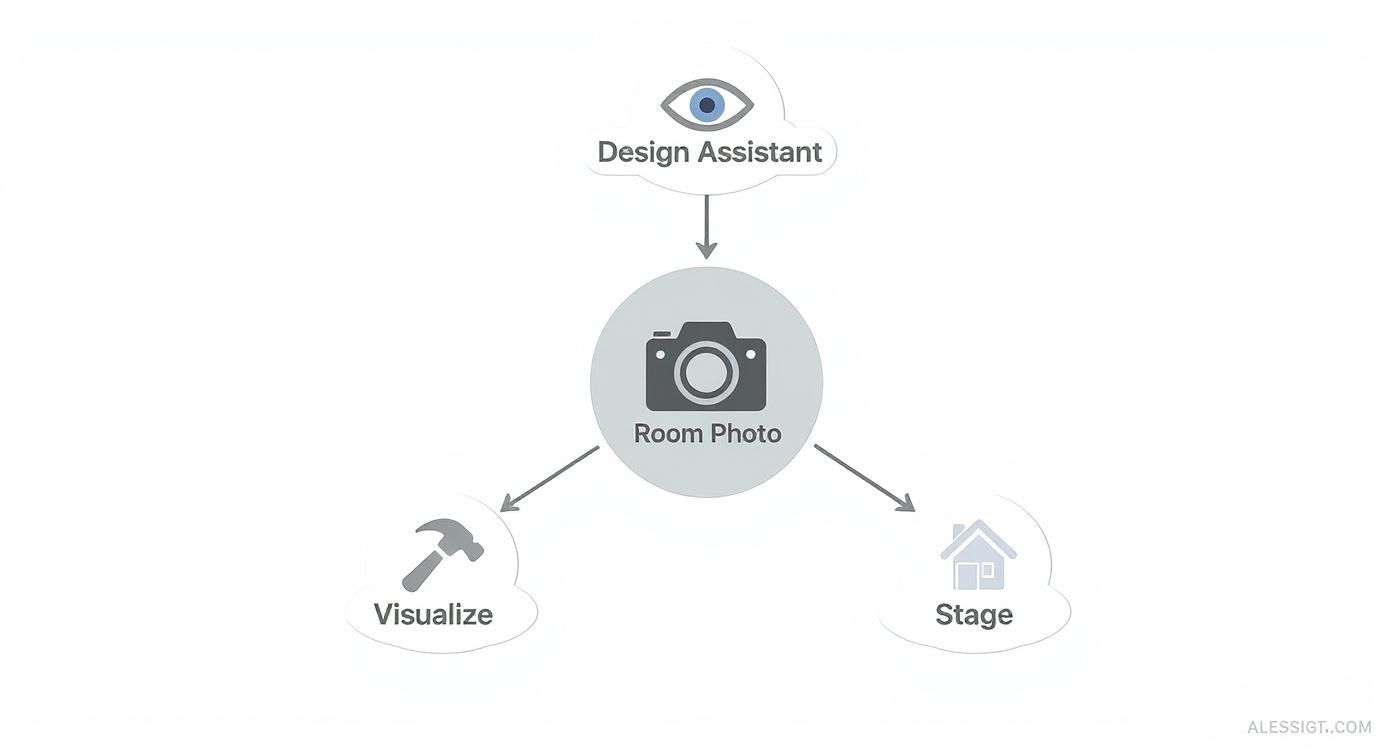
As you can see, the starting point is always your own space. This ensures the final concepts are not just inspiring, but practical and genuinely tailored to your home, whether it's a small apartment or a family house.
Because the AI understands design principles, it doesn’t just place furniture randomly. It generates layouts that consider things like negative space (the empty areas that give a room breathing room) and create a functional flow. This intelligent approach is why the generated images often feel so believable and well-put-together.
Key Features That Give You Control
Modern AI interior design software is all about putting you in the driver's seat with practical tools that solve real design dilemmas. These features are designed to take the guesswork out of the equation, saving you from costly trial and error.
Here's a breakdown of the essential features and why they matter for your project.
Key Features of Modern AI Design Tools
| Feature | What It Does | Why It Matters For You |
|---|---|---|
| Instant Style Rendering | Instantly applies dozens of design aesthetics (e.g., Modern, Rustic, Coastal) to your room photo. | It lets you "try on" different looks in seconds, helping you discover the perfect style for your family before committing to paint or furniture. |
| Material & Color Swapping | Virtually changes materials on floors, walls, and countertops, or alters the color palette of the entire room. | Debating between hardwood and polished concrete in the kitchen? This feature shows you exactly how different materials will look and wear, risk-free. |
| Layout Generation | Suggests multiple furniture arrangements optimized for your room’s specific shape and size. | A lifesaver for awkward spaces or small apartments, helping you find the most practical layout to maximize function and flow. |
These practical features are why the interior design software market is growing so quickly. By 2025, the global market is expected to hit USD 5.91 billion and is projected to climb to USD 9.66 billion by 2030. This growth is fueled by people who want to see the final picture before they start buying. In fact, some platforms have seen a 40% jump in customer engagement by offering these visualization tools. You can dive deeper into these trends over at Grand View Research.
A Quick Tip: Don’t feel you have to accept an AI suggestion as-is. The best ideas often come from mixing and matching. Try combining elements from two or three different generated layouts to create something that’s perfectly suited to how your family actually lives.
At the end of the day, these tools turn fuzzy ideas into clear, concrete visuals. To see more of what's possible, check out our guide on using AI for room design. Seeing the possibilities firsthand empowers you to make smarter, more confident decisions for your home.
Putting AI Design to Work in Your Space
Theory is great, but how does an AI interior design software actually help with real-world projects? These tools are incredibly versatile, offering solutions whether you’re sprucing up a rental on a shoestring budget or prepping a property for sale.
Let’s walk through a few common scenarios where AI becomes a game-changing partner, turning an overwhelming project into something manageable and even fun. The big win is always the same: you get a clear visual roadmap before you spend a dime.
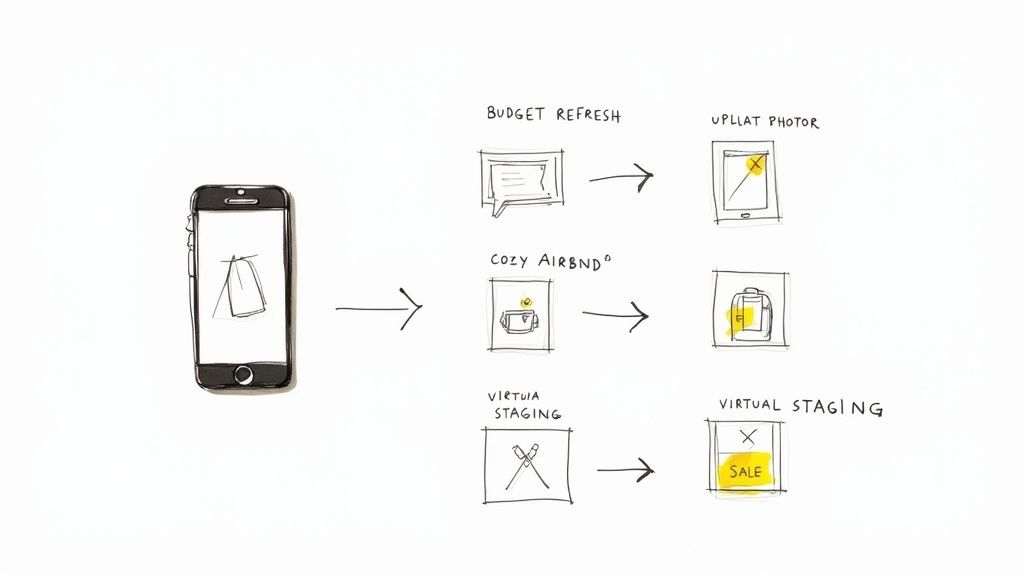
For the Budget-Conscious Homeowner: A Living Room Refresh
Imagine a homeowner feels their living room is outdated, but they don't have the budget for all new furniture. The goal is a fresh look by changing the paint, rearranging the layout, and adding a few new accents.
- Upload a Photo: They snap a photo of their current living room and upload it to a tool like Interior Redesigne AI.
- Explore Styles: They click through styles like "Scandinavian" and "Modern Coastal" to see how different vibes could work with their existing sofa. The AI generates images showing new wall colors and decor that complement what they already own, saving them money.
- Test New Layouts: One AI image suggests moving the sofa to the opposite wall to open up the room—a free change with a massive impact they'd never considered.
- Create a Plan: They settle on a soft gray paint, a new rug, and the rearranged layout. They now have a solid shopping list and a plan they feel great about, avoiding expensive mistakes.
For the Savvy Airbnb Host: A Kitchen That Books
An Airbnb host needs their small kitchen to look amazing in photos to drive more bookings. It has to be stylish, functional for guests, and durable.
- Step 1: Get Instant Ideas. The host uploads a photo of the dated kitchen.
- Step 2: Try a New Style. They select "Modern Farmhouse" and the AI instantly generates designs with a new tile backsplash, durable countertops, and a smart layout for a small space.
- Step 3: Make Smart Choices. Seeing the visualization helps them choose materials that look great but are also easy for guests to clean, boosting their listing’s appeal and justifying a higher nightly rate.
For the Strategic Real Estate Agent: Staging a Bathroom
A real estate agent needs to sell a home with a small, uninspired bathroom. Empty bathrooms feel cold and buyers can’t visualize their potential.
- Photograph the Empty Space: They take a photo of the bathroom.
- Virtually Remodel: Using AI, they apply a "Modern Spa" style. The software generates an image with new floor tiles, a sleek vanity, and better lighting.
- Create an Emotional Connection: The virtually staged photo transforms the room. Buyers scrolling online now see a relaxing retreat, not a project. This helps the property sell faster and for a better price.
Each of these examples shows how AI helps solve real, practical problems. It’s a smart way to plan, budget, and execute design projects with confidence. For more ideas on easy-to-use tools, check out our guide on the best free interior design apps to get started.
How to Choose the Right AI Design Tool for You
https://www.youtube.com/embed/gACXOi_Hq9A
With so many AI interior design tools available, how do you pick the right one? The best software for a professional designer might be overkill for a homeowner just choosing a paint color.
The secret is to start with a clear goal. Match the tool's features to your specific project. Are you planning a quick living room refresh, or do you need stunning virtual staging to make a real estate listing shine? Knowing what you're trying to accomplish will help you cut through the noise.
This market is growing fast. The global AI interior design software market hit around USD 5.3 billion in 2024 and is expected to nearly double to USD 10.4 billion by 2033. This boom is all about tools that make real-time rendering and smart design suggestions accessible to everyone. You can discover more insights about these market trends to see just how much this tech is changing the game.
Define Your Project Needs First
Before you look at features or pricing, ask yourself, "What am I really trying to do?" Your answer will be your guide.
- For Homeowners & DIY Enthusiasts: Your priorities are simplicity and inspiration. You want a tool where you can upload a photo, click through styles, and get instant ideas without a manual. The goal is to make confident decisions for your own home.
- For Airbnb Hosts & Real Estate Agents: Your goal is marketing. You need a platform that creates high-quality, photorealistic images for virtual staging that will attract more clicks, bookings, or offers and boost your bottom line.
- For Interior Designers & Architects: You're looking for control and precision. You need advanced features like high-resolution renders, the ability to specify materials, and tools to edit details for client presentations.
Figuring out which group you're in makes the rest of the process much easier.
Key Features to Look For
Once your goal is clear, you can evaluate platforms with a focused checklist. The best tool balances powerful features with genuine ease of use.
Here’s what really matters:
- Image Quality and Realism: Do the images look believable? You want renders that are realistic enough to give you the confidence to start painting or buying furniture.
- Ease of Use: Is the interface intuitive? A great tool should feel like a creative assistant, not a technical roadblock. For beginners, a simple upload-and-generate workflow is a must.
- Variety of Styles: Does the platform offer a good range of design aesthetics? A deep library—from Industrial and Bohemian to Japandi—helps you explore ideas you might not have considered.
- Customization Control: How much can you fine-tune the results? Some tools, like Interior Redesigne AI, include an editor that lets you refine specific areas, giving you that extra bit of creative freedom.
A crucial tip: Always check the pricing model. Some platforms charge a monthly subscription, while others sell credits on a pay-per-design basis. If you only need to redesign one or two rooms, a credit system is often much more cost-effective.
To help you sort through the options, here's a quick comparison of what different users should prioritize.
Comparing AI Design Software Features
A side-by-side look at what to consider when choosing an AI interior design tool, helping you match features to your specific project needs.
| Consideration | What to Look For (For Homeowners & DIY) | What to Look For (For Professionals) |
|---|---|---|
| Primary Goal | Inspiration, quick mockups, and exploring styles. | High-quality client presentations, virtual staging, and detailed project planning. |
| Ease of Use | Simple, intuitive interface with a minimal learning curve. "Upload, select, generate." | More advanced controls, even if it requires some learning. Precision is key. |
| Image Quality | Good to great quality that helps visualize the final look. | Photorealistic, high-resolution renders are non-negotiable for client work and listings. |
| Style Variety | A broad library of popular and trendy styles to spark creativity. | A wide range is good, but the ability to create or specify custom styles is a huge plus. |
| Customization | Basic controls like changing the style or generating new variations. | Granular control over materials, lighting, object placement, and post-render editing. |
| Pricing Model | Pay-as-you-go credit packs or low-cost subscriptions are ideal for occasional use. | Monthly or annual subscriptions with higher render quotas and premium features. |
Ultimately, picking the right tool sets you up for a smooth, enjoyable design process. If you’re just getting started, check out our guide on interior design software for beginners.
Combining AI Inspiration with Your Personal Style
There’s a common worry that AI interior design software just spits out generic, cookie-cutter rooms that lack personality. The trick is to see AI not as a replacement for your creativity, but as a powerful launchpad for it.
Think of it as your creative co-pilot. It’s brilliant at brainstorming layouts and exploring styles, but it can’t know about that quirky souvenir you bought on vacation or the antique armchair you inherited. That’s where your human touch comes in.
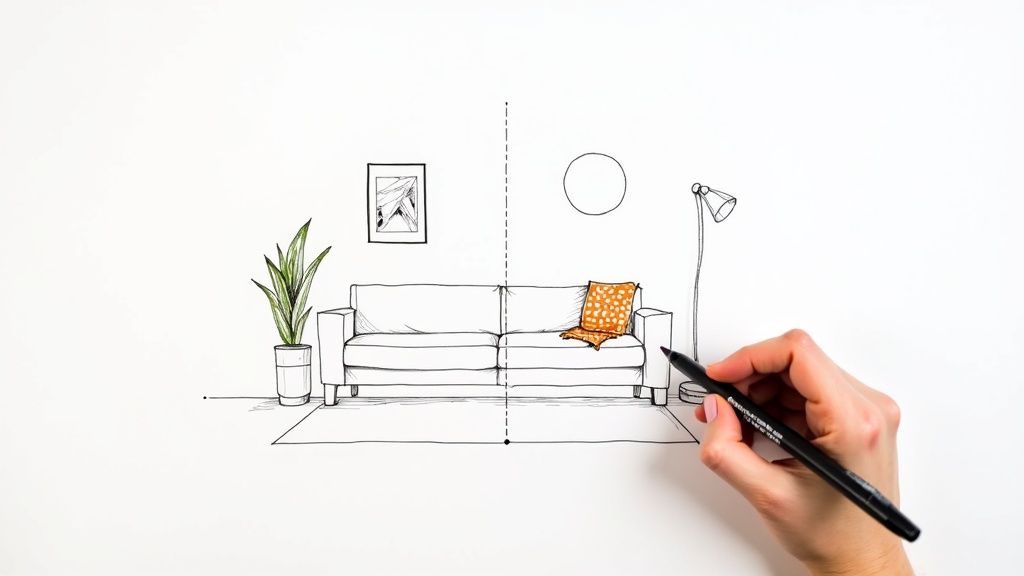
Treating AI Designs as a Starting Point
An AI-generated image isn't the final blueprint; it's a fantastic first draft. It helps you completely sidestep that intimidating "blank canvas" feeling. Once you have a concept that clicks, the real fun begins.
Here’s a simple way to make an AI design feel like your own:
- Identify the Core Idea: Look at the AI render. What do you love? Maybe it found the perfect spot for your sofa or suggested a color palette that instantly makes the room feel bigger. Keep those big wins.
- Layer in Your Personality: Now, infuse the space with you. Swap out generic art for family photos or a print from an artist you admire. Add that funky lamp you found at a flea market. These are the things that tell your story and make a house a home.
- Refine the Details: Does the AI’s color scheme feel a bit too safe? Use it as a base. If it suggested neutral beige, maybe you can bring in a pop of deep navy or warm terracotta through pillows, a throw blanket, or a statement rug.
Trusting Your Own Intuition
At the end of the day, AI is a tool. It doesn’t understand sentimental value, and it doesn't know you have two toddlers and a dog. If the software suggests a delicate white linen sofa for your family living room, trust your gut. It's beautiful, but it's not right for your life.
The best room transformations use AI for about 80% of the heavy lifting—the layout and core inspiration. The final 20% is all about those personal touches and practical tweaks that make a house a home.
Remember that AI has its limitations. It’s an incredible brainstorming tool, but for complex projects, combining its ideas with your own taste or the expertise of a professional designer is always the best approach.
The ultimate goal is to create a space that feels genuinely, authentically you. Use AI to get the ball rolling, then take the lead and make it your own. For help pulling your ideas together visually, our guide to creating effective interior design mood board examples is a great place to start.
Got Questions About AI Interior Design? We’ve Got Answers.
Jumping into any new technology comes with questions. That’s a good thing! Let's clear up some of the most common things people ask about AI interior design software so you can start your project feeling confident.
Are these tools actually easy for beginners to use?
Absolutely. If you can upload a photo to social media, you have all the technical skill you need. The best AI platforms are designed for everyday people, not tech wizards. The whole process usually boils down to three simple steps:
- Upload: Snap a photo of your room and upload it.
- Select: Pick a style you like, such as "Modern" or "Bohemian."
- Generate: Click a button and watch new designs pop up in seconds.
It's meant to be intuitive. You won’t need to read a dense manual or learn confusing jargon to get started.
Can I use AI for my patio, balcony, or backyard?
Yes! Many newer AI design tools work just as well for outdoor spaces. Whether you're sprucing up a tiny apartment balcony, rethinking a backyard patio, or giving your front porch a makeover, the process is the same. Upload a picture, play around with different styles, and see what it could become—a cozy private retreat or the perfect spot for summer barbecues. It's a lifesaver for visualizing big-ticket items like a wooden deck versus stone pavers before you spend a dime.
What does this kind of software usually cost?
Pricing varies, which means there's an option for almost any budget. You'll usually see a few common models:
- Free Trials or Freemium Plans: Most tools let you create a handful of designs for free. It’s the perfect way to test the waters without commitment.
- Credit Packs: This is a popular pay-as-you-go option. You buy a pack of "credits" and spend them each time you generate a new design. It's ideal for a one-off project, like redecorating a bedroom.
- Monthly Subscriptions: If you'll use it often—say, you're a designer or a real estate agent—a monthly plan offers the best value. These usually come with more designs, higher-quality images, and extra features.
A quick reality check: AI is an incredible assistant, but it's not here to replace your interior designer. Many designers now use AI to speed up the initial brainstorming phase. Think of AI as a partner, not a substitute for the expertise and project management skills a human professional brings to a complex renovation.
Ultimately, this technology is about making great design more accessible. It’s a powerful brainstorming partner that saves you time, reduces decision stress, and helps you feel great about the choices you make for your home.
Ready to see it in action? Try Interior Redesigne AI to instantly reimagine your room from a photo or sketch.
Ready to Design Your Dream Room?
We've walked through how AI interior design software can completely change the game, saving you time, money, and a whole lot of guesswork. For homeowners and seasoned pros alike, the path to a beautifully designed room has never been more direct or exciting.
Now, it's your turn to put this knowledge to work.
From Vague Idea to Virtual Reality
Stop daydreaming about what your room could look like and start seeing the real possibilities. Whether you're planning a simple bedroom refresh or a full living room renovation, the process is incredibly straightforward. You can finally play with different layouts, test that bold color you've been eyeing, and try on styles you never thought would fit—all without the fear of a costly mistake.
This is your opportunity to take the reins and become your own designer. With AI as your creative sidekick, you can:
- See Changes on the Spot: Instantly visualize how a new sofa or a different wall color will look in your space before you commit.
- Discover Your Perfect Style: Effortlessly explore aesthetics from cozy Scandinavian to rustic modern farmhouse in seconds.
- Make Decisions with Confidence: Move forward with a crystal-clear vision, certain that the final result will be a space your family truly loves.
The gap between a fuzzy idea and a beautiful reality has been closed. Your dream design is no longer just a thought—it's a concrete plan, ready for you to bring to life.
Ready to get started? Upload a photo of your room to Interior Redesign AI and see the magic happen. Your perfect space is just a click away.