Selling a home or listing a rental? You’ve probably heard about staging. But what if you could get the same jaw-dropping results without lifting a single piece of furniture? Welcome to the world of virtual staging.
Virtual staging is a digital makeover for your property. It's the process of taking photos of empty rooms and using smart software to add stylish, realistic furniture and decor. It’s far quicker, much more budget-friendly than physical staging, and it’s a total game-changer for making your property shine online.
Why Virtual Staging is a Game-Changer for Your Listing
Let's be honest—most of us have scrolled through property listings and flown right past photos of empty rooms. A vacant space often feels cold, confusing, and uninviting. Buyers are left guessing, "Will my couch fit here? What would I even do with this room?" It's tough for people to connect emotionally with a blank canvas.
Virtual staging completely solves this problem. It closes that "imagination gap" by transforming four walls into a warm, inviting home. This is more important than ever since that first impression happens online, and you have just a few seconds to make a buyer stop scrolling.
Here's why it gives your listing an immediate edge:
- Creates an Emotional Connection: When a buyer sees a beautifully furnished living room or a cozy, styled bedroom, they start to picture their own life there. That emotional hook is what gets them to book a showing. This is crucial for families trying to imagine their kids' playroom or a couple picturing their first dinner party.
- Shows Off Space and Scale: Virtual staging answers practical questions visually. It shows that a king-sized bed fits comfortably in the master bedroom or that there's plenty of room for a dining table in a small apartment.
- Drives More Online Traffic: It's simple—listings with gorgeous, furnished photos get more clicks and views than those with empty rooms. More eyes on your listing mean more inquiries and more potential buyers.
The Real-World Financial Impact
Virtual staging isn't just about pretty pictures; it has a direct and measurable impact on your wallet. The data from the real estate world is clear: this is a strategic move, not just a cosmetic one. In fact, over 50% of real estate agents in the U.S. are now using virtual staging to make their listings stand out.
Agents consistently report that staged homes can boost the final sale price by 1% to 5%. Even better, they often spend up to 30% less time on the market. If you're interested, you can dive deeper into the data on how staging impacts real estate sales.
Just look at the difference it can make.
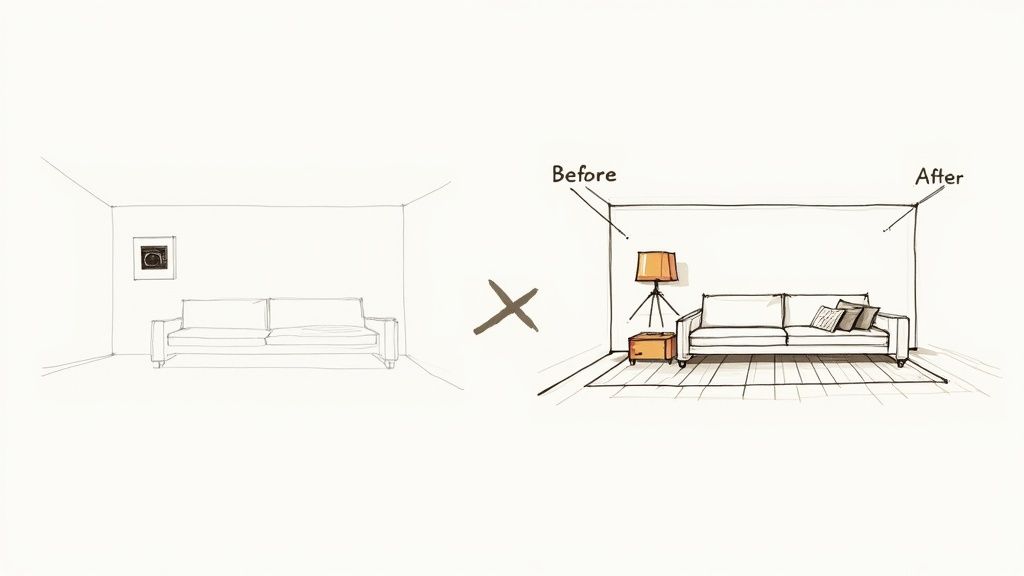
The "before" shot is a nice, clean room, but it has no personality. The "after" image feels like a home. That's the power of staging—it helps a buyer shift from just seeing a property to truly wanting it. Whether you're a homeowner trying to sell, an Airbnb host looking to book more nights, or an agent wanting to close deals faster, the takeaway is the same: a small investment in virtual staging for real estate can bring a much bigger return.
How Virtual Staging Boosts Your Bottom Line
Beautiful photos are great, but let's talk about what really matters to homeowners, agents, and hosts—the numbers. Virtual staging isn't just a marketing expense; it's a strategic investment that pays for itself, often many times over. It directly impacts your bottom line by boosting the final sale price and dramatically cutting down the time your property sits on the market.
Think about it from a buyer's perspective. An empty room is a question mark. They struggle to see how their life fits inside those four walls. Now, show them that same room, virtually staged, and suddenly they see a home. This is where the financial magic happens. Staging creates a much higher "perceived value," helping buyers connect emotionally and envision the lifestyle they could have there. That connection is what drives them to make stronger, more competitive offers.
Boost Your Sale Price and Sell Faster
The data doesn't lie. A small investment in virtual staging often leads to a much bigger payout. In fact, a recent 2025 market analysis found that homes that are virtually staged can sell for up to 10% more. On top of that, these properties move off the market up to three times faster than their empty, unstaged counterparts. You can see a full breakdown of how virtual staging delivers measurable returns on StagerAI.com.
Selling faster isn't just for convenience—it’s a direct financial gain. Every month a property lingers on the market, you're paying for carrying costs like:
- Mortgage payments
- Property taxes
- Utilities
- Homeowners insurance and any HOA fees.
These expenses add up quickly and eat into your final profit. By speeding up the sale, virtual staging puts that money right back where it belongs: in your pocket.
Maximize Your Return on Investment
Let's get down to the brass tacks: cost versus benefit. Traditional physical staging is a major undertaking, easily running into thousands of dollars for furniture rentals, movers, and a designer's time. Virtual staging achieves a similar, if not better, result for a tiny fraction of that cost. The return on investment (ROI) is just phenomenal.
The cost-effectiveness is remarkable, with returns on investment often ranging from 500% to 3,600%. For example, a modest $350 virtual staging investment on a $400,000 home can result in an additional $4,000 to $40,000 in property value.
This low-cost, high-impact approach is a game-changer for Airbnb hosts, too. A beautifully staged listing doesn't just get more clicks; it can justify a higher nightly rate, boosting your booking appeal. When you showcase a cozy, stylish, and inviting space, you’ll see a direct improvement in your occupancy and overall revenue. For more on this, check out our guide on how to increase Airbnb bookings.
AI-driven tools like Interior Redesign AI put this power right at your fingertips, letting you visualize ideas before you commit. You can try multiple styles quickly to find the perfect vibe for your target buyer or renter, all without spending a cent on physical furniture.
Virtual Staging vs. Physical Staging: A Quick Comparison
To really understand the financial edge virtual staging provides, it helps to see it side-by-side with traditional methods. The table below breaks down the key differences in cost, time, and flexibility.
| Factor | Virtual Staging | Physical Staging |
|---|---|---|
| Typical Cost | $25 - $100 per photo | $2,000 - $10,000+ for the project |
| Turnaround Time | 24 - 48 hours | 1 - 3 weeks (for consultation, delivery, setup) |
| Flexibility | Extremely high; easily change styles/furniture | Low; locked into one style, costly to change |
| Logistics | None; entirely digital process | Complex; involves movers, furniture rental, scheduling |
| ROI Potential | Very high due to low initial cost | Good, but with much higher upfront investment |
As you can see, virtual staging isn't just a cheaper alternative; it's a faster, more flexible, and ultimately more efficient way to prepare a property for the market. It makes professional staging accessible for any budget and any property, from a small apartment to a large family home.
Your Step-by-Step Virtual Staging Workflow
Ready to turn those empty, uninspiring photos into listings that people can't stop clicking on? The best part is, you don't need to be an interior designer or a tech wizard. Modern tools have made the entire virtual staging for real estate process incredibly straightforward.
Here's a simple, four-step guide to creating beautiful, realistic images that sell the potential of your property.
Step 1: Prepare Your Photos
You can’t build a masterpiece on a flawed canvas. The foundation of great virtual staging is a great photograph. Before you even think about adding furniture, your top priority is getting the perfect "before" shot.
Here are a few practical tips to get your photos right:
- Clean and Declutter: This is a must. The room needs to be completely empty and sparkling clean. Get rid of every personal item, random object, and bit of dust. A blank slate gives the AI the best chance to create a realistic result.
- Let There Be Light: Open every blind and curtain. You want as much natural light flooding the space as possible. A bright, slightly overcast day is often perfect for avoiding harsh shadows.
- Shoot from the Corner: This is a classic real estate photography trick for a reason. Standing in a corner gives you the widest, most comprehensive view of the room, helping buyers grasp its true size and flow.
- Keep It Level: Hold your camera or phone perfectly straight. Tilted walls and crooked lines look unprofessional and can distort a room’s proportions.
A clean, bright, and properly framed photo gives the AI a perfect starting point, which translates directly to more believable results.
Step 2: Define Your Design Vision
Now it’s time to put on your designer hat for a moment. Ask yourself: who is my ideal buyer or renter? A growing family? A young professional? Someone looking for a quiet vacation home? Your answer is the key to choosing the right style.
The goal is to pick a design that not only feels right for the home’s architecture but also speaks directly to that target audience. A stark, ultra-modern look might feel jarring in a historic home, just as a rustic theme would seem out of place in a city high-rise.
Key Takeaway: You’re not decorating for yourself. You're creating a universally appealing vision that allows the widest range of people to picture their own lives unfolding in that space.
Think about popular styles with broad appeal:
- Modern: Clean lines, simple color schemes, and materials like metal and glass.
- Scandinavian: A fan favorite for its focus on simplicity, minimalism, and a cozy, light-and-airy feeling.
- Japandi: A blend of Japanese and Scandinavian design. It’s all about natural materials, calm colors, and a beautifully uncluttered vibe (the “less is more” approach).
Having a clear design direction makes your staging feel intentional, cohesive, and professional.
Step 3: Use an AI Tool Like Interior Redesign AI
This is where the magic happens—and it's easier than you think. AI-powered platforms like Interior Redesign AI do all the heavy lifting. The technology is built to be intuitive, turning what used to be a complex design job into just a few clicks.
Here's how simple the process is:
- Upload Your Photo: Just take that pristine, empty room photo you shot in Step 1 and upload it to the platform.
- Select Your Style: Choose the design vibe you're going for, like "Minimalist," "Coastal," or "Bohemian." You can also tell it what kind of room it is (living room, bedroom, etc.).
- Generate the Design: Hit the button and let the AI work its magic. In just a few seconds, the tool analyzes your room’s dimensions and lighting, then populates the space with furniture and decor that fits your chosen style.
If you're new to this, exploring different interior design software for beginners is a great way to see just how powerful these tools have become.
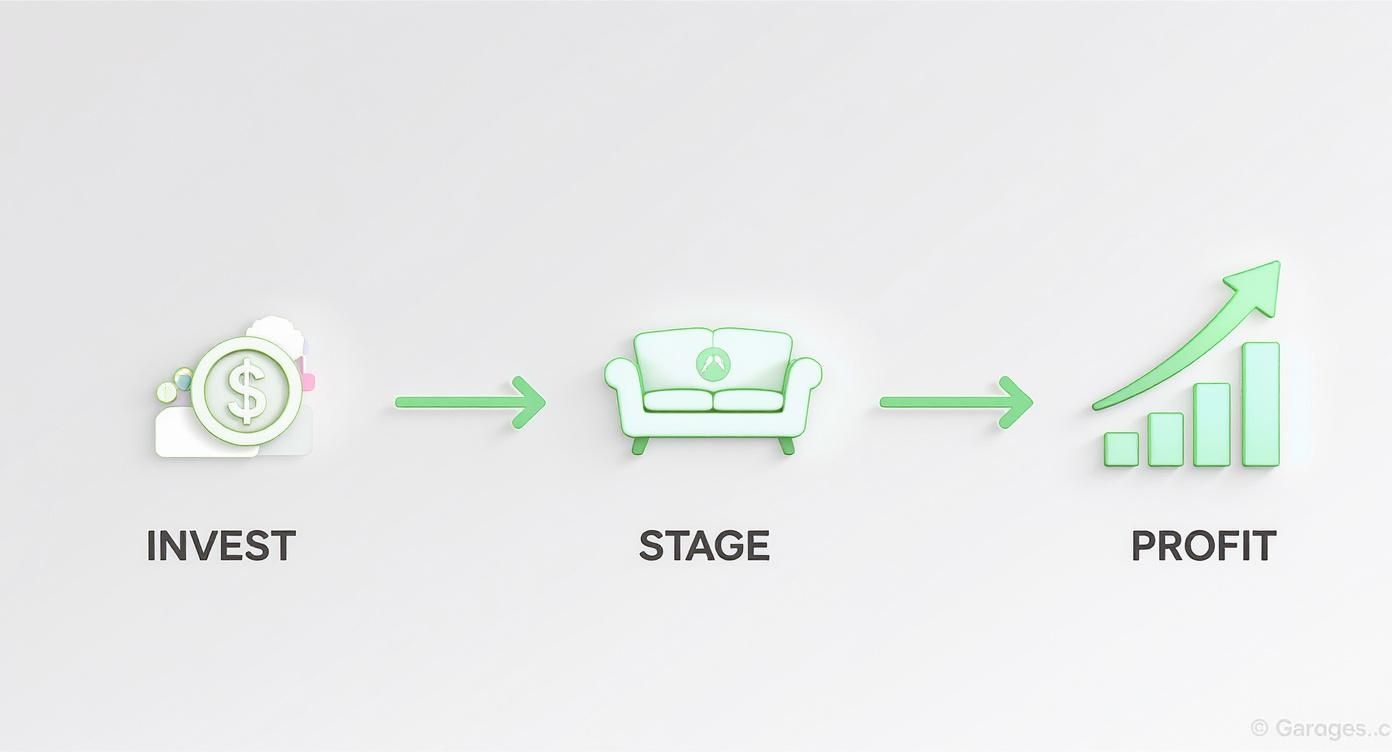
This simple Invest > Stage > Profit model is a powerful reminder of how a little upfront effort can pay huge dividends.
Step 4: Refine and Choose the Best Result
The first image the AI generates is often amazing, but don't stop there. The final step is to fine-tune the results. A good AI tool will let you generate multiple options quickly.
Maybe that first sofa feels a bit too bulky for the space, or you'd rather see a different rug. No problem. Just regenerate the image or tweak your style prompt. This ability to instantly audition different looks is something you could never do with physical staging and is a huge time and stress saver.
Remember, the AI is a brilliant assistant, but you're the director. While AI is fantastic for generating ideas, combine its suggestions with your own taste. The end goal is a final image that feels aspirational yet completely authentic—a killer marketing asset that will get your property sold or booked in record time.
Best Practices for Realistic and Effective Staging
Knowing how to use a virtual staging tool is one thing. Knowing how to create images that are beautiful, believable, and actually sell a property? That's what sets the pros apart. Your goal isn't just to fill an empty room—it's to tell a story and paint a picture of the lifestyle someone could have in that home.
Choose Furniture That Fits the Space
One of the quickest ways to spot amateur virtual staging for real estate is mismatched furniture scale. A massive sectional sofa can swallow a small living room, making it feel cramped. On the other hand, a tiny dining table in a large space just looks awkward.
Here’s how to get the proportions right:
- Respect the Scale: Before you add a single piece, get a feel for the room's actual dimensions. The furniture needs to complement the space, not fight with it. This helps buyers accurately picture how their own belongings will fit, which is especially important in apartments or smaller homes with space constraints.
- Create Clear Pathways: Always leave enough "negative space" (the empty areas around furniture) for someone to walk around comfortably. A realistic layout feels functional and inviting.
- Focus on What Matters: Pour your energy into the rooms that have the most emotional impact—the living room, the primary bedroom, and the kitchen. These are the spaces where buyers truly connect.
A tool like Interior Redesign AI is perfect for this. You can experiment with different layouts in seconds, testing what works without the back-breaking work of moving physical furniture.
Select a Cohesive and Appealing Style
Your design choices should be stylish but also appeal to the widest possible audience. Steer clear of niche or overly personal styles that might turn off a potential buyer. The goal is a clean, inviting look that lets people imagine their own life unfolding there.
A neutral, universally appealing design is your best bet. Think bright, airy, and uncluttered. This approach doesn't just look good in photos; it helps buyers focus on the property's features rather than the decor.
Styles like Modern, Scandinavian, or Transitional are almost always a safe bet. They rely on calming, neutral color palettes—think grays, whites, and soft blues—along with natural textures and simple, clean lines. For a deeper dive into different aesthetics, our guide on using AI for room design can give you plenty of inspiration.
This kind of strategic presentation is fueling the boom in the global virtual staging market. In fact, industry forecasts predict a compound annual growth rate (CAGR) of about 25.1% for these services from 2025 to 2033. It’s clear this is a fundamental shift in how we market homes. You can find more insights on this growing market and its drivers on archivemarketresearch.com.
Pay Attention to Lighting and Shadows
Nothing gives away a digital render faster than bad lighting. For a virtually staged photo to feel real, the furniture has to interact with the room’s natural light source just like a physical object would. That means getting the shadows and highlights right.
A good AI tool automatically analyzes the lighting in your original photo and casts shadows that look natural. This detail is what grounds the digital items in the room, making them feel like they actually belong. If the shadows look off, the whole illusion shatters. Always review your final images to make sure the lighting feels consistent and real.
By keeping these simple principles in mind, you can create virtually staged photos that do more than just grab attention—they build trust and help buyers form a genuine connection with your property.
Seeing Is Believing: Before and After Examples
You can talk about virtual staging all day, but nothing hits home quite like seeing the transformation with your own eyes. It’s one thing to describe design concepts; it’s another to watch a cold, empty room blossom into a warm, inviting space.
The "before" photos are what buyers typically scroll past online. They see a blank canvas, but it often feels sterile and impersonal. The "after" images, created in minutes with virtual staging, instantly fix that by telling a story of what the home could be.
Here are a few practical examples for key rooms.
Living Room: From Empty Box to Cozy Hub
A vacant living room feels soulless. It's hard for a family to imagine movie nights or for a couple to picture hosting friends.
- The Goal: Create a warm, modern hub that feels stylish but, more importantly, livable.
- The Style: We'll go with a "Scandinavian" theme. It’s a crowd-pleaser known for its clean lines, cozy textures, and bright, neutral palette. It makes rooms feel bigger and more welcoming.
- The Result: A plush gray sofa and a light wood coffee table immediately ground the room. Add a textured area rug, a couple of accent chairs, and some simple art. Just like that, it’s no longer a box. It’s a place where you can picture a family kicking back after a long day.
Bedroom: From Vacant Space to a Tranquil Retreat
An empty primary bedroom is a huge missed opportunity. This should be the most personal, relaxing space in the home, but without any furniture, it's just four walls.
- The Goal: Transform this room into a serene owner's retreat that feels both calming and a little bit luxurious.
- The Style: "Japandi" is perfect for this. It’s a beautiful blend of Japanese minimalism and Scandinavian function that leans on natural materials and a clean, clutter-free vibe.
- The Result: A low-profile platform bed with crisp white linens, flanked by simple wooden nightstands. A soft, neutral-toned rug underfoot adds warmth. The room now feels less like a blank space and more like a high-end hotel suite—a true escape.
Outdoor Space: From Bare Patio to an Outdoor Oasis
Outdoor spaces are a massive selling point, but a bare concrete slab doesn't exactly scream "weekend BBQ." This is especially true for Airbnb listings where guests are dreaming of a vacation vibe.
- The Goal: Turn a boring patio into an inviting extension of the living space.
- The AI Assist: A tool like Interior Redesign AI can work wonders here. You can upload a photo of that sad-looking patio, pick a style like "Outdoor Oasis," and watch it come alive.
- The Result: The AI populates the space with stylish patio furniture, an outdoor rug, charming string lights, and lush potted plants. Suddenly, buyers or renters aren't looking at a chore; they're looking at a place for morning coffee or evening cocktails.
Inspired by these makeovers? You can check out even more stunning examples and play around with different looks in our full design gallery.
Using Virtual Staging Ethically: Best Practices for Transparency
Virtual staging is a powerful marketing tool, but with great power comes great responsibility. The entire point is to help buyers fall in love with a home's potential, not to mislead them. Trust is the currency of real estate, and that starts with being upfront in your listing photos.
Think about it from the buyer's perspective. They see gorgeous, fully furnished photos online, get excited, and book a showing. Then they walk into a completely empty house. That letdown can sour the whole experience and create distrust.
The Golden Rule: Always Disclose
The industry standard is simple and crucial: always disclose when a photo has been virtually staged. This isn’t a complex legal issue; it's basic transparency that protects your reputation and sets the right expectations from the start. A simple disclosure keeps the focus where it should be—on the property's incredible potential.
How to Disclose Like a Pro
So, what does proper disclosure look like? The goal is to be clear and place the note where it’s easily seen.
- In the Photo Caption: This is the most direct method. A quick line like, “Virtually staged to show the home’s potential,” gets the job done perfectly.
- As a Watermark: A small, tasteful watermark in the corner of the image stating “Virtually Staged” is another common and effective approach.
- In the Property Description: Weave it right into your listing narrative. A sentence like, “Some images have been virtually staged to illustrate the property's potential,” works beautifully.
Pro Tip: One of the best things you can do is show the empty room right alongside the staged version in your photo gallery. This gives buyers the best of both worlds: they can see the clean slate they have to work with and get inspired by a beautifully realized vision.
Being transparent isn't just about avoiding problems—it's smart business. It lets you tap into the full marketing power of virtual staging for real estate while building your name as an agent people can trust.
Ready to see how easy it is to create stunning, realistic designs for your own listing? Give Interior Redesign AI a try and instantly reimagine your space from a single photo.
Common Questions About Virtual Staging
Even with all its clear advantages, it's normal to have questions about virtual staging. It’s a powerful marketing tool, and you want to make sure you're using it correctly and confidently. Let's tackle some of the most common questions from real estate agents, homeowners, and hosts.
Is Virtual Staging Misleading to Buyers?
This is the most important question, and the answer is simple: it’s not misleading as long as you're transparent. The whole point of virtual staging for real estate is to help buyers envision a property's potential, not to trick them.
The key is disclosure. Always add a simple note in the photo caption or property description, like, “Photos have been virtually staged to illustrate potential.” This simple step builds trust and manages expectations from the start.
Can You Virtually Stage a Room That's Already Furnished?
Absolutely! This is a common scenario, especially for homeowners living in the property they're trying to sell. Many AI-powered platforms, including tools like Interior Redesign AI, offer a virtual furniture removal feature. The software digitally "erases" the existing furniture from your photo, giving you a clean, empty canvas to work with.
This is a lifesaver for properties with dated, cluttered, or highly personal decor that might not appeal to all potential buyers. You can clear out the distractions and then re-stage the room with a modern, inviting style.
How Realistic Does Virtual Staging Actually Look?
The technology has come a long, long way. Modern AI creates results that are genuinely photorealistic. It analyzes the lighting, shadows, and perspective in your photo to place digital furniture that looks like it's really sitting in the room. We're well past the era of cartoonish sofas that look like they're floating in mid-air.
Key Takeaway: The realism of your final image hinges directly on the quality of your original photo. A bright, crisp, well-composed shot of the room will always produce the most believable and stunning results.
What Is the Cost Difference Compared to Physical Staging?
The financial gap is massive. Traditional physical staging can easily cost $2,000 to $10,000 or more, once you factor in furniture rental, movers, and a designer's time.
Virtual staging, on the other hand, typically costs just $25 to $100 per photo. This makes it an incredibly affordable and accessible strategy for any listing, from a small rental apartment to a large family home, delivering a huge return on a very small investment. For a deeper dive, our team has put together answers to many other common questions in our complete virtual staging FAQ section.
Ready to see how virtual staging can elevate your own listings and save you time, money, and stress? With Interior Redesign AI, you can instantly reimagine any room from a single photo or sketch. Try it now and bring your property’s full potential to life.