
Want to get more Airbnb bookings? It all starts with a listing that grabs attention, shows up high in search results, and convinces travelers to book your space over hundreds of others. Nailing three key things—a magnetic title, a compelling description, and irresistible photos—is the foundation for filling your calendar and maximizing your income.
Craft a Listing That Converts Browsers into Bookers
Think of your Airbnb listing as your digital storefront. In a crowded marketplace, a great space isn't enough. Your listing is the first impression a potential guest has, and it needs to do more than just catch their eye—it has to convince them that your place is the one for their trip.
And the competition is fierce. The short-term rental market is booming. To give you an idea, Airbnb managed over 490 million nights and experiences in a single year. And while North America and Europe lead in revenue, Latin America saw a massive 55.5% increase in stays.
A huge trend to watch? Long-term stays. Bookings of 28 days or more now make up nearly 20% of all nights booked. This is a golden opportunity for hosts who can cater to digital nomads, remote workers, or people relocating. You can dive deeper into these trends at Affinco.
Write a Title That Sells the Dream
Your title is your hook. It’s the first thing a guest reads, so it needs to be powerful. Forget generic descriptions like “Nice 2-Bedroom Apartment.” You need to highlight what makes your property special right away.
What’s your best feature? Lead with that.
- Highlight Your #1 Asset: Is it the stunning view, prime location, or a killer amenity? Think: “Oceanfront Studio with Private Balcony” or “Cozy Cabin w/ Hot Tub Near Hiking Trails.”
- Use Evocative Language: Words like cozy, serene, charming, vibrant, or luxe create a feeling before a guest even sees a photo. This helps them imagine the experience.
- Target Location Searches: Mentioning a popular neighborhood, a key landmark, or walkability helps you show up in more specific searches. For example: “Downtown Loft Walkable to Convention Center.”
This isn't just about grabbing attention; it also feeds the Airbnb algorithm the keywords it needs to show your listing to the right people, increasing your visibility.
Craft a Description That Tells a Story
Once your title gets the click, your description seals the deal. Many hosts make the mistake of just listing facts. Don't do that. Instead, tell a story that helps guests picture themselves enjoying your space.
Instead of writing, “The living room has a couch and a TV,” try this: “After a day of exploring the city, sink into the plush sofa and stream your favorite shows on the 55-inch smart TV.” See the difference? One is a boring inventory list; the other focuses on the guest’s experience.
Why This Matters: People don't book a property; they book an experience. Your description should sell the feeling of staying there, whether it's a peaceful retreat, a launchpad for adventure, or a convenient home base for work.
To make your description scannable, especially on a phone, use short paragraphs and bullet points. It’s a simple trick that makes a huge difference. Guests can quickly find the features that matter most to them.
For example:
- Lightning-fast Wi-Fi (300 Mbps) for seamless remote work
- Fully equipped kitchen with an espresso machine and complimentary local coffee
- Dedicated workspace with an ergonomic chair and monitor
- Private patio with a bistro set for your morning coffee
This format is far more effective than a giant block of text. It respects your potential guest's time and highlights the amenities that truly influence booking decisions. For more ideas, check out how top-performing hosts showcase their spaces in our design inspiration gallery.
Create Scroll-Stopping Photos with AI Staging
In the endless scroll of Airbnb listings, your photos have about three seconds to make an impression. They aren't just part of your listing; for most guests, they are your listing.
Dark, blurry, or cluttered photos are a one-way ticket to being ignored, no matter how amazing your property is. Professional, bright, and inviting photos are the single most powerful tool you have to get more bookings. They do all the heavy lifting before a guest even reads your description.
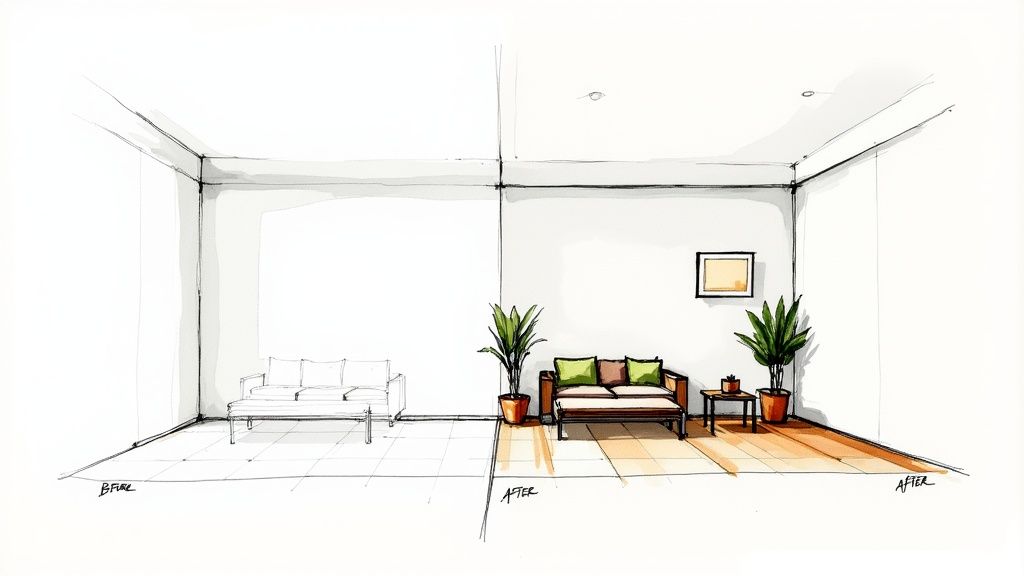
Photography Basics That Make a Huge Difference
You don't need an expensive camera, but you do need to master a few key principles. A little attention here will dramatically boost your listing's appeal and help you stand out.
- Let the Light In: Always shoot during the day. Open all curtains and blinds, and turn on every light. You want rooms to feel bright, airy, and welcoming. This makes even small spaces feel larger.
- Go Landscape: Always shoot horizontally (landscape orientation). These photos fit Airbnb’s format perfectly and capture more of the room, giving guests a better sense of the space.
- Declutter Everything: Before taking a single picture, do a deep clean. Clear off countertops, remove personal items, and hide any clutter. A minimalist look helps guests mentally move their own things in.
Staging is also crucial. Fluff the pillows, drape a throw blanket over a chair, and set the dining table for two. These small touches make a property feel like a curated home, not just a rental space.
Essential Photo Checklist for a High-Converting Airbnb
This checklist covers the must-have shots to capture for your property, ensuring you cover every angle potential guests want to see.
| Room or Area | Essential Shots to Include | Pro Tip for Impact |
|---|---|---|
| Living Room | Wide shot of the whole room, close-up of seating area, detail of entertainment setup (TV, games). | Fluff all pillows and have a cozy blanket draped over the sofa. Make it look inviting. |
| Kitchen | Full view of the kitchen, shot of the coffeemaker/tea station, inside the (clean!) fridge. | A bowl of fresh fruit or a vase of flowers on the counter adds a pop of color and life. |
| Bedrooms | Shot of the entire room, close-up of the neatly made bed, view from the bedroom window. | Use crisp, white linens if possible. It immediately signals "clean" to potential guests. |
| Bathrooms | Full shot of the bathroom, close-up of the shower/tub, detail of provided toiletries. | Make sure the toilet seat is down! Fold the end of the toilet paper into a triangle for a hotel touch. |
| Outdoor Space | Wide shot of the patio/balcony, view from the outdoor space, close-up of seating area. | If you have outdoor lighting, take a "golden hour" or dusk shot to show off the ambiance. |
| Unique Features | Hot tub, fireplace, dedicated workspace, unique architectural details, local guidebooks. | Capture these features in action—a crackling fire is far more appealing than a cold fireplace. |
Running through this list ensures you're showing guests everything they need to see to feel confident hitting that "Book" button.
The New Secret Weapon: Virtual Staging with AI
But what if your rental is an empty shell? Or the current furniture isn't doing it any favors? Physically staging a property is a massive headache—it's expensive, slow, and a huge pain if you're trying to get a listing live quickly.
This is where technology changes the game.
AI-powered virtual staging lets you completely redesign a room without buying a single piece of furniture. It’s a game-changer for creating stunning photos that attract guests willing to pay a premium.
Using a tool like an AI Interior Designer, you can upload a photo of a bland or empty room and instantly see it redesigned in dozens of popular styles. This saves you from expensive guesswork and helps you create a space that speaks directly to your ideal guest.
How AI Actually Gets You More Bookings
An AI design tool isn't just for making pretty pictures; it’s a strategic asset for boosting your Airbnb income. It helps you save money, make decisions in minutes instead of weeks, and craft a listing that genuinely stands out.
- Test-Drive Styles Before You Buy: Wondering if your guests are more "Modern Farmhouse" or "Japandi" (a trendy blend of Japanese minimalism and Scandinavian function)? With AI, you can generate both looks in seconds to see which one makes your space look irresistible, saving you from costly design mistakes.
- Visualize Layouts and Finishes: See exactly how a king-sized bed will fit in the master bedroom, or decide if those marble countertops are worth the splurge. AI lets you play with furniture layouts and materials, helping you make smart choices that fit your budget and space constraints.
- List Faster, Earn Sooner: For an empty property, virtual staging is a lifesaver. You can create a fully furnished, beautifully decorated listing in under an hour. This means you can go live and start generating income weeks, or even months, sooner than with traditional staging.
Why This Matters: Remember, AI is an incredible visualization tool, not a magic wand. Use the AI-generated designs as your blueprint for shopping and setting up the space. It gives you a clear visual goal, which simplifies the decorating process and eliminates decision stress. However, always combine AI ideas with your own taste to ensure the final result feels authentic.
Ultimately, your photos are your number-one sales tool. By combining solid photography with the power of AI staging, you create a visual experience that not only stops the scroll but convinces travelers your place is the place to be.
Nail Your Pricing and Availability Strategy
An empty calendar is a profit killer. Once you've polished your listing, your pricing and availability are the most powerful levers you can pull. Getting these right is what separates a side hustle that barely covers costs from a truly profitable rental business.
The goal isn't just to fill every night—it's to fill them at the best possible price. A static, set-it-and-forget-it rate leaves money on the table. Your price should be dynamic, adapting to local demand just like airlines and hotels have for decades. This is the core idea behind dynamic pricing. It’s about being proactive—charging a premium when everyone wants to book and offering a compelling deal to fill gaps during the slow season.
Let Dynamic Pricing Do the Heavy Lifting
Flat rates are easy, but they’re rarely optimal. A Saturday night is worth more than a Tuesday. The weekend of a music festival is worth far more than a random week in February. Dynamic pricing automatically adjusts your rates based on what's happening in your market.
This means accounting for factors like:
- Seasonality: High season, low season, and the "shoulder" months in between.
- Day of the Week: Weekends are prime real estate and should be priced accordingly.
- Local Events: Concerts, conferences, holidays, and sports events are booking goldmines.
- Booking Window: How close to the stay date is someone trying to book?
A smart dynamic pricing strategy keeps you competitive without forcing you into a race to the bottom on price. For more on the financial side of hosting, our blog is packed with helpful guides.
Airbnb Smart Pricing vs. Third-Party Tools
Airbnb has its own tool, Smart Pricing, which is a decent starting point. It’s simple to use, but experienced hosts know it often prioritizes getting any booking over the most profitable one. Don't be surprised if it suggests rates that feel too low.
Why This Matters: Smart Pricing is fine for beginners, but most seasoned hosts switch to third-party tools. They offer more sophisticated data and control, analyzing competitor rates and market trends to find the true sweet spot for your property, maximizing your revenue.
Tools like PriceLabs or Wheelhouse are game-changers. They sync with your Airbnb account and let you get incredibly specific. You can set aggressive pricing for holidays, create rules for "orphan days" (single unbooked nights between reservations), and tailor everything to your financial goals. While they have a monthly fee, the boost in revenue usually covers the cost many times over.
Make Your Calendar Settings Work for You
Your calendar settings are just as critical as your price. They dictate who can book and when, giving you the power to attract the kinds of stays you want.
Get strategic with these key settings:
- Minimum Night Stays: This is your best defense against having a prime holiday weekend booked for a single, less-profitable night. Set a 2 or 3-night minimum for weekends and peak periods. Conversely, allowing a one-night stay can be a great way to fill an awkward gap between longer reservations.
- Booking Window: This controls how far in advance someone can book. A longer window is great for snagging early planners, but a shorter one gives you more flexibility to raise prices if a big event is announced closer to the date.
- Weekly and Monthly Discounts: This is a big one. Offering a 15-25% discount for stays of 7+ or 28+ days is how you win over digital nomads, remote workers, and people relocating. These guests provide stable income with far less turnover and cleaning.
By dialing in these settings, you reduce cleaning fees, minimize your admin time, and build a more reliable revenue stream. It's about making your calendar work smarter.
Provide Amenities That Earn Five-Star Reviews
Your amazing photos and smart pricing get guests to book. But what happens inside your property is what turns a good stay into a glowing, five-star review. The real secret to increasing bookings long-term is crafting an experience so memorable that guests can't wait to come back—and tell everyone about it.
It's the small, thoughtful touches that show you care about their comfort. This isn’t about splurging on luxury; it’s about providing what matters. Think about amenities in three tiers: the essentials, the desired extras, and the "wow" factors that make you stand out.
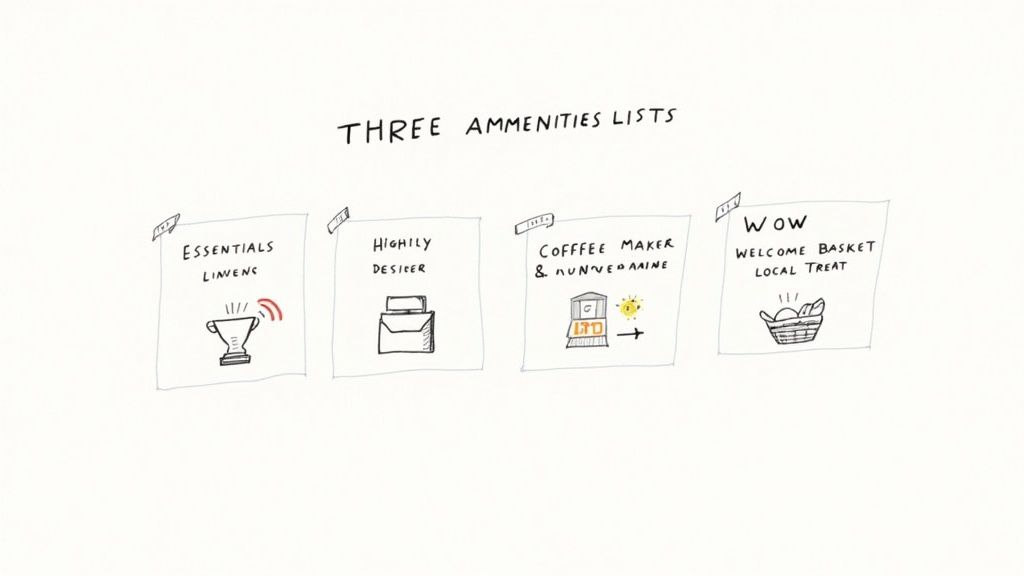
The Essentials Every Guest Expects
Let's start with the non-negotiables. Getting these right is the foundation for a positive review. Guests don't just want these; they arrive expecting them.
- Fast, Reliable Wi-Fi: In today's world, spotty internet is a dealbreaker, especially for remote workers. Make sure the network name and password are easy to find.
- Fresh, Quality Linens and Towels: Nobody wants to hunt for a clean towel. Provide plenty for every guest, and ensure all bedding is fresh.
- Basic Kitchen Supplies: This means pots, pans, dishes, cutlery, and staples like salt, pepper, and cooking oil. Guests shouldn't have to buy a full bottle of olive oil for a two-night stay.
- Essential Toiletries: Stock the bathroom with shampoo, conditioner, body wash, and hand soap. A hairdryer is another standard expectation.
Missing any of these basics doesn't just mean you miss a chance to impress—it actively risks a negative review that will hurt future bookings.
Upgrades That Delight and Differentiate
This next tier is where you can pull away from the competition. These are the amenities that guests notice, appreciate, and mention in their reviews because they make a stay more comfortable and convenient.
A fantastic example is a quality coffee station. Instead of a basic drip machine, offer a Nespresso, Keurig, or a French press with a selection of pods or locally roasted coffee. It’s a small upgrade that makes mornings feel special. Similarly, a smart TV with easy access to streaming services is a huge plus for guests who want to unwind.
Why This Matters: When choosing amenities, think about the benefit to the guest. A comfortable mattress isn't just furniture; it's a guaranteed good night's sleep. A power strip with USB ports isn't just an accessory; it's a stress-reducer for a traveler with multiple devices.
Catering to the Modern Traveler: The Dedicated Workspace
The line between travel and work has blurred, creating a massive opportunity for savvy hosts. Business travel is a huge driver for Airbnb, with its market share in this segment jumping from 28% to 44% recently. This shows that remote workers and business travelers are actively choosing rentals over hotels—but only if they have the right setup.
As the 2025 hospitality showdown report highlights, hosts who cater to this trend can significantly increase their bookings and revenue.
Today, listing a "laptop-friendly workspace" that's just the dining table won't cut it. To capture this lucrative market, you need a dedicated, functional workspace.
- A Real Desk and Ergonomic Chair: Comfort is key for someone working for hours.
- Good Lighting: A simple desk lamp prevents eye strain and looks great in photos.
- Accessible Outlets: Ensure plenty of outlets are nearby for laptops and phones.
Before buying a full office setup, use a tool like Interior Redesigne AI to visualize how a workspace could fit into a spare corner or guest room. It lets you test layouts and styles without spending a dime, ensuring your investment pays off. For creating a productive atmosphere, our guide on how to choose paint colors for rooms can help.
Build a Bulletproof Superhost Reputation
Your photos and pricing get you the click, but your reputation seals the deal. On Airbnb, social proof is everything. Guest reviews are your most valuable currency. A string of five-star ratings tells travelers your place is a safe bet, which not only convinces them to book but also boosts you higher in search results.
Building that reputation starts the moment a guest books and continues long after they check out. It's about being proactive and professional, turning every stay into a chance to build trust. This is how you go from just hosting to truly thriving.
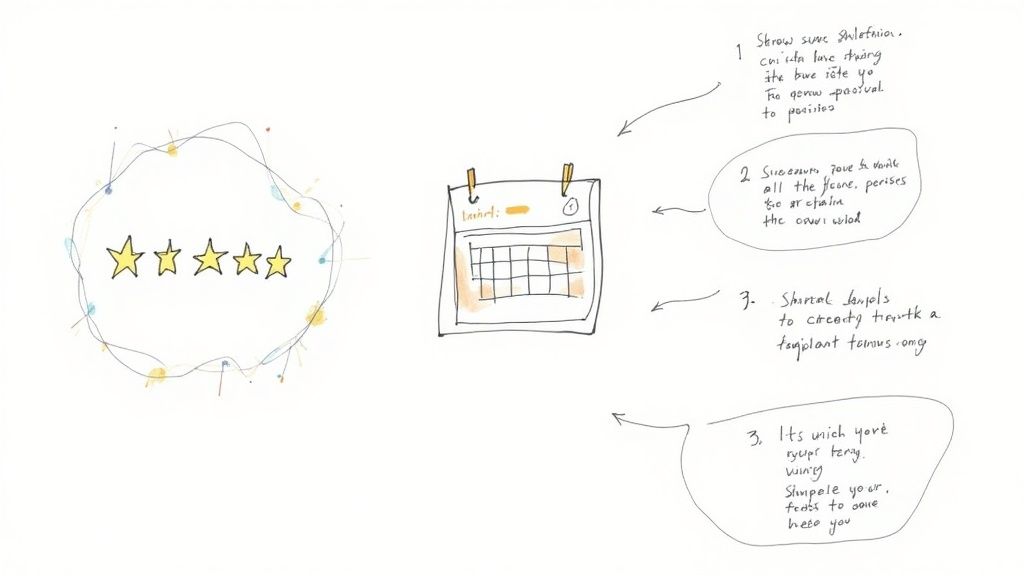
Encourage and Automate Review Requests
Let's be honest: most happy guests are willing to leave a review, but they often forget. Life gets in the way. That's why you need to give them a gentle nudge.
The best time to ask is a day or two after checkout, while the great experience is still fresh in their mind. A simple, automated message is the perfect tool for this. It feels personal but saves you time and effort.
A friendly, straightforward template like this works wonders:
“Hi [Guest Name], thank you so much for choosing our place! We truly hope you had a wonderful time in [City]. When you have a moment, we’d be so grateful if you could leave a review of your stay. Your feedback helps future travelers book with confidence and tells us what we’re doing right. Safe travels home!”
This approach is polite, direct, and explains why their review matters, which makes people more likely to respond.
Master the Art of Responding to Reviews
Here’s a secret many hosts miss: when you reply to a review, you aren’t just talking to that one guest. You’re talking to every future guest who reads it. Your responses are a public demonstration of your professionalism.
That's why you should respond to every single review—the good, the bad, and the mixed.
How to Respond to Guest Reviews
This guide shows how to professionally respond to both positive and negative guest reviews to build trust and encourage future bookings.
| Review Type | Your Goal | Example Response Snippet |
|---|---|---|
| Positive Review | Show genuine appreciation and echo their positive points. This reinforces the good stuff for future guests. | "We're so glad you enjoyed the quiet neighborhood and the coffee station! It was a pleasure hosting you, and we’d love to welcome you back anytime." |
| Negative Review | Acknowledge their concern, apologize sincerely (no excuses!), and explain what you've done to fix it. | "Thank you for your feedback. We sincerely apologize for the slow Wi-Fi and have since upgraded our internet plan to ensure this won't happen again." |
| Mixed Review | Thank them for the praise and address the criticism constructively. Show you're listening. | "We're happy you loved the location! We appreciate you letting us know about the low water pressure and have a plumber scheduled to address it this week." |
A calm, professional response to a negative review can actually boost your bookings. It shows potential guests that you take feedback seriously and are committed to providing a great experience—a massive green flag for anyone deciding where to stay.
The Path to Superhost Status
Earning that little Superhost badge on your profile is one of the biggest wins on Airbnb. It’s an instant symbol of trust and quality that makes your listing pop. Many guests even filter their searches specifically for Superhosts because they know they're booking with the best.
So, how do you get there? Airbnb has four clear goals:
- Maintain a 4.8+ overall rating: This comes from creating five-star experiences and managing your reviews like a pro.
- Achieve a response rate of 90% or higher: Be quick to reply to all messages.
- Complete at least 10 trips (or 3 reservations totaling 100+ nights): This shows you have consistent hosting experience.
- Keep your cancellation rate below 1%: Reliability is non-negotiable. Avoid canceling on guests unless it's an absolute emergency.
Becoming a Superhost isn't just about a shiny badge. It’s the natural result of great habits that lead to more bookings, better reviews, and a stellar reputation that pays off for years.
Got Questions? Let's Talk Bookings
Trying to increase your Airbnb bookings naturally brings up questions. As you start refining your listing and guest experience, you'll wonder what really makes a difference. Here are straightforward answers to the questions I hear most often from hosts.
How Quickly Can I Expect to See More Bookings?
This is the big question, right? After putting in the work, you want results. While there's no magic button, many hosts see a real bump in views and inquiries within 2 to 4 weeks of making major improvements.
The Airbnb algorithm seems to favor active hosts. Updating your calendar, adjusting prices, and replying quickly to messages all help build momentum. But for an almost immediate impact? It’s your photos. Bright, professional, beautifully staged images can start grabbing more clicks the moment you upload them.
Why This Matters: Think of it like this: consistent small actions build momentum, but investing in killer photos is like hitting the fast-forward button. It's the single best thing you can do to stop scrollers in their tracks.
Should I Just Lower My Price to Get More Bookings?
It's tempting, but a race to the bottom on price rarely works out. Your goal isn't just a full calendar; it's a profitable one. Ditch the static price and embrace dynamic pricing.
If you're brand new, setting a slightly competitive price is a smart strategy to get your first critical bookings and positive reviews. During a slow season, a strategic price drop can also be the difference between an empty unit and welcome income.
But don't get stuck there. As you build your reputation and head into peak season, you should absolutely charge more.
- Use a pricing tool to see what the market around you is doing.
- Offer weekly or monthly discounts to attract longer stays from digital nomads or families.
- Always adjust your rates for weekends and holidays to maximize your earnings.
This flexible approach keeps you competitive without leaving money on the table.
Can AI Really Help Me Design My Rental?
Absolutely. AI interior design tools are a host's secret weapon for saving time and money. Forget agonizing over paint swatches or buying a sofa you hope will fit. Now, you can get a clear vision in minutes.
For example, if your living room feels bland, you can upload a photo and instantly see it reimagined in different styles. Test a "Coastal" vibe to attract vacationers or a "Minimalist" look for a clean, upscale feel. This lets you make confident decisions before you pick up a paintbrush or click "buy now." It's a game-changer for staging an empty property quickly and on budget.
What Is the Single Most Important Thing?
If I had to pick just one thing, it would be your photos. No contest.
They are your digital handshake. They’re your first impression. They are what a guest uses to decide if they should even bother reading your description.
You could have the most comfortable bed and the best location, but if your photos are dark, blurry, or cluttered, 99% of potential guests will scroll right past. Investing in great photography—or learning to take amazing photos yourself—is the highest-impact move you can make. Everything else builds on that foundation.
Have more questions about how our platform works? You can find more answers in our frequently asked questions.
Ready to see how a few smart design tweaks could transform your rental and bring in more five-star guests? Upload a photo of your room to Interior Redesigne AI and instantly reimagine its potential.