
Have you ever stood in a paint aisle, paralyzed by a hundred shades of white? Or hesitated to buy a sofa online, terrified it would look all wrong in your living room? An ai interior design app is like having a design expert in your pocket, helping you sidestep that dreaded buyer's remorse.
These tools take the guesswork out of decorating. You just snap a photo of your room, and in seconds, you can visualize entirely new layouts, color schemes, and furniture styles. It’s a game-changer for saving time, money, and a whole lot of decision stress.
See Your Dream Room Before You Spend a Dime
The biggest roadblock for any design project is uncertainty. You can pin images all day, but it’s nearly impossible to know if that emerald green accent wall or sleek sectional will truly work in your space, with your lighting. This is where AI tools shine, giving you a virtual sandbox to play in without any risk.
Instead of just imagining the final result, you can actually see it. Upload a photo of your living room, pick a style like "Modern Farmhouse" or "Minimalist," and the AI generates realistic versions of your room in seconds.
Making Smart Decisions for Your Space
This isn't just about making pretty pictures. It's about making smart, practical decisions that fit your lifestyle and budget.
- For Homeowners: Thinking about an open-concept layout? An AI interior design app can show you what it looks like before you call a contractor. You can test if a moody, dark paint color will make your small bedroom feel cozy or just cramped.
- For Renters: Figure out the perfect furniture arrangement before the moving truck arrives. This is a lifesaver for making sure everything fits without damaging walls, helping you settle in faster.
- For Airbnb Hosts & Real Estate Agents: Stale photos won't cut it. Generate a dozen stunning, professionally-styled images of your listing to catch the eye of potential guests or buyers and make your property stand out from the competition.
The real magic here is simple: you get to try before you buy. By seeing ideas brought to life, you can confidently avoid expensive mistakes, like ordering a rug that's too small or a sofa that clashes with your floors. Want to dive deeper? Learn more about the future of home design AI.
Ultimately, using an ai interior design app makes the entire redesign process faster, more affordable, and honestly, a lot more fun.
How AI Becomes Your Personal Interior Designer
Ever wondered what’s happening behind the screen when you upload a photo to an ai interior design app? It feels like magic, but it’s actually a brilliant combination of technologies working together to act as your high-speed design consultant.
First, the app uses computer vision to analyze your photo. Think of it as the AI’s “eyes.” It scans the image to understand the room's layout, existing furniture, and where the light is coming from. This creates a digital map of your space.
From there, powerful generative AI models take over. These models have been trained on millions of images from designer portfolios and real-life homes. They’ve learned the DNA of different styles, understanding what makes a "Japandi" space feel serene (it's a mix of Japanese minimalism and Scandinavian function) or why "Industrial" design uses raw materials.
The Tech Behind the Transformation
The real creativity happens when the AI merges its understanding of your room with the style you chose. It doesn't just copy and paste; it generates a completely new concept that fits your space.
- Style Models: Think of these as a designer’s toolkit. When you pick "Bohemian," the AI uses a matching palette of colors, textures, and furniture that work together cohesively. It’s the secret to getting a polished look without the guesswork.
- 4K Rendering: This is what turns a blurry idea into a crystal-clear vision. High-quality rendering sharpens every detail, from the wood grain on a floor to the weave of a throw blanket, giving you the confidence to move forward.
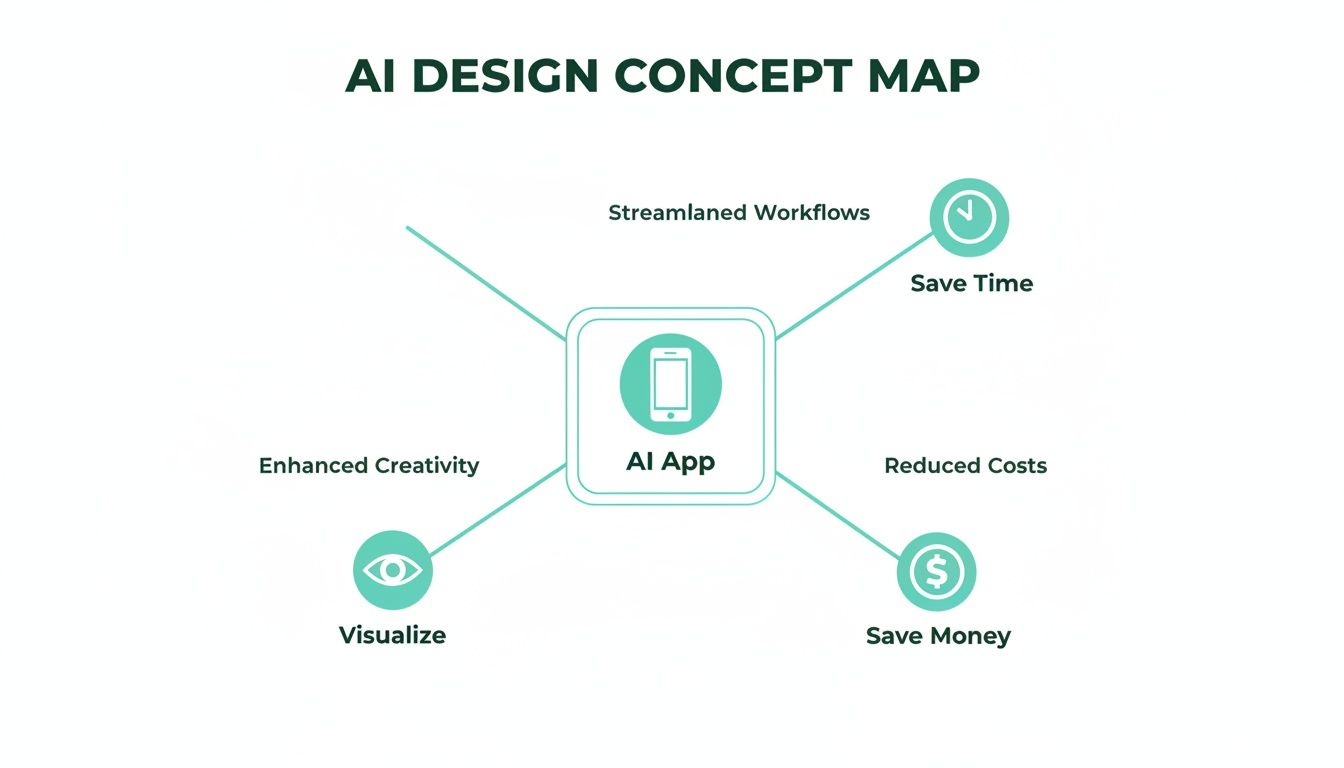
The image below shows how these technologies deliver real-world benefits like saving time, cutting costs, and sparking new ideas.
This process is a great example of how AI is being applied in creative fields. In a similar vein, it's interesting to see how AI in the hospitality industry is being used to personalize guest experiences.
The core function of an ai interior design app is to bridge the gap between imagination and reality. It takes your abstract ideas and makes them tangible, visible, and actionable in seconds.
At the end of the day, these systems give you inspiring and realistic results, no design degree required. To see how different platforms stack up, you can dig deeper into other AI-powered interior design tools in our comprehensive guide.
How to Choose the Right AI Design App for Your Project
With a flood of new ai interior design apps on the market, picking the right one can feel overwhelming. But here’s the secret: the perfect tool for a real estate agent virtually staging a condo is probably overkill for a homeowner who just wants to see their living room in a new color.
The key is to match the app's strengths to what you actually need. Taking a moment to do this upfront saves a ton of frustration. Instead of falling for flashy marketing, let’s focus on the features that truly matter for your real-world project.
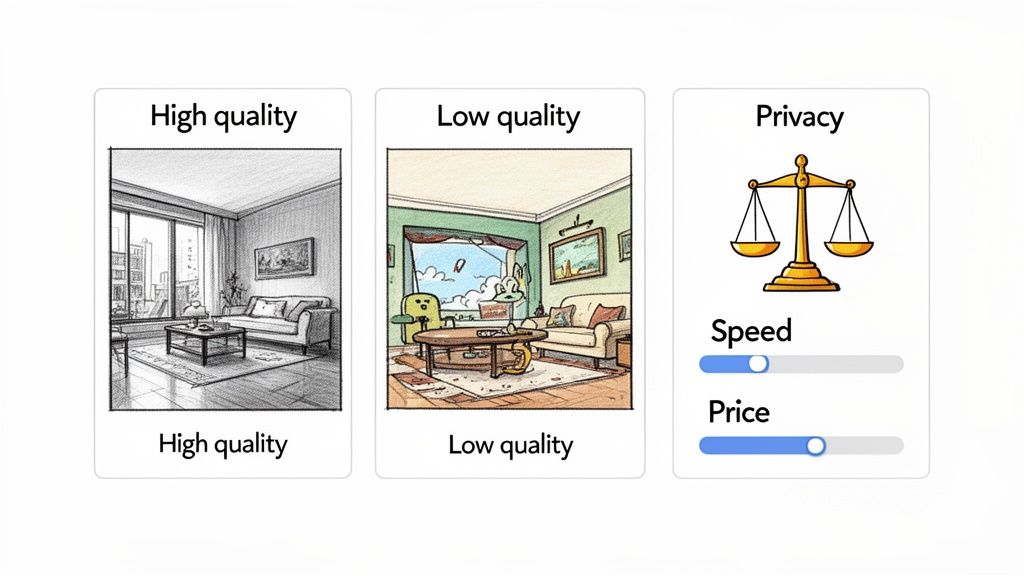
To help you cut through the noise, here’s a quick-glance table breaking down the most important features.
Comparing Essential AI Interior Design App Features
| Feature | Why It Matters for You | What to Look For |
|---|---|---|
| Output Quality | This is everything. Low-quality, pixelated images won't give you the confidence to make real decisions. | Photorealistic renders, sharp details, and accurate lighting that makes the space look believable. |
| Style Variety | You need creative options. A limited style library will box you into generic, uninspired designs. | A wide catalog of styles—from popular ones like Mid-Century Modern to niche aesthetics like Japandi. |
| Ease of Use | A powerful tool is useless if it’s too complicated. It should feel intuitive, not like a technical chore. | A clean, simple interface. Uploading a photo and getting a design should take just a few clicks. |
| Speed | Waiting forever for a single render kills creative momentum. You need to be able to try new ideas quickly. | Generation times under 60 seconds are ideal for a smooth, enjoyable workflow. |
| Privacy & Data Use | You're uploading photos of your home. It's smart to know exactly how they're being used. | A clear privacy policy that explains data storage, usage rights, and security measures. |
| Pricing Model | Your budget matters. You don't want a pricey subscription if you only need a few designs for one room. | Flexible options like pay-per-image credits or affordable monthly plans. A free trial is a huge plus. |
This table gives you a solid framework for evaluating any app, helping you find a tool that genuinely supports your goals.
Your Personal Checklist: What to Prioritize
So, what does this all mean for you?
First and foremost, look at the quality of the designs. Do the final images look sharp and convincing? A great tool will produce visuals so crisp you feel like you could step right into the room.
Next, think about creative freedom.
- Style Variety: Does the app offer a deep well of styles? Look for apps that give you range—from Scandinavian and Coastal to niche looks like Industrial or Art Deco. This is how you stumble upon brilliant ideas you hadn't considered.
- Ease of Use: Is the app easy to navigate? You shouldn’t need a user manual just to get started. The process should feel more like a creative game than a technical chore.
In the end, you're looking for that sweet spot—an app that's powerful enough to bring your vision to life but simple enough that you'll actually enjoy using it.
Finally, don't forget the practical stuff. How quickly can the app generate a new design? When you’re in a creative flow, speed is your best friend. Also, take a quick peek at the privacy policy. It’s always good to know how your photos are being handled. Pricing is another big one. A free trial or a small starter pack of credits is the best way to test-drive an app before you commit. For a broader look at what's out there, check out our guide on other online interior design tools.
Bringing AI Design Ideas into the Real World
While the technology is fascinating, what really matters is what an ai interior design app can do for you. These tools solve real problems for real people, turning vague ideas into concrete plans that save time and stress.
Here’s how you can use AI for different rooms in your home:
For Your Living Room Makeover
Your living room feels… off. Before you spend a Saturday hauling the sofa around, use AI to test new layouts risk-free.
- Step 1: Snap a photo of your current living room.
- Step 2: Upload it and ask the AI to show you a "Minimalist layout with a large sectional on the opposite wall."
- Step 3: Generate a few options to see how different furniture arrangements change the flow and feel of the room. You’ll instantly know what works before moving a single pillow.
For Your Bedroom Refresh
A bedroom should be a sanctuary. Use AI to find the perfect vibe.
- Example: Want a calming space? Try generating your room in a "Japandi style with a neutral color palette and natural wood furniture." The AI can show you how to create a serene retreat.
For Your Kitchen and Bathroom
These rooms are expensive to renovate. AI helps you visualize big changes before committing.
- Example: "Show me my kitchen with dark green cabinets, a white quartz countertop, and brass hardware." Seeing it first can save you from a costly mistake.
For Your Outdoor Spaces
Don’t forget your patio or balcony!
- Example: Upload a photo of your backyard and ask for "a cozy patio with a fire pit, comfortable seating, and string lights." It’s perfect for planning your outdoor oasis.
Remember that while AI is a fantastic starting point, it has limitations. It provides amazing visual concepts, but it can’t measure your room or order furniture for you. Always combine the AI's creative ideas with your own personal taste and practical measurements.
Ready to see how it works for your space? Try Interior Redesigne AI and instantly reimagine your room from a simple photo or sketch.
How to Get Professional-Looking Results: A Simple Workflow
So, you're ready to try an ai interior design app? Great. While the AI is powerful, getting those jaw-dropping results isn't just about clicking a button. It’s about giving the AI the right ingredients to work with.
Think of it like cooking: the best oven in the world won't make a masterpiece from bad ingredients. Here's a simple, step-by-step workflow.
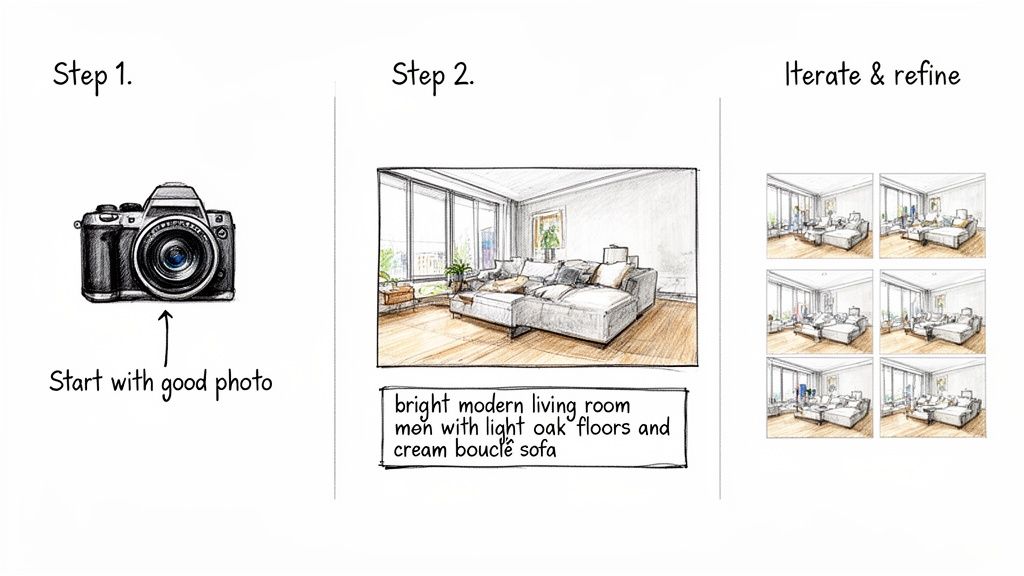
Step 1: Start With a Great Photo
Your input photo is the canvas the AI paints on. A dark, blurry picture will always lead to a slightly off result.
- Let the Light In: Shoot during the day with plenty of natural light. This helps the AI understand the true colors and depth of the space.
- Find the Right Angle: Stand in a corner of the room. This classic real estate photography trick captures the most space and gives a clear view of the layout.
- Tidy Up First: Clear out the clutter. A clean space lets the AI focus on the room's architecture and potential, not your laundry pile.
Step 2: Write Prompts Like You're Talking to a Designer
This is where you direct the show. Vague prompts like "modern living room" will get you generic results. The secret is to be specific.
- Bad Prompt: "Make my living room look better."
- Good Prompt: "A bright and airy modern living room with light oak floors, a large cream bouclé sofa, a black marble coffee table, and pampas grass in a vase."
See the difference? You're giving the AI concrete details—materials, colors, key furniture—that guide it toward the exact vision in your head. If you're struggling to articulate your style, learning how to start the interior design process for a room can give you a great foundation.
Step 3: Iterate, Refine, and Play
Your first result is rarely "the one." And that's okay! The real power of an ai interior design app is the ability to iterate without any cost or consequence.
- Generate a handful of variations.
- See how the AI interprets your prompt differently each time.
- Use the outputs to find elements you love, then mix and match them with your personal touch.
Treat the AI as your creative brainstorming partner. You might discover a layout or color combo you'd never have considered. For bigger projects, you can take your favorite AI concepts and refine them with some quick interior design sketches to solidify your final plan.
By following this simple process, you’re not just generating images; you’re developing a clear, actionable vision for your space.
Ready to see it in action? Try Interior Redesigne AI and instantly reimagine your room from a photo or sketch.
Designing Your Future Home Today
Let’s be honest: great interior design used to feel out of reach unless you had a hefty budget. An ai interior design app changes that. It makes it possible for anyone—whether you’re in a tiny rental or planning a dream home—to create a space that feels beautiful and uniquely you.
The real magic is how these tools remove the fear of commitment. You get to experiment and be bold without real-world consequences. Wondering what that dark, moody paint would really look like? Or if swapping your sofa and armchairs would open up the room? Now you can see it for yourself, without spending a dime or moving a thing.
The Real-World Impact on Your Space
This is about more than just pretty images. It’s about solving genuine design headaches.
- Saving Time and Money: Visualizing changes helps you sidestep expensive mistakes. No more buying a sofa that won't fit through the door or realizing a paint color clashes with your floors. It's the ultimate "try before you buy" for your home.
- Boosting Property Value: For real estate agents and Airbnb hosts, these apps are a game-changer. You can create incredible virtual staging that grabs a buyer's attention and can help a property sell for a higher price.
- Unlocking Your Creativity: AI can introduce you to a style you’ve never heard of, like "Japandi"—that beautiful mix of Japanese minimalism and Scandinavian warmth. It might suggest a color palette you’d never considered, sparking a new direction for your entire project.
The biggest shift is moving from "what if?" to "what's next?" You no longer have to guess how a change might look. You can see it, refine it, and fall in love with it before you commit.
The future of interior design is here, and it's interactive, personal, and fits in the palm of your hand. It’s about giving you the confidence to create a home that truly reflects you. The guesswork is gone.
Ready to stop imagining and start visualizing? Try Interior Redesigne AI to instantly reimagine your room from a photo or sketch.
Got Questions About AI Interior Design? We’ve Got Answers.
Jumping into new technology always comes with a few questions. That's a good thing! It shows you’re thinking critically about how to make your project a success. Let's clear up some of the most common ones.
Just How Accurate Are These AI Interior Design Apps?
They’re incredibly accurate for visualizing the feel of a space—think styles, colors, and furniture arrangements. The renders are photorealistic concepts, but they aren't a replacement for a contractor's tape measure.
Think of an ai interior design app as your creative co-pilot. Use it to lock in your vision, then pull out the tape measure before you buy that new sofa. It's that blend of high-tech inspiration and real-world diligence that guarantees a great result.
Can I Really Use an AI Design App for a Small Room or Apartment?
Absolutely. In fact, that's one of their superpowers. Small spaces are all about smart choices, and AI lets you test space-saving layouts and color tricks without risk. You can see if a lighter rug and a glass coffee table make your tiny living room feel more open, or if a dark accent wall just makes it feel cramped.
Do I Need to Be a Designer to Use These Apps?
Not at all. The best tools are made for everyone. If you can upload a photo from your phone and type a few words like "cozy modern bedroom," you have all the skills you need to start generating beautiful designs.
What About Outdoor Spaces? Can AI Handle Patios or Balconies?
Yes, many of the more powerful AI tools work just as well for outdoor areas. You can use them to visualize a new patio set, see how different decking materials look, or play around with plant ideas to design your perfect backyard retreat.
What are the limitations of an AI interior design app?
AI is a fantastic tool for inspiration and visualization, but it's important to be realistic. It can’t understand the structural integrity of a wall, source real-world furniture for you, or manage a project budget. Think of it as the first, exciting step in your design journey, and always combine its ideas with your own taste or consult a professional for complex renovations.
Ready to stop wondering and start seeing? Try Interior Redesigne AI to instantly reimagine your room from a photo or sketch. Visit us at https://www.interiorredesignai.com.