
Ever struggled to imagine how a different design style would actually look in your home? Home design AI is a creative tool that takes a simple photo of your room and generates dozens of realistic design concepts in seconds. It’s essentially a risk-free sandbox for your space, letting you test-drive bold paint colors, new furniture layouts, or different materials before you spend a dime or lift a hammer. This matters because it saves you from costly mistakes—like buying a sofa that's too big or painting a room a color you end up hating.
How Home Design AI Turns Inspiration Into Reality
We’ve all been there—a Pinterest board overflowing with beautiful rooms, but a total mental block when it comes to applying those ideas to our own space. You know what you like, but translating that inspiration to your living room, with its specific layout and lighting, can feel impossible. This is where home design AI steps in to change the game.
It acts as your creative partner, removing the guesswork from decorating. Instead of just trying to imagine how a "Japandi" style—that cool, calming blend of Japanese minimalism and Scandinavian warmth—might look, you can see it rendered directly onto your photo. This visualization gives you incredible clarity, helping you sidestep expensive errors and reduce the stress that comes with making big design decisions. For families, this means you can test layouts that are both stylish and practical for kids.
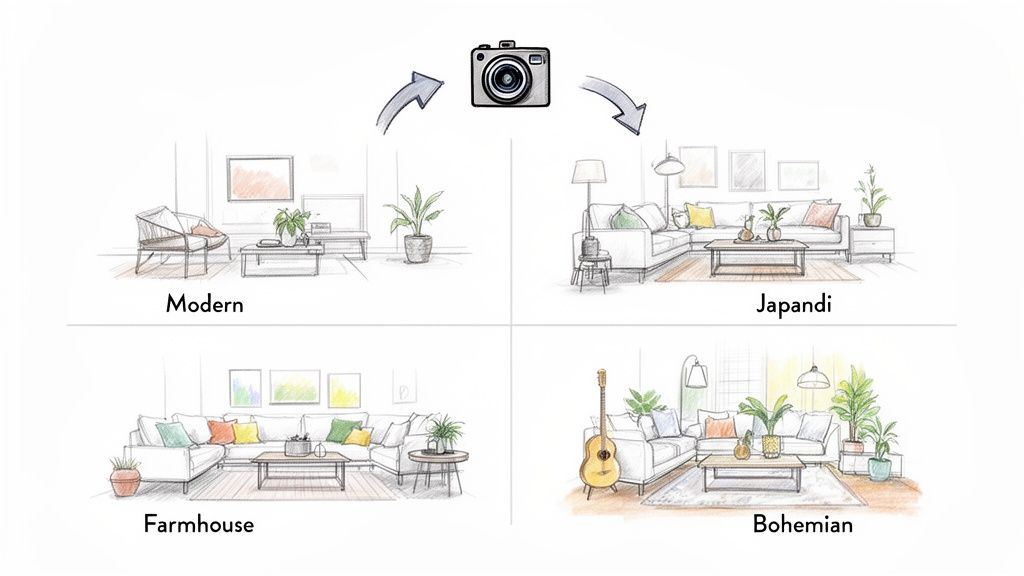
From Vague Ideas to a Clear Vision
The real power of home design AI is making abstract ideas tangible. For a homeowner, this means you can finally see if that dark, moody accent wall you've been dreaming of will actually work in your bedroom or just make it feel like a cave. High-quality visualization is key, and many AI tools can produce images that are a stepping stone to more advanced 3D architectural rendering services, letting you see your vision in stunning detail.
For professionals, the practical benefits are immediate:
- Real Estate Agents: Virtually stage a vacant property in minutes. This helps potential buyers emotionally connect with an empty space by showing them its potential as a cozy, welcoming home.
- Airbnb Hosts: Experiment with different decor themes to figure out which one will make their listing pop, boost its appeal, and attract more bookings.
- Interior Designers: Create multiple high-quality mockups for clients in a fraction of the usual time, dramatically shortening the feedback and approval process.
The core value of AI in design is simple: It gives you the freedom to experiment without fear. You can cycle through a dozen layouts or color palettes in the time it would take to paint one little test swatch on the wall.
Making Smart Decisions for Your Space
Ultimately, home design AI helps you make smarter, more confident choices, no matter your budget or the size of your home. It's particularly useful for anyone navigating the constraints of a small apartment or a rental, where every design decision really counts. If you're thinking about bigger projects, you can dive deeper into how technology is shaping modern home remodels in our detailed guide.
When you use a tool like Interior Redesigne AI, you’re getting more than just a pretty picture—you're getting a practical roadmap. You can see how an industrial-style kitchen might feel, test whether a minimalist living room truly fits your family's lifestyle, and finally move from a folder full of inspiration to a clear, actionable plan.
What's Really Going On Behind the AI Curtain?
Have you ever wondered how an AI can instantly grasp what a "Cozy Japandi" bedroom should look like, right down to the linen bedding and warm wood tones? It’s not magic, but it’s pretty close. At its heart are sophisticated systems known as generative models.
Think of these models as a seasoned interior designer who has studied millions of images—beautiful rooms, architectural styles, furniture, and materials from around the world. This massive visual library allows the AI to "understand" the distinct rules and vibes of different aesthetics. This is why it can generate designs so quickly and accurately.
The demand for this technology has exploded. The market for AI in interior design jumped from USD 829 million in 2023 to a projected USD 7,299 million by 2033. This growth is driven by the need for smarter software that can do everything from measuring a room to suggesting personalized color palettes, often slashing design time from weeks to seconds. You can dig deeper into this trend in this detailed market report.
How an AI Learns to "See" Style
Let's break it down simply. Imagine handing a talented chef a basket of ingredients (your room photo) and a specific recipe (a style like "Modern Farmhouse"). That chef uses their experience to combine those ingredients into a new dish that perfectly matches the recipe.
A home design AI works the same way. You provide the "ingredients"—a photo of your living room—and the "recipe" by choosing a style. The AI then taps into its vast training to generate a new image, applying the chosen aesthetic directly onto your room's unique layout and architecture. This process is often called style transfer, a technical term for a simple idea: "Take the visual DNA of this style and map it onto my space." This is what lets you see your dated bathroom instantly reimagined as a sleek, minimalist retreat.
Making Powerful Tech Feel Easy
While the technology is complex, using it shouldn't be. Platforms like Interior Redesigne AI are built to make the experience feel natural and easy. You don't need a tech background to get amazing results. If you're curious about the digital tools that paved the way for this tech, exploring a range of home design tools can give you some great context.
Here’s a simple, step-by-step look at how it works:
- Step 1: Upload a Photo. Start with a clear picture of any room, whether it’s a cluttered home office or an empty new-build kitchen.
- Step 2: Pick a Style. Browse through a curated library of options. Whether you’re drawn to "Coastal Grandmother" or "Industrial Loft," all it takes is a click.
- Step 3: Generate in Seconds. The AI gets to work, delivering realistic concepts almost instantly, showing you exactly how a new look would feel in your own home.
The real breakthrough isn't just that AI can create beautiful images. It's that it makes professional-level visualization accessible to everyone, removing technical barriers and empowering you to become your own designer.
By making powerful technology so straightforward, you can focus on what truly matters—exploring your creativity and finding a design that feels right. Our guide on using AI for room design offers more practical ways to jump in. This accessibility lets you test dozens of ideas without risk, saving you from expensive mistakes and the anxiety of making the wrong choice.
Practical AI Design Ideas For Every Room
Let's move beyond the tech and get into what this actually looks like in your home. Home design AI isn't about creating sterile, magazine-perfect rooms. It's a practical tool for solving real-life design problems, whether you’re working with a huge open-plan space or a cramped city apartment. This is where you can play and experiment without any risk. A homeowner frozen by indecision can flip through dozens of possibilities in minutes, while an Airbnb host can figure out the most welcoming layout to boost bookings.
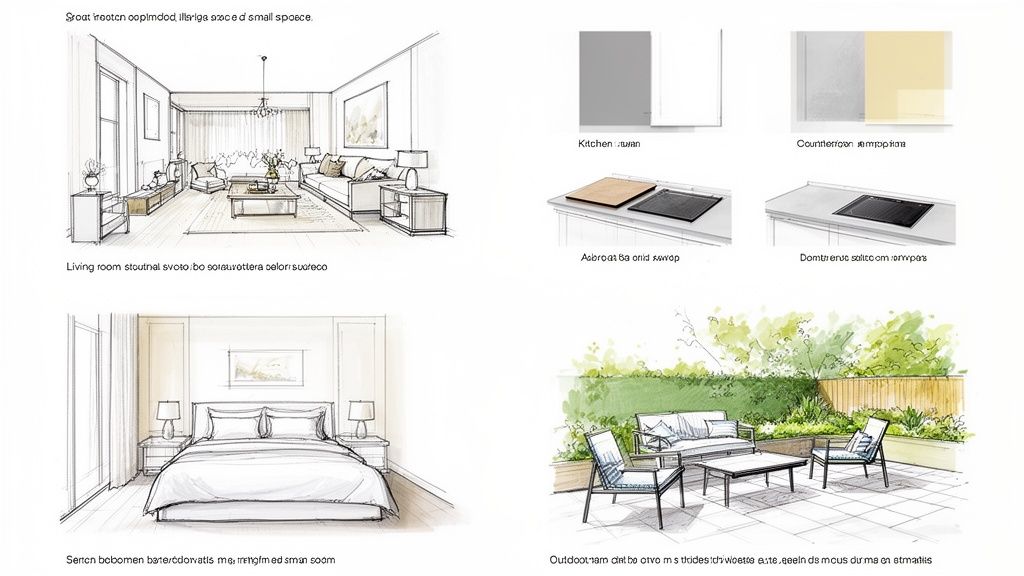
Living Room: Test Layouts and Styles
The living room is the heart of the home, but getting the flow right can be a headache. Using an AI tool lets you see how different furniture arrangements feel before you throw your back out moving the sofa for the tenth time.
- Maximize Small Spaces: Got a tiny living room? Upload a picture and experiment with layouts that use negative space—the empty areas around your furniture—to make the room feel bigger. See if that L-shaped sectional you’ve been eyeing will actually work better than a separate couch and chairs.
- Find Your Style: Stuck between Minimalist and Bohemian? Apply both styles to a photo of your room. With Interior Redesigne AI, you can try multiple styles to see which one truly connects with your home's character.
For more inspiration, check out our guide on creative living room layout ideas.
Kitchen & Bathroom: Visualize Before You Renovate
In kitchens and bathrooms, mistakes are expensive. We’re talking about permanent fixtures and high-cost materials. AI lets you test-drive these major commitments virtually, giving you the confidence to start a renovation.
- Compare Materials: Instantly see the difference between classic white subway tile and a trendy zellige tile on your backsplash.
- Test Finishes: In the kitchen, toggle between a sleek quartz countertop and a warm butcher block to understand how each choice shifts the entire mood of the space. Visualizing ideas with Interior Redesigne AI helps you avoid costly "what ifs."
Indecision is often the biggest hurdle in a remodel. AI removes it by making your ideas tangible. Seeing that bold tile backsplash in your kitchen—rather than just imagining it—can be the final push you need to make a decision.
Bedroom: Create Your Perfect Sanctuary
Your bedroom should be your sanctuary. AI helps both homeowners and rental hosts get this personal space just right.
- Test Color Palettes: See how a dark, moody charcoal gray actually feels in your room versus a light, airy sage green. The tool visualizes the change with your room’s unique lighting, so you get a true sense of the vibe.
- Boost Rental Appeal: For an Airbnb, a well-designed bedroom is a huge selling point. Use AI to find the most functional and welcoming layout. See if adding a small reading nook makes the room more attractive to guests.
Outdoor Spaces: Plan Your Perfect Patio
Don't forget the outside! A tiny balcony or a sprawling backyard can become a true extension of your home. Before you invest in pricey patio furniture, use AI to map everything out.
- Arrange Furniture: Play with different seating arrangements for a patio, visualize where a fire pit would look best, or see how a new pergola might frame the space.
- Visualize Landscaping: Test different plant types or hardscaping materials to design an outdoor area that’s perfect for relaxing, ensuring every dollar is well spent.
How Different Users Benefit From Home Design AI
It's clear that home design AI isn't a one-size-fits-all tool. Its value lies in how it adapts to the specific needs of different people, from first-time homeowners to seasoned real estate professionals. The table below breaks down how various users can solve their biggest challenges with an AI-powered solution.
| User | Common Challenge | The AI-Powered Solution |
|---|---|---|
| Homeowners | Indecision and fear of making costly design mistakes. | Visualize dozens of styles, colors, and layouts in their actual room before committing to paint, furniture, or renovations. |
| Interior Designers | Time-consuming manual mood boards and client revisions. | Rapidly generate high-quality renderings in multiple styles to present concepts and iterate on client feedback instantly. |
| Real Estate Agents | Selling a vacant or dated property that lacks appeal. | Virtually stage empty listings with attractive, modern furniture to help buyers envision the home's potential. |
| Airbnb Hosts | Making a rental stand out in a crowded market. | Experiment with different decor styles and layouts to create a highly "bookable" and photogenic space that attracts guests. |
| DIY Renovators | Difficulty visualizing the end result of a project. | See a realistic "after" photo of a kitchen or bathroom remodel before picking up a single tool, ensuring the plan works. |
As you can see, the core benefit is bridging the gap between imagination and reality. Everyone gets a clearer, faster path to a beautifully designed space, saving time, money, and stress.
Your First AI Room Redesign in Five Simple Steps
Ready to see what AI can do for your room? It's much easier than you might think. Let's walk through how you can go from a simple photo to a stunning new design concept in just a few minutes using a tool like Interior Redesigne AI. No technical skills needed!
Step 1: Take a Clear Photo
A good, clear image is the best starting point. Your smartphone is perfect for this.
- Use Natural Light: Open blinds and curtains. Good lighting minimizes shadows and helps the AI "see" the space accurately.
- Find Your Angle: Stand in a corner to capture the most of the room in one frame. This gives the AI a solid understanding of the layout.
- Quick Tidy-Up: You don’t need to deep clean, but clearing major clutter helps the AI focus on the room’s structure, not yesterday's mess.
Step 2: Upload Your Image
Getting your photo into the design tool is as easy as posting on social media. Just find the upload button, pick the photo from your camera roll, and let the system work its magic. The AI analyzes the light, dimensions, and existing furniture to create a digital canvas.
Step 3: Choose Your Style
This is the fun part! Instead of trying to describe a vague idea, you can pick from a curated menu of professional design styles. Have you always loved the clean look of Minimalist design? Or maybe the eclectic vibe of Bohemian is more your speed? What about the warm simplicity of Scandinavian? An AI tool lets you instantly test-drive aesthetics you've admired from afar.
Step 4: Refine the Details (Optional)
Once you’ve picked a style, you can often add more specific details. Want to see what the room would look like with a "warm and inviting" atmosphere or a "cool blue color palette"? You can even specify materials, like asking the AI to incorporate "oak and linen." Think of this as talking to a human designer: "I love this modern farmhouse concept, but could we make it feel brighter?" For more guidance, check out our walkthrough on free AI room design.
Step 5: Generate and Explore
Click a button, and the AI will generate several unique design concepts based on your inputs. You'll get a handful of variations on your chosen style, each with different furniture, colors, and decor.
This isn't about finding one perfect image on the first try. It's an exploration. Use the different results to figure out what you love, what you don't, and what combinations genuinely surprise you.
The best part is that it’s not a one-and-done process. See a layout you like but want to try it with a different color scheme? Just tweak your prompt and generate again. This ability to iterate endlessly is what makes home design AI such a powerful creative partner.
How Professionals Leverage AI For Better Results
While home design AI is fantastic for personal projects, it becomes a strategic asset for industry pros. This technology is quickly shifting from a "nice-to-have" to a competitive necessity for interior designers, real estate agents, and property managers.
The numbers don't lie. The global market for AI-powered interior design software was valued at USD 5.37 billion and is expected to hit USD 9.66 billion by 2030. Professionals make up over 63% of the demand, using these tools for everything from lightning-fast virtual staging to instantly comparing material combos. You can dig into the market trends in this detailed report on Grand View Research.
Supercharging Client Presentations and Timelines
Ask any interior designer, and they'll tell you one of the biggest hurdles is closing the gap between their vision and what a client can picture. AI completely changes this. Instead of spending days on a single mood board, a designer can generate multiple high-quality concepts right in a client meeting.
This instant visualization transforms the creative process:
- Faster Sign-Offs: Clients see exactly what a "Modern Coastal" living room looks like, giving them the confidence to make decisions and cutting down on endless back-and-forth.
- Creative Exploration: A designer can easily present a "safe" option alongside a more adventurous one, nudging clients to consider new ideas.
- Unmistakable Clarity: A 4K render of a future kitchen is infinitely more powerful than just describing it.
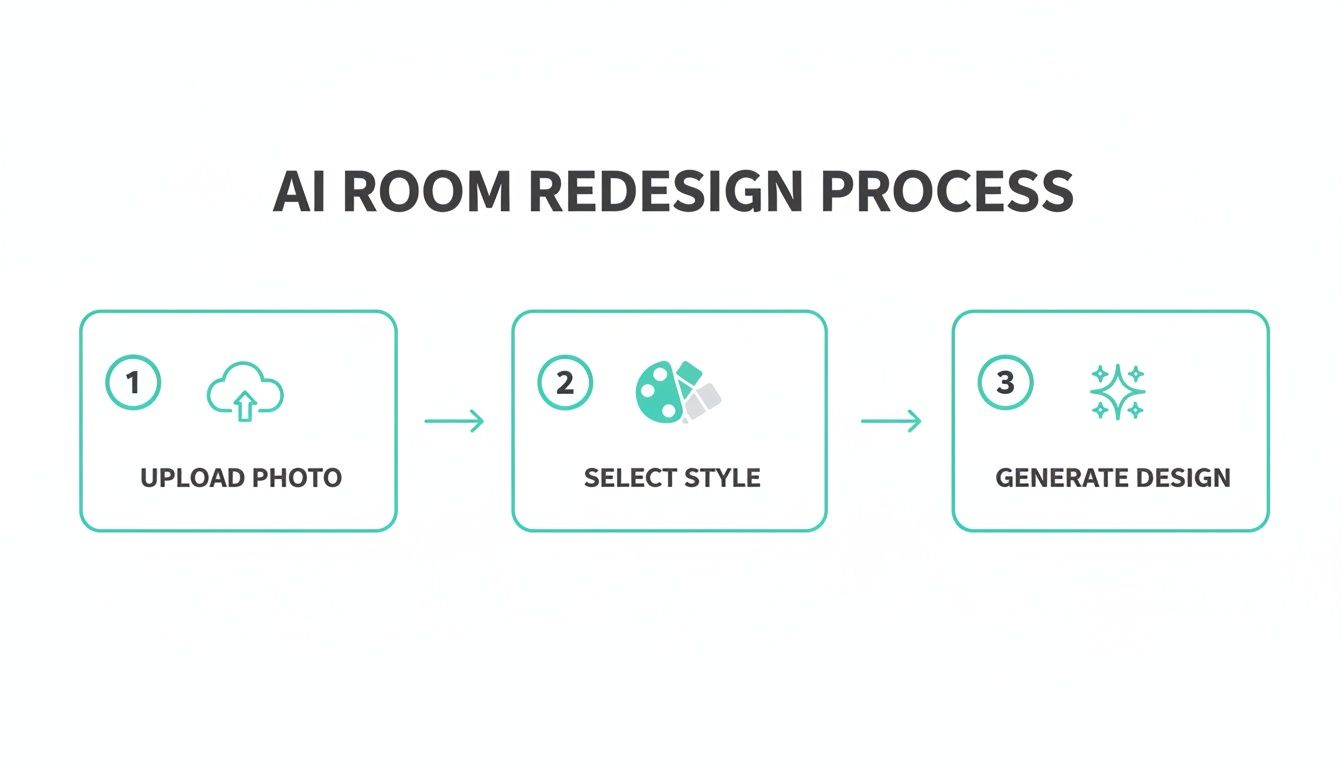
This simple flow—upload photo, pick style, get instant design—gives professionals a new level of speed and precision.
A Game-Changer for Real Estate and Rentals
In the competitive world of real estate, first impressions are everything. For agents and property managers, home design AI is a secret weapon for making listings stand out.
Virtual staging is the perfect answer for empty properties. An agent can digitally fill a vacant room with stylish furniture in just a few clicks. This helps people form an emotional connection and see a house as a potential home, not just four walls, boosting listing appeal.
The payoff is just as big for Airbnb hosts. A host can test different decor themes to see which one creates the most inviting, bookable vibe. In a saturated market, professionally styled photos can lead to more clicks and bookings. If you're curious about the options out there, we've put together a guide on the top AI interior design software.
Understanding The Limits Of Home Design AI
While AI is an incredible creative partner, it’s crucial to have realistic expectations. It’s best to think of home design AI as your personal idea generator, not your general contractor. It’s perfect for visualizing styles, experimenting with colors, and exploring layouts in a flash.
However, an AI can’t tell you if a wall is load-bearing or if your new electrical plan meets local safety codes. For any project that involves structural changes, plumbing, or electrical systems, the technical know-how of a licensed architect, engineer, or contractor is non-negotiable.
The Human Touch in AI-Powered Design
Ultimately, AI is a tool to clarify your vision, not replace it. It can produce stunning images, but it doesn't understand your family's daily routines or the sentimental value of an heirloom. The best results happen when you blend the speed of AI with your own personal taste.
Think of it as a collaborative process:
- AI as Your Idea Co-pilot: Generate dozens of concepts in minutes to land on a style you truly love.
- A Professional Designer for Nuance: A designer can then refine that concept, sourcing furniture and creating a layout that works for your life.
- A Contractor for Execution: They ensure the project is built safely, on budget, and up to code.
Privacy in a Growing Market
With AI design tools popping up everywhere, it's smart to think about your data. The Generative AI in design market is projected to skyrocket from USD 993.90 million to USD 16,893.37 million by 2035, as noted in this detailed forecast. This trend puts powerful tools in our hands, but also highlights the importance of data privacy.
Before you upload a photo of your living room, always choose a platform with a clear and transparent privacy policy. Reputable services, including Interior Redesigne AI, prioritize protecting your images and personal information.
This simple step ensures your creative process stays secure. By keeping these limitations in mind, you can use home design AI to get all the benefits while sidestepping potential pitfalls.
Common Questions About Home Design AI
Jumping into the world of AI for home design can bring up a few questions. To help you get started with confidence, we've pulled together straightforward answers to the questions we hear most often.
Do I Need Design Experience To Use It?
Not at all. One of the best things about home design AI is that it's built for everyone. If you can take a picture on your phone and upload it, you have all the technical skills you need. These tools are designed to be intuitive, so you can focus on the fun part: seeing your ideas come to life.
How Realistic Are The AI-Generated Images?
The images are incredibly realistic concepts. They are designed to give you a tangible feel for how a style, color, or layout will look in your actual space. Think of them as high-quality inspirational mockups.
This kind of visualization is a game-changer for avoiding costly mistakes. Seeing how that bold emerald green paint looks with your room's natural light before you even buy a sample pot can save you a world of time, money, and regret.
Can AI Help With A Small Or Rented Apartment?
Absolutely—it's a perfect fit for smaller or temporary homes where every design choice matters. AI lets you play with space-saving layouts, test multi-functional furniture ideas, and find decor that shows off your personality without making permanent changes. It’s a fantastic way to make a rental truly feel like your own without risking your security deposit.
Is It Safe To Upload A Photo of My Room?
This is a great question. Reputable platforms, like Interior Redesigne AI, put your privacy and data security first. When choosing a home design AI tool, always look for one with a clear, easy-to-understand privacy policy. This ensures your photos and personal info are handled responsibly, letting you explore your design ideas with total peace of mind.
Ready to stop guessing and start seeing? Instantly reimagine your room from a photo or sketch. Head over to https://www.interiorredesignai.com to try Interior Redesigne AI today.