Ever stared at your living room, wondering if a calm, minimalist vibe would work better than your current setup? Or maybe you've dreamed of a bold, glamorous theme but were too scared to try? A few years ago, playing with those ideas meant hiring a pricey designer or wrestling with clunky software.
Not anymore. Thanks to free AI interior design tools, anyone can become a designer. Now, you can take a simple photo of your room, and in seconds, visualize a total transformation.
Why AI Interior Design Is a Game-Changer for Everyone
Think about it: you can test-drive a new color for your kitchen cabinets, see how a different sofa layout changes your living room's flow, or experiment with wild wallpaper—all without spending a dime or lifting a paintbrush. That's the magic of using AI for interior design. It removes the guesswork and financial risk from redecorating, making it an incredible resource for anyone looking to refresh their space.
This isn't just for homeowners.
- Airbnb hosts: You can virtually stage your property to create stunning listing photos that attract more bookings.
- Real estate agents: It's a brilliant way to help buyers see a home's hidden potential, turning an empty room into a dream space.
- Interior designers: Professionals use these tools to quickly mock up initial concepts, making client presentations faster and more visual.
Save Time and Beat Decision Fatigue
We've all been there—endless scrolling on Pinterest, agonizing over dozens of paint swatches until they all look the same. It can be completely overwhelming.
AI tools cut right through that noise by generating real visuals in seconds. Instead of imagining how different styles might look, you can see it on your screen. This helps you stop overthinking and make confident choices, fast. You can dive deeper into how AI is transforming room design and making these decisions easier in our detailed guide.
This level of accessibility is sparking massive interest. The global market for these tools is expected to jump from US$91 million in 2025 to US$184 million by 2031, according to Infinity Market Research. A huge part of that growth is driven by free platforms that let people experiment without any commitment.
Visualize Before You Spend a Cent
One of the best benefits of a tool like Interior Redesign AI is getting a realistic preview before you pull out your wallet for furniture or paint. This is crucial for avoiding costly mistakes, especially in smaller homes or rental apartments where every choice matters.
- Test Furniture Placement: Will that giant sectional sofa swallow your small apartment? An AI visual will show you instantly, helping you choose pieces that fit the scale of your room.
- Experiment with Color: Want to try that moody dark green in your bedroom? See it on your walls virtually before committing to paint, avoiding the regret of a color that looks different in your lighting.
- Compare Materials: Instantly compare light oak flooring to polished concrete in your kitchen to see which one creates the vibe you're after.
Seeing a tangible preview helps you sidestep those expensive mistakes, like buying furniture that’s completely out of scale or picking a paint color that clashes with everything you already own.
Ready to see what your own space is capable of? Upload a photo to Interior Redesigne AI and start reimagining your room today.
Getting the Perfect AI-Generated Design
The secret to getting stunning results from free AI interior design tools isn't the tool itself—it's what you give it. Think of the AI as a brilliant but very literal junior designer. A blurry photo and a vague request like "modern" will almost always get you a bland, generic image back.
To get those jaw-dropping designs, you need to set the stage first. It's a simple two-step process: prep your room and photo, then learn how to "talk" to the AI with a well-crafted prompt. Get these two things right, and you’ll unlock its true potential.
Step 1: Prep Your Photo Like a Pro
Your photo is the canvas. A messy, dark, or awkward photo will result in a messy, dark, or awkward design. A few minutes of prep work makes a world of difference and helps the AI "see" your room's potential instead of getting hung up on clutter.
Before you snap a picture, follow these practical steps:
- Clear the clutter. Get rid of mail on the counter, shoes by the door, and extra pillows on the sofa. You want the AI to see the room’s bones—the floors, walls, and windows—not your personal belongings. This is especially important for creating a clean slate for new ideas.
- Let there be light! Open every curtain and blind. Natural light is your best friend because it erases weird shadows and helps the AI understand the room's true colors and textures. Avoid taking photos at night or in harsh, direct sunlight.
- Find the best angle. Stand back in a corner or doorway to capture as much of the room as possible in a single, wide shot. This gives the AI a complete understanding of the layout, which is critical for making realistic changes to furniture placement.
A quick tip: Avoid uploading a photo of a perfectly decorated room. I've found that AI tools can get "stuck" on existing decor. A cleaner, emptier space gives the algorithm more creative freedom to generate fresh ideas.
Step 2: Craft Prompts That Get Results
Got a great photo? Awesome. Now it’s time to tell the AI what you want. Simply saying "make it a coastal bedroom" is a start, but it leaves too much to interpretation.
The best results come from layered, descriptive prompts. Be specific! Instead of a basic prompt, try something with more detail, like: “A bright and airy coastal bedroom with light oak flooring, a white linen upholstered bed, rattan nightstands, and soft blue and sandy beige accents.” See the difference?
Specificity is your superpower. Think about the feeling you want. Is it a "cozy, moody reading nook" or a "bright, energizing home office"? Use those words! If you're struggling to find the right terms, spend some time browsing interior design mood board examples. It's a fantastic way to discover textures, materials, and color palettes you love.
Sure, most free tools will give you a lower-resolution image or add a watermark, but don't worry about that for now. The goal with the free version is to play, experiment, and find a concept you love. Once you have a design that feels right, you'll be much more confident about bringing it to life.
Ready to put this into practice? Grab a photo of your space and let Interior Redesigne AI show you what's possible.
Choosing the Right Free AI Design Tool for Your Project
With so many AI interior design tools available, it's easy to feel overwhelmed. The trick is to find the one that fits your specific project, because they aren't all the same. Some are brilliant for trying on new styles in a flash, while others are better for planning a whole new room layout.
So, what’s your goal? Are you a renter just curious how a new statement rug might look? Or are you a homeowner getting ready for a full kitchen renovation? Figuring out the scope of your project is the first step in picking the right free AI interior design tool.
Match the Tool to Your Goal
It's helpful to think of these tools in three main categories, each suited for a different task.
- Photo-Based Redesigners: Tools like Interior Redesigne AI are perfect for real-world visualization. You upload a photo of your actual room, and the AI instantly swaps out styles, colors, and furniture. This is the best option for seeing how changes will look in your existing space.
- Room Planners: Free versions of platforms like Homestyler let you play with basic floor plans and test different furniture arrangements. These are better for planning a layout from scratch or figuring out if furniture will physically fit.
- Inspirational Image Generators: Tools like Midjourney create gorgeous, conceptual images from a text description but can’t edit a photo of your space. They're great for brainstorming and creating mood boards. You can explore various free AI image generator tools to see which one sparks your creativity.
As the flowchart shows, getting a great result comes down to two things: a solid starting photo and a clear, detailed prompt.
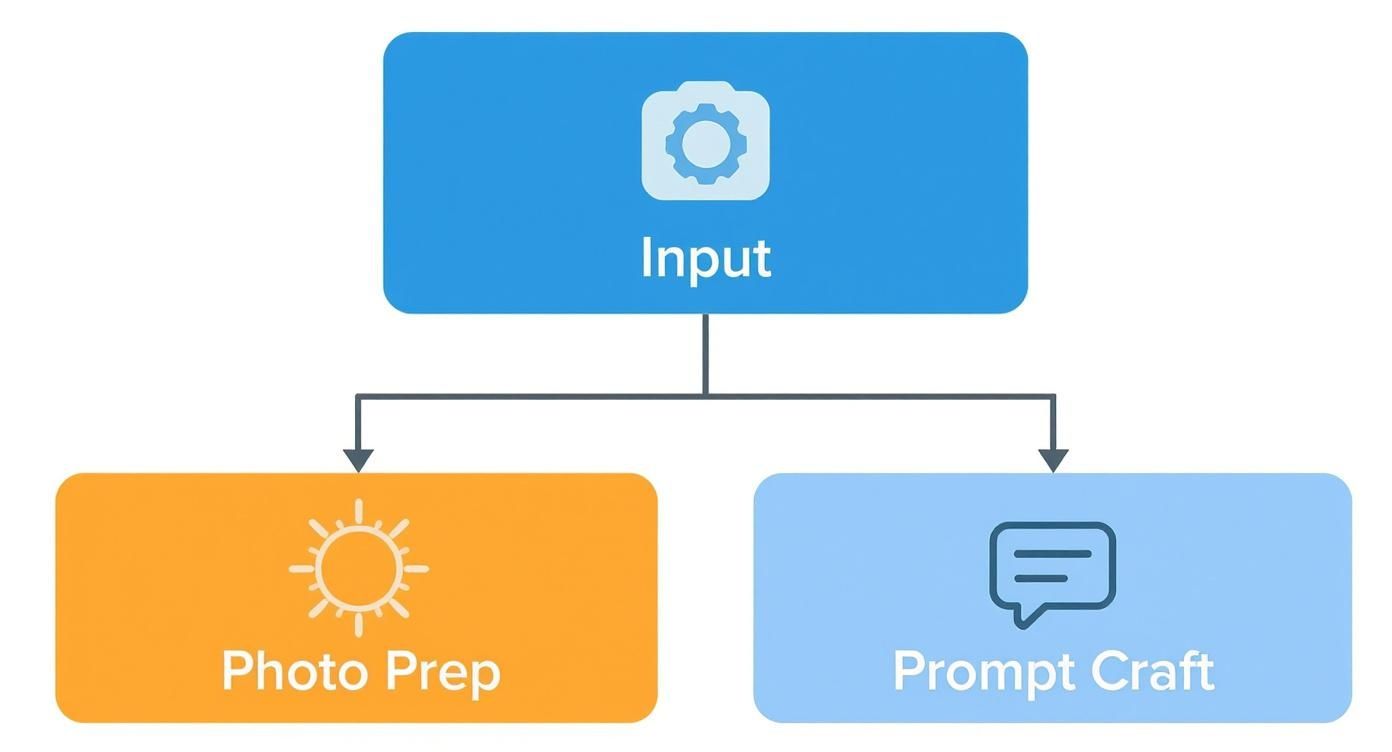
Nail both of those, and you're well on your way to creating something amazing.
Free AI Design Tool Features at a Glance
This table gives a snapshot of common features you'll find in the free tiers of popular AI interior design tools, helping you choose the right starting point for your project.
| Feature | What It Means | Best For |
|---|---|---|
| Photo Redesign | Upload a photo of your room and apply new styles directly to it. | Visualizing changes in your actual space. Perfect for seeing new paint colors, furniture, or decor. |
| Room Planner | Create or modify a 2D/3D floor plan to test layouts and furniture placement. | Planning a new room layout, figuring out furniture scale, or designing a space from scratch. |
| Text-to-Image | Generate conceptual images from a written description (a "prompt"). | Brainstorming unique design concepts, creating mood boards, and exploring styles without a specific room in mind. |
| Style Presets | A library of pre-defined design styles (e.g., Modern, Bohemian, Coastal). | Quickly exploring different aesthetics and getting instant inspiration without writing complex prompts. |
| Limited Generations | You get a set number of free images or "credits" per day, week, or one-time. | Trying out a platform, generating a handful of initial ideas, or completing a small, one-off project. |
This comparison should give you a better idea of what to look for based on what you want to accomplish.
What to Expect From a “Freemium” Plan
It's good to know how these services work. Most use a "freemium" model: they give you a useful set of core features for free but save advanced options for paying customers.
Free tiers are fantastic for brainstorming. They let you explore dozens of ideas without spending a dime, helping you find a design direction you love before deciding if you need more powerful tools.
Here’s a realistic look at what you usually get with a free plan:
- Limited Generations: You'll likely get a fixed number of free designs—sometimes a daily allowance, sometimes a one-time batch of credits.
- Standard Resolution: The images will be clear enough for your screen but probably won't be crisp enough for high-quality printing.
- Watermarks: Expect a small logo or watermark on your finished images. It's just part of the deal with free tools.
- Core Style Libraries: You’ll have access to a great selection of popular styles, but more niche or premium options might be behind a paywall.
For most people just looking for design inspiration, these limitations aren't a big deal. If you want a closer look at specific tools and their free offerings, our guide to the best free interior design apps is a great next step.
Ready to see what's possible? Upload a photo of your space to Interior Redesigne AI and start exploring its potential in seconds.
Real-World Makeovers with Free AI Tools
It's one thing to talk about what free AI interior design tools can do, but it's another to see them solve real-world problems. Let's look at how this technology handles everyday design challenges for homeowners, renters, and property managers. This is where you can see the magic happen, turning a design dilemma into a clear vision in just a few minutes.
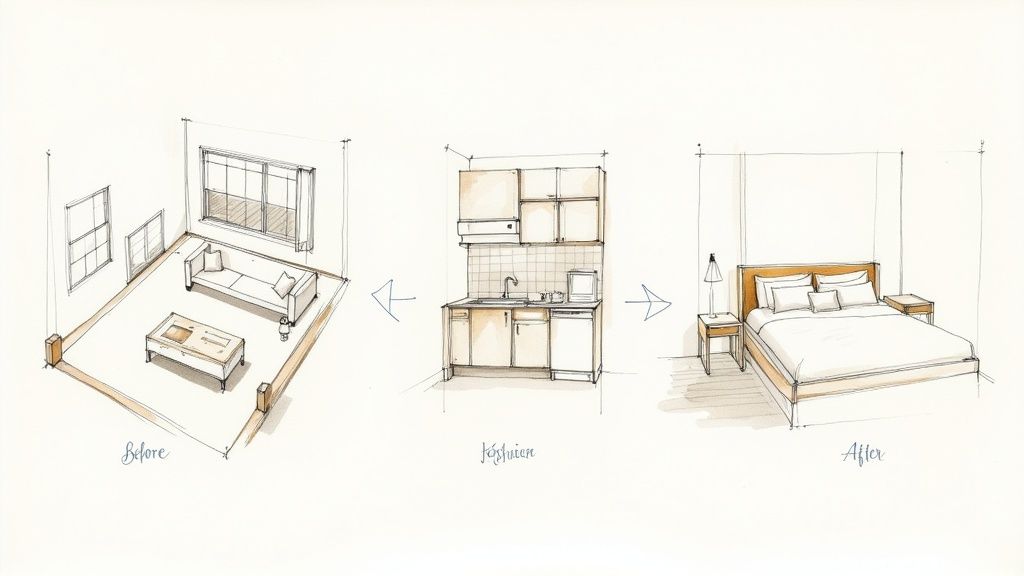
This technology has made interior design accessible to everyone. Industry reports show that nearly 47% of the design sector already uses AI for virtual modeling. Many platforms driving this trend offer powerful free visualization tools, letting you experiment without commitment.
Example 1: The Small Apartment Living Room
The Challenge: How do you make a small living room feel spacious and functional without it feeling cramped? You need hardworking furniture, but the fear of buying a bulky piece that eats up the whole room is real.
The AI Solution: Upload a photo of your current living room and use a prompt focused on multi-functional pieces and smart layouts. With Interior Redesign AI, you can see exactly how a storage sofa fits or how floating shelves create the illusion of more floor space.
- Sample Prompt: “A bright and airy small apartment living room in a Scandinavian style. Include a light gray sectional sofa with built-in storage, a round nesting coffee table, and floating wall shelves to save floor space. Use a neutral color palette with pops of green from houseplants.”
Why it Matters: This gives you the confidence to buy the right pieces to maximize every square foot, which is critical in a small home or rental. For a deeper look at different platforms, our guide on ai interior design software is a great resource.
Example 2: The Dated Kitchen Refresh
The Challenge: A full kitchen remodel is expensive and disruptive. How can you find budget-friendly updates that make a real impact?
The AI Solution: Visualize smaller changes—like painting cabinets or swapping countertops—before you commit. Snap a photo of your kitchen and get specific with materials and colors.
- Sample Prompt: “Modernize this kitchen with sage green shaker-style cabinets, a white quartz countertop with subtle gray veining, and a classic white subway tile backsplash. Add matte black hardware to the cabinets and drawers.”
Why it Matters: This risk-free step can help you avoid picking a cabinet color that looks perfect on a tiny paint chip but feels wrong once it’s on every cabinet. It's a great way to find the most impactful, budget-friendly updates.
Example 3: Boosting Airbnb Appeal Outdoors
The Challenge: An inviting outdoor area can be a huge draw for an Airbnb listing, leading to more bookings and higher nightly rates. But staging a patio or balcony effectively can be tricky.
The AI Solution: Create a picture-perfect setting that will make your listing irresistible. Upload a picture of your outdoor space and describe the vibe you're aiming for.
- Sample Prompt: “A cozy and inviting outdoor patio for an Airbnb. Add comfortable wicker armchairs with outdoor cushions, a small wooden table, string lights overhead for ambiance, and potted plants for a touch of nature.”
Why it Matters: A quick visualization guides you in creating a space that guests will be excited to use, helping your property stand out from the competition.
Ready to stop guessing and start seeing? Grab a photo of that one room that's been bugging you and let Interior Redesigne AI instantly reimagine its potential.
What Happens to Your Photos? Privacy and Image Rights Explained
It's fun to play with free AI interior design tools, but it’s smart to ask: what happens to the photos of my home after I upload them? This is a valid concern, and understanding the basics of privacy and image rights lets you use these amazing tools with peace of mind. We're not diving into dense legal documents—just highlighting what to look for.
Before you upload a photo of your bedroom into any app, it’s worth taking a minute to scan their privacy policy. You’re just looking for a few key details.
Who Owns Your Images and AI Designs?
The big question is usually about ownership. When you upload a picture of your living room, who can use it? And what about the beautiful new design the AI generates—is it truly yours?
The answer changes from one tool to the next. Here are the most common scenarios:
- Training the AI: Many free services use uploaded photos to "train" their AI models, helping the AI get better at its job.
- Commercial Use: Can you use the AI-generated kitchen concept in your Airbnb listing or a real estate brochure? The terms of service should clarify if designs are for personal inspiration or cleared for commercial use.
- Data Security: Reputable services will be upfront about how they protect your data. Look for clear, simple language about security. For an example of what to look for, you can see our straightforward approach in our privacy policy.
The takeaway is simple: do a quick check before you upload. A company that values your trust will make this information easy to find. If their policies are buried or confusing, that could be a red flag.
It's also important to understand the basics of image rights, especially if you plan to use a design publicly. Knowing how to check if an image is copyrighted is a crucial skill that protects you from legal headaches down the road. Taking these small steps lets you get all the creative benefits of free AI interior design without the privacy worries.
Ready to start designing with a tool that respects your privacy? Upload a photo to Interior Redesign AI and see your room's potential come to life.
Knowing When to Upgrade or Hire a Pro
Free AI interior design tools are fantastic for getting creative ideas and seeing what's possible for your space. They're perfect for exploring a new style—say, seeing how that calm, Japandi look (a blend of Japanese minimalism and Scandinavian function) might feel in your bedroom. But it's just as important to recognize AI's limitations and know when it’s time to either pay for more features or bring in a human expert.
Think of AI as your creative partner, not a licensed architect. It can't produce technical floor plans with exact measurements, and it doesn't understand building codes, load-bearing walls, or plumbing. Its purpose is to help you visualize a dream, not to manage a renovation.
Recognizing the Limits of Free Tools
The global AI interior design market is expected to hit an incredible USD 12.46 billion by 2032, and a huge part of that growth comes from free tools that let anyone instantly see their ideas come to life. This boom proves just how useful these platforms are for that first, exciting brainstorming phase. You can dig into the expanding market data on Verified Market Research.
That said, "free" always comes with practical limits. Here’s what to keep in mind:
- No Technical Blueprints: The AI can’t produce the detailed architectural drawings a contractor needs to build something.
- Structural Blind Spots: It has no idea which walls are holding up your house. Please, don't use it to plan a demolition!
- Placeholder Furniture: The beautiful sofa in your render is a concept, not a specific, shoppable product with real dimensions.
AI is your idea generator. Use it to create a powerful visual brief that you can hand over to a professional. Showing them exactly what you want saves them time and saves you money—a perfect partnership between technology and human expertise.
Ultimately, combine AI ideas with your own taste. Once you've generated a concept you love, you can take that clear, visual idea to an interior designer or contractor. They’ll be the ones to handle the technical details to bring your AI-powered dream to life, safely and accurately.
Ready to start brainstorming your next project? Instantly reimagine your room from a photo or sketch with Interior Redesigne AI.
Your Questions About Free AI Interior Design, Answered
If you're just getting started with free AI design tools, it’s natural to have a few questions. Let's clear up some of the most common ones so you can jump in and start creating with confidence.
What are free AI tools actually good for?
Think of free AI tools as your personal design playground. They're fantastic for that initial brainstorming phase where you're trying to find a vision, all without spending a dime.
They really shine when you need to solve common design puzzles:
- Trying on different styles: Wondered if a "Japandi" vibe (a mix of Japanese minimalism and Scandinavian warmth) would work in your living room? An AI can show you in seconds.
- Playing with colors and textures: See how those moody green walls or light oak floors would actually look in your bedroom before you buy paint.
- Visualizing furniture layouts: This is a game-changer for small spaces like apartments. You can quickly see if that sectional you've been eyeing will fit nicely or just overwhelm the room.
Essentially, they're your go-to for experimenting and figuring out what you love before you commit to any real-world changes.
How realistic do the images look?
For a free service, the image quality is surprisingly good—definitely clear enough for planning and sharing your ideas. You'll get a solid feel for the mood and layout of the redesigned space.
Just a heads-up: most free versions will place a watermark on the image or generate it at a lower resolution than their paid plans. The goal isn't to get a photorealistic architectural rendering, but to get a clear, actionable concept that helps you make decisions. This is exactly what you need to settle on a final design direction.
Ready to stop wondering and start seeing? Instantly reimagine your room from a photo or sketch with Interior Redesigne AI.