Staring at a room and feeling totally overwhelmed? We've all been there. But what if you could visualize dozens of professional-level design ideas for that very space, right on your screen, in just a few minutes? Welcome to the world of interior design with AI. This isn't a far-off futuristic idea—it's a practical tool that helps you turn design indecision into genuine inspiration, no special skills or big budget required.
The New Way to Decorate: AI Interior Design
Have you ever spent weeks lost in Pinterest boards, only to feel more confused than when you started? Or maybe you’ve splurged on a "bold" paint color, only to realize it was an expensive mistake. This is where AI interior design tools come in. Think of them as your personal design co-pilot, helping you see your room’s potential before you spend a dime or lift a paintbrush.
This isn't about letting a robot take over. It's about empowering you to explore your own taste with confidence. You can instantly see what your living room would look like with a “Japandi” vibe—that calming blend of Japanese minimalism and Scandinavian warmth—or test-drive a “Coastal” theme for that vacation rental you're listing.
Why This Matters for Your Space
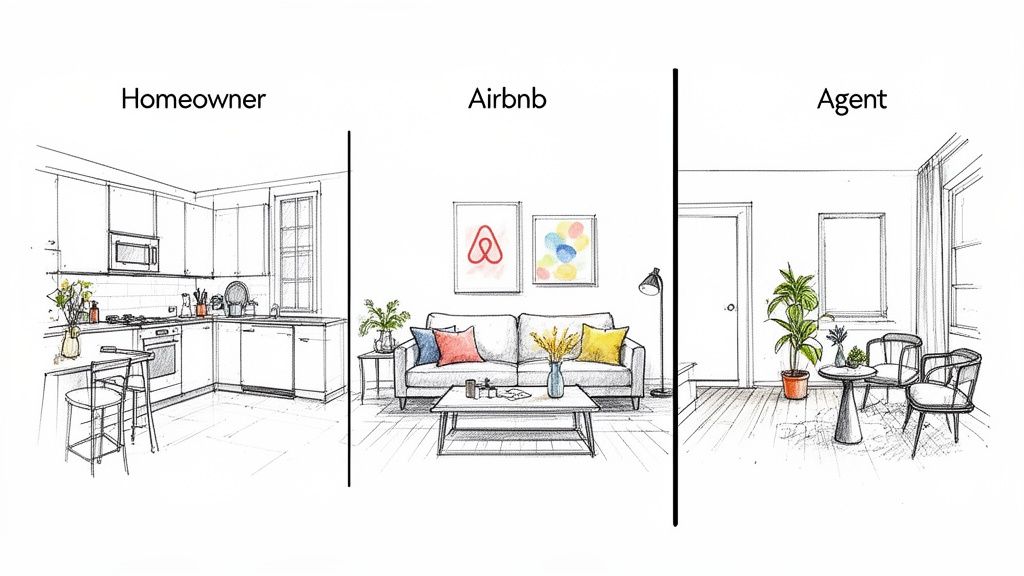
The goal is to make interior design less intimidating and more accessible for everyone. Whether you're a homeowner on a tight budget, an Airbnb host aiming for a standout listing, or a real estate agent who needs to stage a property fast, AI offers a practical solution.
- Avoid Costly Mistakes: Test paint colors, experiment with furniture layouts, and see how materials like new flooring will actually look in your home before you buy them. This visual preview can save you from a design choice you'll regret.
- Save Time and Reduce Stress: Forget endless hours of second-guessing. Generating a handful of high-quality room concepts in minutes helps you make decisions quickly and with clarity.
- Boost Property Appeal: For real estate pros and Airbnb hosts, AI is the ultimate virtual staging tool. You can transform a photo of an empty room into an inviting, stylish space that helps potential buyers or guests immediately imagine themselves living there.
This approach is quickly becoming a mainstream tool. The market for AI in interior design is growing fast, which shows how much these tools are shaking things up. You can learn more about the industry's growth to see how technology is reshaping modern design.
Before you jump in, it's smart to have a handle on the basics of how to start the interior design process for a room. AI simply makes those core principles faster and easier to visualize.
Using a dedicated AI interior design app closes the frustrating gap between the ideas in your head and a realistic preview of what your home could become.
Bringing Your First AI Design to Life
Getting started with AI interior design is surprisingly easy. It all begins with a simple photo of your room. Forget clunky software or complex commands. Your journey from a blank slate to a fully realized design concept starts with a quick snapshot on your phone.
The quality of your photo sets the stage for everything that follows. A great shot gives the AI clean, accurate information, resulting in more believable and precise designs. Think of it as giving an artist a well-lit canvas instead of a grainy, shadowy one.
Nailing the Perfect Photo
You don't need to be a professional photographer. Just a few simple tricks—the same ones real estate agents use to make spaces look their best—can make a huge difference.
- Let the Sun In: Shoot during the day with the curtains open. Bright, natural light reveals the room’s true colors and dimensions, helping the AI avoid misinterpreting details in dark corners.
- Find the Right Angle: Stand in a corner or doorway to capture as much of the room as possible. This gives the AI a clear understanding of the layout, including window placements and architectural features.
- A Quick Tidy-Up: You don’t need the room to be spotless, but clearing away major clutter helps. When the AI can focus on the room's core structure—the walls, floor, and ceiling—it can produce a much cleaner redesign.
This simple process transforms what can be an overwhelming task into one of confidence and clarity.
The AI acts as a bridge, taking you from that "where do I even start?" feeling to a clear, actionable vision for your space.
Choosing Your Style and Watching It Unfold
Once your photo is uploaded, the real fun begins. This is where you can experiment with different aesthetics and see your room transform in seconds. Instead of trying to imagine what a "Coastal" or "Industrial" living room might look like, you can actually see it with Interior Redesigne AI.
Having a broad range of styles at your fingertips lets you explore looks you might never have considered. Maybe your traditional living room would look incredible with a touch of Bohemian flair, or perhaps a Japandi vibe is exactly what your small bedroom needs to feel serene.
If you're not up on all the design lingo, don't worry. Most tools provide visual examples to guide you. Here are a few popular styles to get you started:
- Japandi: A peaceful mix of Japanese minimalism and Scandinavian function. It’s all about clean lines, natural materials like light wood, and a calm, uncluttered feel—perfect for creating a relaxing bedroom or living room.
- Industrial: Think converted lofts. This style embraces exposed brick, metal accents, and a blend of raw and refined finishes. It’s a great way to add character to a modern apartment kitchen or home office.
- Bohemian: An eclectic, free-spirited style packed with color, texture, and plants. It’s perfect for creating a cozy, personalized feel in a living space or a rented apartment where you can't make permanent changes.
The goal here isn’t to find the perfect design on your first try. It’s about rapid exploration. In under five minutes, you can generate a dozen different concepts. This helps you quickly figure out what you love and, just as importantly, what you don’t—a discovery process that would take days with traditional methods.
This step is a game-changer, especially if you're on a tight budget or renting. You can test-drive bold ideas with zero risk, ensuring you invest your time and money in a look you’ll genuinely love. For anyone curious to see this in action, there are great guides on getting started with a free AI room design.
With just these first steps, you’ve created a solid visual foundation, moving past vague ideas to tangible concepts for your own space.
Refining Your Vision With Advanced AI Tools
You've generated your first few AI designs. Pretty cool, right? You've gone from a photo of a room you're tired of to a handful of tangible concepts. But now, it's time to turn those good ideas into a design that’s truly yours. This is where we move past the initial "wow factor" and start using advanced tools to dial in the details.
The first designs are a fantastic starting point, but the real magic happens when you layer in specific instructions. This is how you guide the AI to match not just a style, but your actual life—whether that means creating a durable, family-friendly living room or a bright, energizing home office. You're in the driver's seat, ready to perfect the mood, materials, and even individual objects in the room.
Setting The Mood and Swapping Materials
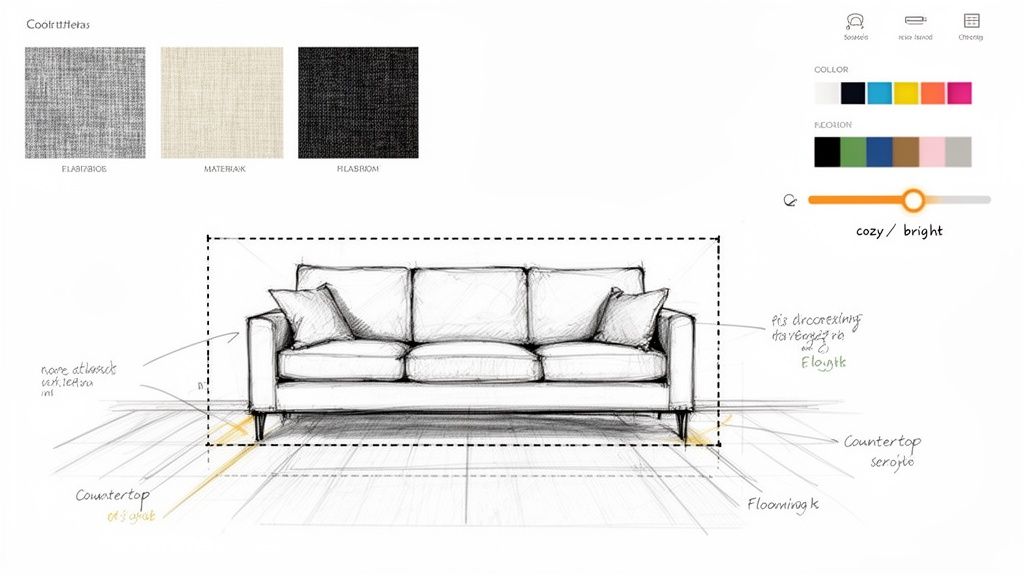
First, let's talk about "mood." This is just a simple way to describe the feeling you want a room to have. Are you aiming for a ‘cozy’ bedroom nook that’s perfect for relaxing, or a ‘bright and airy’ kitchen that feels open and clean? Adding these simple words can completely shift the lighting, color palette, and atmosphere of the design.
Beyond the mood, you can get incredibly specific with materials. This is a game-changer for anyone working with a budget or planning a renovation. Instead of guessing what will work, you can see it instantly.
- Kitchen Refresh: Thinking about new countertops? Ask the AI to show you how 'marble countertops' look with your existing cabinets. Want to see if new floors are worth it? Tell it to swap them for 'light oak planks'. This one step can save you thousands by helping you avoid a costly material mismatch.
- Living Room Update: Does your living room feel a bit flat? Test out textures by asking for a ‘brick accent wall’ behind the sofa or adding a ‘jute area rug’ under the coffee table to see how it warms up the space.
- Bathroom Remodel: Stuck between two tile choices? Generate one version with ‘black slate tile’ and another with ‘terrazzo flooring’. Putting them side-by-side often makes the right choice obvious.
This level of control reduces decision fatigue. When you can quickly compare high-quality options, you build confidence in your choices. It’s what elevates AI from a fun novelty to an indispensable planning tool.
Let’s look at how this new workflow stacks up against the old-school manual process.
Comparing Manual Design vs. AI-Powered Design
| Task | Manual Design Process | AI-Powered Design |
|---|---|---|
| Initial Concepting | Days or weeks of creating mood boards and sketches. | 5-10 minutes to upload a photo and generate multiple concepts. |
| Material & Color Selection | Ordering physical samples, visiting stores, and taping swatches to the wall. | Seconds to test endless material combinations (e.g., 'marble' vs 'quartz'). |
| Visualizing Changes | Requires hiring a professional for a 3D render or relying on imagination. | Instant visualization of new furniture, paint, or layout changes. |
| Iterating on Ideas | Redrawing sketches or paying for new renders for each major change. | A few clicks to generate variations or make targeted tweaks. |
| Final Decision Confidence | Based on samples and sketches, with a degree of uncertainty. | Based on photorealistic images of the exact space. |
The difference is clear. You're not just saving time; you're gaining the ability to explore more creative avenues and make better-informed decisions.
Mastering Targeted Changes
What happens when a design is 90% perfect? Maybe you love everything except the coffee table, or the sofa is the right style but the wrong color. With a tool like Interior Redesigne AI, you can easily make targeted adjustments.
For example, you can select just the sofa in your generated image and ask the AI to change its color or fabric. This gives you pinpoint control without starting over from scratch.
A designer can use this to instantly show a client three different fabric options for an armchair. A real estate agent can swap out dated artwork in a listing photo. For a homeowner, it means you can obsess over every last detail until it feels just right. The ability to make these targeted adjustments is a core feature in the best interior design rendering software available today.
These tools give you the power to go beyond a generic template and craft a highly personalized design that reflects your taste, budget, and lifestyle.
Putting AI Design to Work in the Real World
Let's talk about where this technology solves actual, everyday problems. The real magic of interior design with AI is when it helps you save money, make money, or simply make a tough decision easier.
Think of it as a visual roadmap. Whether you're a homeowner planning a renovation, an Airbnb host trying to get more bookings, or a real estate agent looking to sell a property faster, AI closes the gap between imagination and reality.
For the Homeowner Planning a Renovation
A kitchen remodel is on your mind. Before calling a contractor, you can use a tool like Interior Redesigne AI to see the future of your space. Just upload a picture of your current kitchen and start exploring.
- Test Major Changes: Wondering if you should knock down that wall between the kitchen and dining room? See what an open-concept layout actually looks like before you pick up a sledgehammer.
- Audition Materials: Instantly swap your old countertops for ‘white quartz’ or see how ‘dark green cabinets’ feel in your home. Test a trend with zero commitment.
- Dodge Costly Mistakes: That bold, expensive tile you saw online might not work in your space. A quick AI render can save you from a major investment you’ll regret.
For the Airbnb Host Maximizing Bookings
In the crowded short-term rental market, photos are everything. An empty room is forgettable. AI lets you create multiple virtual stagings to showcase your property's potential and attract more guests.
With Interior Redesigne AI, you can style one version of your living room as a ‘cozy, romantic getaway’ and another as a ‘bright, family-friendly retreat.’ Using different virtually staged photos in your listing helps you appeal to a wider audience, which can lead to more bookings and a better nightly rate.
For the Real Estate Agent Selling a Vision
Empty homes often sit on the market because most buyers can't visualize themselves in a blank space. Physical staging is expensive and slow. AI is the perfect modern alternative.
You can take a photo of a vacant living room and, in minutes, transform it into a warm, inviting home. This helps buyers connect emotionally with the property, making a faster sale more likely. And this isn't limited to homes—AI is a game-changer for developing unique restaurant interior design ideas too.
No matter the project, using AI for interior design is all about making smarter, faster, and more confident decisions.
Pro Tips for Getting Incredible AI Design Results
Getting the hang of AI design is one thing, but making it produce genuinely stunning results is another. These tips will help you guide the AI with more precision, ensuring the concepts it generates are not just beautiful, but also practical for your space.
The single best thing you can do is start with a high-quality source photo. A clear, well-lit image gives the AI the crucial data it needs—your room's real layout, proportions, and unique details. Think of it as a painter's canvas; a better canvas means better artwork.
Nail Your Prompts and Understand the Limits
Once you have a great photo, your text prompts are your superpower. Don't just settle for "modern living room." Be specific. "A bright, minimalist living room with a large jute rug, oak wood accents, and a comfortable off-white sectional sofa" gives the AI clear directions. This is the same principle behind professional interior design mood board examples—detail is everything.
It's also important to be realistic about what AI can and can't do.
- Where AI Shines: It’s a master of rapid visualization. It’s perfect for exploring styles, testing color schemes, and answering "what if" questions without any real-world commitment.
- Where You Still Need a Human: AI is not a substitute for construction plans. For precise measurements, structural changes, or navigating building codes, you absolutely need a professional designer or contractor.
Think of the AI as your creative brainstorming partner, not your general contractor. Use it to discover and refine your vision, then bring that polished vision to the pros for technical execution. By combining a great photo with specific prompts and a clear understanding of its role, you can make AI a powerful ally in any design project.
Common Questions About AI Interior Design
Jumping into AI for interior design naturally brings up a few questions. Let's clear up some of the most common ones so you can get started with confidence.
"Will the AI design look exactly like my real room?"
Think of AI as a powerful creative partner, not a laser-precise measuring tool. It’s brilliant for generating realistic concepts and exploring different styles, but it isn’t a substitute for architectural plans. For actual construction or furniture purchases, you’ll still want to break out the tape measure.
"Is this going to be expensive?"
Not at all. Compared to the cost of traditional design services, AI tools are incredibly affordable. Many platforms like Interior Flux Studio AI offer flexible, low-cost options that make high-level design visualization accessible to everyone, whether you're redoing a single room or staging a whole property.
Can I Really Use This for Any Room?
Absolutely. The versatility is one of the biggest perks of using AI. You can use it for almost any space, from a tiny powder room to an open-plan living area or even an outdoor patio.
Here are a few scenarios where it really shines:
- Tricky, Small Spaces: Got a cramped apartment or an awkwardly shaped room? AI is a lifesaver for testing layouts to make every square foot count. Use it to see if a smaller sofa or a round dining table opens up the space.
- Rental Properties: It's perfect for visualizing changes that don't involve permanent alterations. See how new furniture, a different rug, or bold decor can completely transform your rental without touching the walls.
- Outdoor Spaces: Wondering how to set up your balcony or patio? Test layouts for outdoor seating, planters, and lighting to create the perfect urban oasis.
The best approach is to see the AI as a collaborator. It does the heavy lifting of visualization at lightning speed, freeing you up to focus on the personal touches that truly make a space feel like yours. It's a powerful partnership between your vision and the technology's capability.
Ready to stop imagining and start seeing? Grab a photo of your room and bring your ideas to life. Try Interior Redesigne AI now to instantly reimagine your space from a photo or sketch.