Ever stared at your living room, wishing you could try a new style, but the thought of moving furniture or buying paint samples felt overwhelming? That's where free AI room design tools come in. They let you upload a photo of your space and, in seconds, see it reimagined in countless different ways. It’s the perfect, stress-free way to visualize your ideas before committing time and money.
Unlock Your Home’s Potential with AI Design
We’ve all been there—stuck in a design rut, looking at a room that just doesn’t feel right but not knowing how to fix it. An AI room designer acts as your creative partner, showing you what’s possible without any heavy lifting. It's a fantastic tool for breaking through creative blocks and making design fun again.
Instead of endlessly scrolling through Pinterest or second-guessing color palettes, you get instant visual feedback. This saves time, helps prevent costly mistakes (like buying a sofa that’s too big), and simplifies the entire decorating process.
The workflow is incredibly simple: you provide a picture, the AI works its magic, and you get to explore a variety of fresh designs.
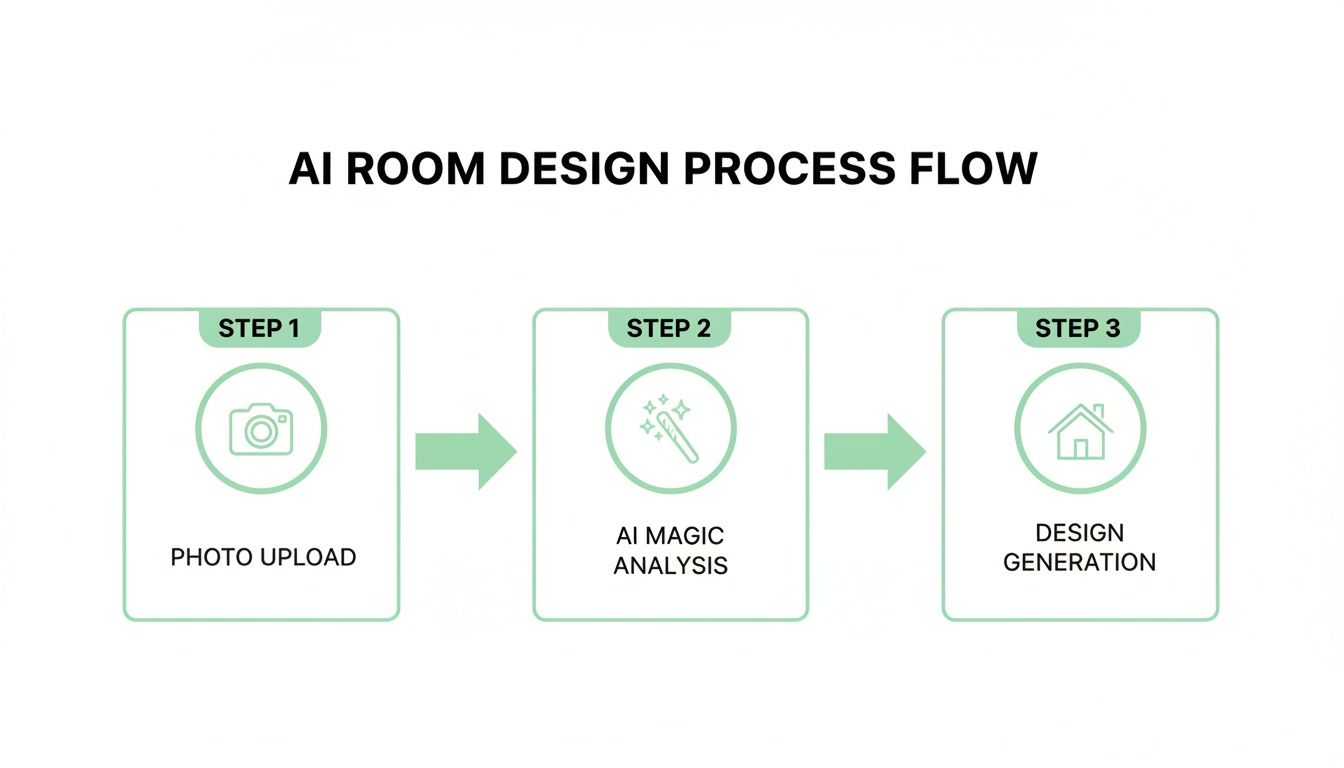
It really is that straightforward. You upload a photo or sketch, the AI analyzes your space, and you receive multiple concepts to kickstart your project.
Why AI Design Is a Game-Changer for Real Spaces
This isn't just a tech trend; it's a practical solution. The market for AI in interior design is projected to leap from around USD 3.3 billion in 2025 to a massive USD 15 billion by 2033. A significant portion—over 40%—is driven by everyday users redesigning their own homes. This proves how valuable these tools are for real-world projects.
AI offers practical benefits for everyone:
- Homeowners: Ever wonder if that Japandi style (a mix of Japanese minimalism and Scandinavian function) you love would actually work in your bedroom? Now you can see it instantly. It's also a great way to get your family or partner on board with a new look by showing them a clear visual.
- Renters: You can figure out the best furniture layout for a small apartment or see how a new rug will look before spending any money, all while respecting your lease. No more buying a piece only to realize it doesn't fit.
- Real Estate Agents & Airbnb Hosts: Virtual staging is a massive advantage. You can transform an empty listing into a beautifully furnished home, helping potential buyers or guests feel an immediate connection and boosting your listing's appeal.
To get the most out of AI, it helps to understand the basics of planning a room layout for a stylish, functional home. Combining solid design principles with the speed of AI is where the magic happens. For a deeper dive, check out our guide on using a home design AI.
Preparing Your Space for Its AI Makeover
Getting great results from any AI room design tool, free or paid, starts with a quality image. It's the classic "garbage in, garbage out" principle. Think of yourself as the art director—you need to give the AI a clear canvas to work with.
A clear photo or sketch tells the AI everything it needs to know about your room’s dimensions, lighting, and unique features. A blurry, dark photo will only lead to confusing or distorted designs, while a bright, clear one provides the foundation for stunning, realistic results. This focus on quality is a big reason why North America holds a massive 45.06% share of the global AI interior design market; users are learning that better inputs lead to better outputs. You can explore more trends in this full AI interior design report.
Taking the Perfect Photo
You don't need a professional camera. Your smartphone is perfect, as long as you follow a few simple tips.
- Let There Be Light: Open all curtains and blinds to let in as much natural daylight as possible. Natural light eliminates harsh shadows and shows the room’s true colors. Avoid using your camera’s flash, which flattens the space and creates distracting reflections.
- Find the Best Angle: Stand in a corner of the room and aim your camera toward the opposite corner. This captures the most space and gives the AI a clear understanding of the layout, including doors and windows.
- Declutter for Clarity: You don't need to deep clean, but a quick five-minute tidy-up is crucial. Clear away shoes, mail, and other clutter so the AI can focus on the room's structure—the walls, floor, and ceiling—instead of getting confused by your belongings.
Expert Tip: Hold your phone at eye level (about 5 feet from the floor) and keep it level. Tilting it up or down can distort the room's proportions, which might make furniture look odd in the generated designs.
What if the Room Is Empty or Not Yet Built?
Starting with a blank slate? No problem. A simple sketch can be just as effective as a photo, especially for new builds or rooms you're planning from scratch.
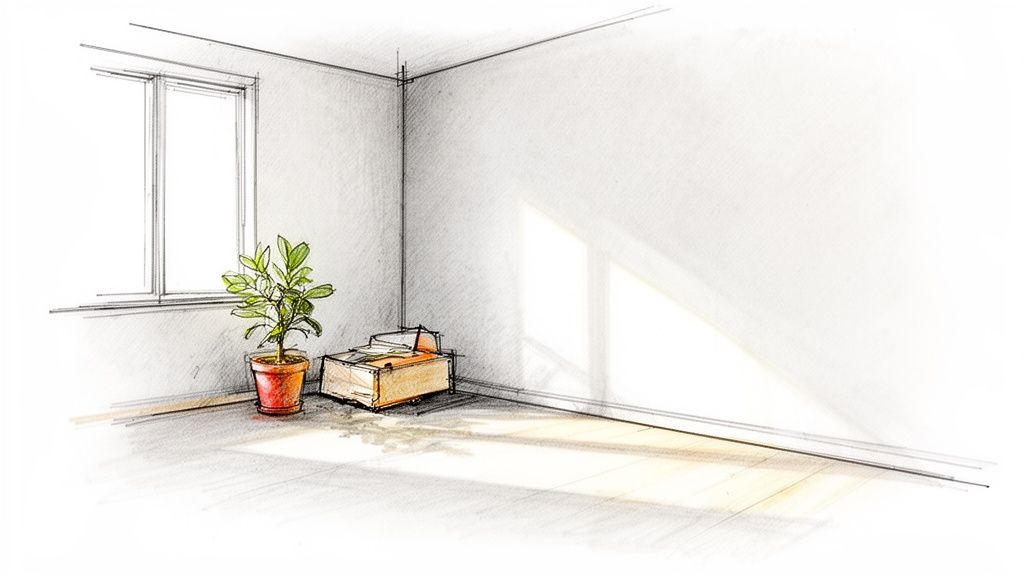
Your drawing doesn't need to be an artistic masterpiece. A basic outline of the room's shape is all you need. Be sure to mark the general locations of key features like windows, doors, or a fireplace. This simple map gives the AI the essential information it needs to start generating concepts. For more guidance, check out our guide on creating an effective interior design sketch.
Taking a few minutes to get this preparation right will pay off, ensuring the designs you get are both inspiring and truly usable.
Generating Your First Room Design
With your photo ready, it's time for the exciting part—seeing your room’s potential come to life. The whole point of getting an AI room design for free is that it's fast, intuitive, and lets you experiment with wildly different looks in just a few clicks.
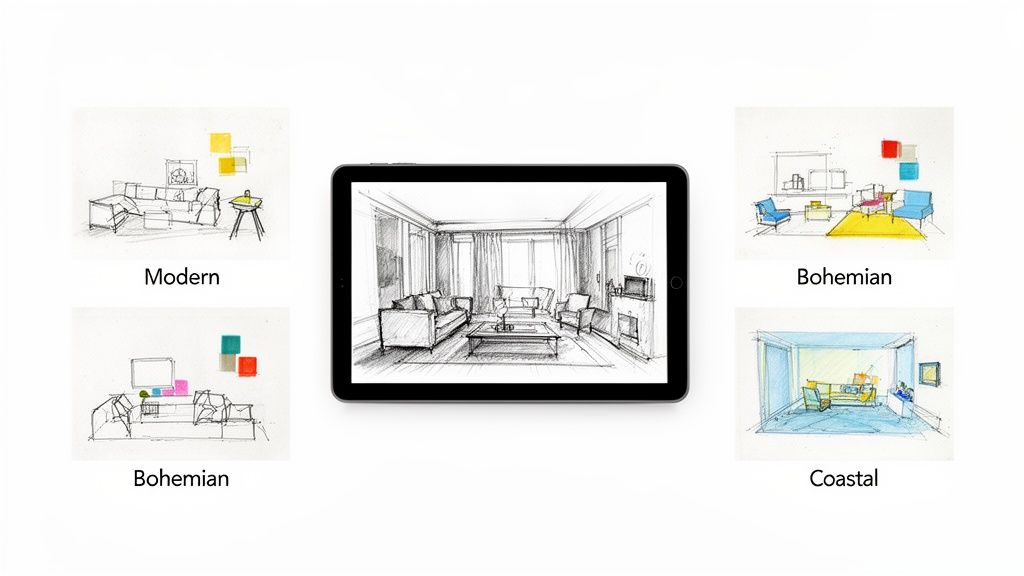
Once you’ve uploaded your image, your first big choice is the style. This is your chance to play and explore. Most tools offer a broad range of aesthetics, so you’re not limited to just a few options.
Choosing Your Style and Refinements
Don't worry if you don't know the textbook definition of every design term. The best tools present styles visually, letting you pick the vibe that catches your eye. This is where you can instantly see how different aesthetics feel in your actual space.
Here are a few popular styles to get you started:
- Modern: Think clean lines, simple color palettes, and materials like metal and glass. It's uncluttered and intentional, perfect for creating a calm, organized feel.
- Bohemian (Boho): If you love a relaxed, layered look with lots of texture, plants, and a mix of patterns, this is for you. It’s perfect for spaces that feel personal and cozy.
- Coastal: Inspired by the beach, this style is light, airy, and calming. It uses cool neutrals with blues and greens, often incorporating natural wood and rattan to create a serene atmosphere.
After picking a style, you can add more specific instructions to guide the AI. This is how you take a generic concept and make it feel uniquely yours.
Why This Matters: Imagine you're an Airbnb host. Being able to generate a "Modern" version of your rental for business travelers and a "Coastal" version for vacationers is a game-changer. You can tailor your listing photos to different audiences in minutes, boosting your booking potential.
Be sure to specify the room type (living room, kitchen, bedroom) so the AI suggests appropriate furniture. Many tools also let you mention a color palette or materials. For example, saying you want "light wood floors" or "an exposed brick wall" can completely transform the outcome. For a deeper look at what different platforms offer, check out our comparison of free online interior design software.
Generating and Comparing Variations
Now, hit "generate." The AI will take your image and instructions and create a brand-new version of your room.
But here’s the key: don't stop at the first result. The real power of AI is in creating several variations.
Try running the same photo with a few different styles. You might be surprised to find that a "Minimalist" approach makes your small bedroom feel twice as big, or that a "Farmhouse" kitchen adds a warmth you never expected. This rapid experimentation is invaluable—it lets you test-drive dozens of ideas with zero risk, cost, or commitment, taking the stress out of making big decisions.
Refining and Personalizing Your AI Ideas
The first design an AI generates is a fantastic starting point, but it's rarely the final product. Think of it as a creative spark, not a rigid blueprint. The real magic happens when you start personalizing those initial concepts, blending the AI’s speed with your own taste.
This is where you take control. Maybe the AI suggested a layout that makes your small living room feel huge, but the color palette isn't quite right. Or perhaps you love the modern vibe but would prefer a comfy fabric sofa over a leather one. This refinement stage is all about making the design truly yours.
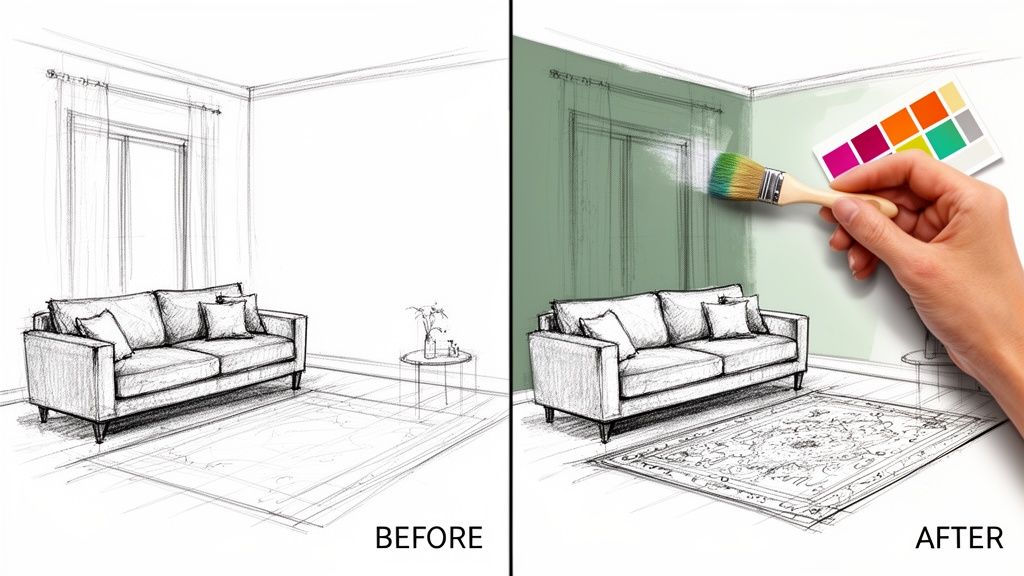
Making Small Tweaks for Big Impact
You don’t have to start from scratch every time. The best way to refine your design is by making small, specific changes to your prompts and regenerating. This iterative process teaches the AI what you like without losing the elements that are already working.
Here are some practical examples for different rooms:
- Living Room: "Keep the layout, but change the wall color to a light sage green. Add a large, neutral-colored area rug."
- Bedroom: "I like this, but make it cozier. Add plush throw pillows on the bed and a soft, chunky knit blanket."
- Kitchen: "Love the modern style, but show me this with dark blue cabinets and brass hardware."
- Outdoor Patio: "Let's make this feel more 'Coastal.' Add navy striped cushions to the chairs and a natural jute rug."
These small adjustments are surprisingly powerful and help you dial in the perfect look for your space, whether it's a family home or a rental property.
Using Advanced Tools for Pinpoint Control
Some of the best free AI room design tools, like Interior Redesign AI, offer more granular control. A canvas editor or "inpainting" tool is incredibly useful. It lets you "paint" over a specific part of the generated image that you want the AI to change.
How this saves you money: Instead of buying a dozen paint samples or ordering a couch you're unsure about, you can use the canvas editor to visualize exactly how a new color or piece of furniture will look. This helps you avoid expensive mistakes and ensures your budget goes toward a look you've already confirmed you love.
Let's say you like everything except the coffee table. You could simply paint over it and tell the AI to "add a round oak coffee table." The tool will then regenerate only that section, leaving the rest of your design intact. It’s perfect for fine-tuning details. This process of building a visual plan is similar to creating a mood board, a crucial step you can learn more about in our guide to interior design mood board examples.
Knowing When to Hit Reset
While iterating is great, sometimes an AI-generated image can get a little strange after too many tweaks. If you notice bizarre artifacts or a distorted layout, it's a sign to start fresh with a new, more detailed prompt.
Don’t get attached to an idea that isn’t working. The beauty of AI is that generating a new concept takes only seconds. By combining broad style prompts with specific refinements, you can quickly bridge the gap between a generic AI suggestion and a personalized design that truly feels like home.
Bringing Your Virtual Design to Life
So, you’ve experimented with styles, tweaked the details, and finally landed on an AI-generated image that perfectly captures your vision. Now what? The next step is to bridge the gap between your digital dream and your physical space.
Let's be realistic: free AI design tools are incredible for brainstorming, but they often come with limitations. The final images may be lower resolution or have a watermark. That’s perfectly fine for a personal mood board, but it might not be suitable for showing a contractor or using in a professional property listing.
This is the point where you decide if the free tool has served its purpose or if you need to step up to a more professional output. It's not about being upsold; it’s about recognizing when your project requires a higher-quality tool.
When Upgrading Your Plan Makes Sense
Think of free AI tools as your creative sandbox. They’re perfect for playing with ideas. But when it's time to build the final sandcastle, you might need better equipment. Upgrading to a paid plan is a smart move in a few key scenarios.
Consider upgrading if you are:
- Presenting to a Client: As an interior designer, you need a crisp, 4K render that looks professional and helps sell your vision.
- Working with Contractors: Clear communication is vital. A high-resolution image ensures your builder sees the exact tile pattern or paint color you chose, leaving no room for error.
- Staging a Property: For real estate agents or Airbnb hosts, photorealistic images can make a listing stand out, grab attention, and help you secure bookings or a sale faster.
- Planning a Major Renovation: For large projects, premium features can help you get a true feel for the space and flow before any demolition begins, which can save you from costly changes down the road.
Upgrading isn't just about a prettier picture. It’s about gaining the confidence to act on your design. It turns a "cool idea" into an actionable blueprint.
From Image to Action Plan
Once you have your final high-quality design, it becomes your roadmap. Think of it as a visual shopping list and a project guide combined.
Start by breaking down the image into its core elements: the furniture style, color palette, lighting fixtures, and textures. This visual reference will keep you focused when sourcing materials, helping you stick to your plan and budget. This process helps you make more informed decisions, giving you the best chance of making the finished room look just as stunning as the digital version. For help with the financial side, our article on how to estimate renovation costs is a great place to start.
Your AI Room Design Questions, Answered
Diving into AI for the first time can bring up a few questions. You might be wondering what the catch is with "free" tools or if they’ll even work for your small apartment. Let's tackle some common concerns so you can get started with confidence.
Are "Free" Tools Really Free?
Yes, for the most part. Many platforms offer a solid free version that lets you generate designs and explore styles without spending a dime. It's a fantastic way to brainstorm and discover what you like.
However, "free" often comes with a few limitations:
- Usage Limits: You might only be able to generate a certain number of designs per day.
- Lower Quality: Free images are usually lower-resolution, which is fine for personal use but not for professional presentations.
- Watermarks: Most free tools will place their logo on your designs.
Think of the free tier as your creative playground. It’s perfect for exploring ideas. When you need high-resolution, unbranded images for a client, a real estate listing, or your contractor, that's when a paid plan becomes a worthwhile investment.
Can This Work for My Small Apartment or Rental?
Absolutely! In fact, AI design tools are a lifesaver for renters and anyone living in a small space. For a tiny apartment, you can test different furniture layouts in minutes to find one that maximizes space and feels functional—without moving a single heavy object. It’s a brilliant way to avoid buying a sofa that ends up overwhelming your living room.
For renters, AI offers risk-free experimentation. You can see how a new rug, different curtains, or a piece of art will look without putting a single nail in the wall or violating your lease. Airbnb hosts also use these tools to virtually stage their listings, showing a room’s full potential to attract more bookings.
How Accurate Are the AI Designs?
It's best to think of AI designs as highly realistic concept art, not as millimeter-perfect architectural plans. While they excel at capturing a mood, a color scheme, and the overall vibe of a style, they aren't a substitute for real measurements. An AI might not perfectly render the scale of your existing furniture or the exact dimensions of a room.
The Bottom Line: An AI room design (free or paid) is for inspiration, not construction. It shows you what your space could look like, but not the precise measurements for building it. Use the designs to solidify your vision, but always rely on a tape measure for purchases and a professional for major renovations.
What if the First Design Isn't Right?
Don't worry, that happens all the time! The first idea is rarely perfect. The beauty of AI is that you're never stuck with a design you don't love.
If a design feels off, just generate another one. Try a different style, tweak your color prompt, or upload a photo from a new angle. These tools are built for iteration. Go ahead and create ten, twenty, or fifty versions. Eventually, one will make you stop and say, "Wow, that's it!" Remember to combine the AI's suggestions with your own personal taste to create a space that feels truly yours.
Ready to stop imagining and start seeing? Instantly reimagine your room from a photo or sketch with Interior Redesigne AI.