Think of an online interior design tool as a digital sandbox for your home. It’s a space where you can play with different styles, furniture arrangements, and color palettes without spending a dime or moving a single piece of heavy furniture. These platforms use smart technology, often powered by AI, to transform a simple photo of your room into a visual playground, making professional-level design accessible to everyone.
Why Online Interior Design Tools Are a Game Changer
Let's be honest: staring at a blank room can be intimidating. You know you want a change, but the fear of making a costly mistake is real. What if that expensive sofa swallows the whole room? What if that trendy paint color ends up looking awful with your floors? This is precisely where an online interior design tool comes in. It turns a stressful guessing game into an exciting, creative, and completely risk-free process.

It’s your own personal design lab. Before you even pick up a paintbrush, you can see exactly how that moody, dark green will feel in your bedroom. You can test drive a minimalist aesthetic and see if it genuinely works for your family’s chaotic lifestyle, saving you time, money, and a lot of decision-related stress.
This digital-first approach is quickly becoming the norm. The interior design software market is currently valued at USD 5.37 billion and is projected to hit USD 9.66 billion by 2030, largely thanks to the global boom in home renovations. This explosive growth proves just how much people want user-friendly tools that help them see the future of their space before committing. You can read the full research about interior design software market growth to see the data for yourself.
Who Benefits Most From an Online Interior Design Tool?
A quick look at how different people can get the most out of these powerful platforms for their specific goals.
| User Type | Key Advantage | Real-World Scenario |
|---|---|---|
| Homeowners & Renters | Risk-Free Experimentation | Trying out a bold Japandi style in a small apartment living room or testing a dozen paint colors without making a single swatch on the wall. |
| Airbnb Hosts | Creating a "Bookable" Vibe | Virtually staging a property with a specific theme (like "Coastal Chic") to attract more guests, boost listing appeal, and earn five-star reviews. |
| Real Estate Agents | Virtual Staging on a Budget | Instantly furnishing an empty listing to help buyers visualize themselves living there, leading to faster sales and better offers. |
| Interior Designers | Accelerated Client Approvals | Quickly generating multiple photorealistic concepts to present to a client, making it easier for them to sign off on a design direction. |
Ultimately, whether you're a professional or just trying to spruce up your space, these tools offer a clear visual roadmap. They empower you to make confident design choices and ensure the final result is a space you absolutely love.
Here’s a closer look at how an online interior design tool like Interior Redesign AI helps different people:
- For Homeowners and Renters: You can finally test out that daring design idea you saw on Pinterest. Ever wondered how Japandi—that cool mix of Japanese minimalism and Scandinavian warmth—would look in your living room? Now you can see it instantly. For more inspiration, check out our list of the best interior design online tools.
- For Airbnb Hosts: In a sea of listings, a unique aesthetic gets you booked. These tools let you craft a memorable guest experience by testing different themes. You can create that perfect look that not only stands out but also gets you those coveted five-star reviews and boosts your listing's appeal.
- For Real Estate Agents: Selling an empty or dated property is tough. Virtual staging changes the game. In minutes, you can fill a vacant home with stylish, modern furniture, helping buyers see its true potential and driving higher, faster offers.
- For Interior Designers: Time is money. An AI-powered tool lets you generate a variety of stunning, photorealistic concepts for your clients in a fraction of the time. This makes communication crystal clear and helps move projects from concept to reality much faster.
How AI Brings Your Design Ideas to Life
Ever wondered how an online interior design tool can take a photo of your cluttered living room and magically turn it into a design masterpiece? It might feel like a complex bit of tech, but the process is surprisingly simple—no technical skills required. Think of it as having a creative partner who instantly gets your space.
The whole thing kicks off the moment you upload a photo. The AI acts like a digital designer, intelligently scanning your room’s core elements. It figures out the layout, gets a sense of the scale, and even understands how the light from your windows plays across the room. This initial analysis is the bedrock for everything that follows.
Once the AI has a solid grasp of your room, you get to take the wheel. This is where the fun really starts.
From Simple Photo to Stunning Vision
You don’t need to know a bunch of fancy design terms. You just tell the tool what you want. You can pick broad styles like 'Minimalist' or 'Bohemian,' or you can get super specific by asking for things like 'oak wood floors' and 'marble countertops.' The AI takes your instructions and renders stunningly realistic images of what your actual room could look like.
This process is a game-changer because it tackles the two biggest headaches in home design: uncertainty and cost. You can explore dozens of ideas without spending a dime or lifting a paintbrush.
The real power of an AI design tool is its ability to make abstract ideas tangible. It takes the fuzzy concept of a “cozy bedroom” and shows you exactly how different textures, colors, and layouts can create that feeling in your own home.
This rapid visualization saves a massive amount of time and helps you dodge expensive mistakes. Instead of painting a bunch of sample swatches on your wall, you see the finished look in seconds. If you're thinking about a kitchen remodel, a tool like Interior Redesign AI lets you test-drive different cabinet colors and backsplash tiles before you even think about calling a contractor.
The Simple Steps to Your New Room
The workflow is built to be intuitive for everyone, whether you're a first-time renter or a seasoned real estate agent. It really just boils down to a simple, three-step creative loop.
- Upload Your Starting Point: Snap a clear photo of your room or even start with a basic sketch. The better the image, the more accurately the AI can understand the space it’s working with.
- Choose Your Style and Details: This is your chance to play. Pick from a library of design styles, set your color palette, or even tell the tool to add specific materials you've always loved.
- Visualize and Refine: In just a few moments, the tool will generate several high-quality design concepts. From there, you can tweak the results, ask for new variations, and keep going until you land on the perfect vision.
This kind of accessibility is what makes modern design technology so powerful. It tears down the barriers that once made professional-level design feel out of reach for most of us. Exploring how to use AI for room design can give you the confidence to see what’s truly possible for your home.
Ultimately, these tools help you move from dreaming to doing. They give you the visual proof you need to make confident decisions, whether you’re just choosing a new sofa, planning a full-blown renovation, or staging a property to sell. The technology does the heavy lifting, leaving you free to focus on creating a space you absolutely love.
Choosing The Right Online Interior Design Tool
With so many options out there, trying to pick the right online interior design tool can feel a bit overwhelming. They aren't all built the same, and what a professional designer needs is often worlds apart from what a homeowner wants for a quick weekend refresh.
The real key is to cut through the noise. Focus on finding a tool with features that directly solve your specific problem, whether that’s figuring out a new kitchen layout or virtually staging a home for a faster sale.
This decision is more important than ever. The market for these tools was valued at around USD 3.42 billion back in 2022 and is still climbing, which just goes to show how many people are turning to digital platforms to plan their spaces.
Key Features That Actually Matter
When you start comparing different tools, a few features are absolutely non-negotiable if you want to get genuinely useful results. You’re looking for that sweet spot between powerful capabilities and a user-friendly experience.
High-Quality, Photorealistic Renderings: This is the big one. You need to see a realistic image of how your room could look, not a cartoonish sketch. Top-notch visuals are the only way to accurately judge how morning light will hit a new paint color or how a certain texture will feel in the space.
A Diverse Library of Styles: A great tool should let you explore. Maybe you're curious about the clean, minimalist vibe of Japandi (a hybrid of Japanese minimalism and Scandinavian warmth) or the breezy feel of a Coastal design. Having plenty of options helps you step outside your comfort zone and discover a look you might not have considered otherwise.
Material and Texture Customization: Can you swap out the floor for oak planks, test a marble countertop, or see how a brick accent wall looks? The ability to play with different materials is what makes a design feel tangible and helps you commit to expensive finishes with confidence.
Intuitive User Interface: You shouldn't need a degree in 3D modeling to bring your ideas to life. A simple, straightforward process—like the upload-and-select workflow in Interior Redesign AI—means you can start visualizing in minutes, not hours.
Honestly, the best tools have boiled it down to a simple three-step process: just upload a photo of your space, pick a style you want to try, and let the AI generate the result.

This kind of simple workflow removes the technical hurdles, letting you focus entirely on your creative vision and making the right decisions for your home.
Essential vs. Nice-to-Have Features in a Design Tool
To help you prioritize what truly matters for your project and budget, here’s a quick breakdown of what you absolutely need versus what’s just a nice bonus.
| Feature | Why It's Essential | Example of a 'Nice-to-Have' |
|---|---|---|
| Photorealistic Visuals | Provides an accurate preview, preventing costly mistakes and "looks different in person" disappointment. | Augmented Reality (AR) View: Cool, but not critical for making core design decisions. |
| Wide Style Selection | Allows for creative exploration and ensures you find a design that truly fits your personal taste. | Brand-Specific Furniture Library: Helpful, but a good style library is more important. |
| Material Customization | Crucial for planning major renovations (floors, countertops, etc.) and visualizing the final material palette. | Automated Shopping Lists: A convenient time-saver, but you can always create your own list. |
| Simple, Fast Interface | Ensures you actually use the tool instead of getting frustrated. The goal is creativity, not a technical lesson. | Advanced Lighting Controls: Often too complex for a typical user and not needed for basic visuals. |
Ultimately, focusing on the "essential" column will give you the most bang for your buck and help you achieve your design goals efficiently.
Matching The Tool To Your Project
The perfect set of features depends entirely on what you're trying to accomplish. A real estate agent needs to produce beautiful virtual staging renders in a snap. A homeowner planning a full remodel, on the other hand, needs granular control over materials and finishes.
When you're choosing a tool, think of it like hiring an assistant. Do you need a quick-thinking idea generator or a meticulous planner who can render every last detail? Your project’s needs should guide your choice.
Let's say you're redoing a kitchen. The ability to visualize specific cabinet styles and finishes is absolutely vital. Before you commit, it’s a good idea to check out resources like these cabinet design software reviews to see how different platforms handle those specific details.
Tools that nail this level of customization can save you from a very expensive real-world mistake. You can explore more options by reading our guide to the best online home design software available today.
At the end of the day, the best online interior design tool is the one that empowers you. It should take the stress out of the process, save you time and money, and give you the confidence to create a space that you'll absolutely love.
Putting Theory into Practice: Real-World Design Scenarios
It’s one thing to talk about what an online interior design tool can do, but it’s another thing entirely to see it in action. These tools really come alive when you throw real-world challenges at them—the kind of messy, indecisive, and sometimes stressful situations we all face when trying to create a space we love.
Think of a tool like Interior Redesign AI as your personal design sidekick, always ready to help you tackle anything from a full-blown kitchen gut-reno to simply staging a home for a quick sale. Let's walk through a few practical examples of how it can turn common design headaches into genuinely exciting projects.
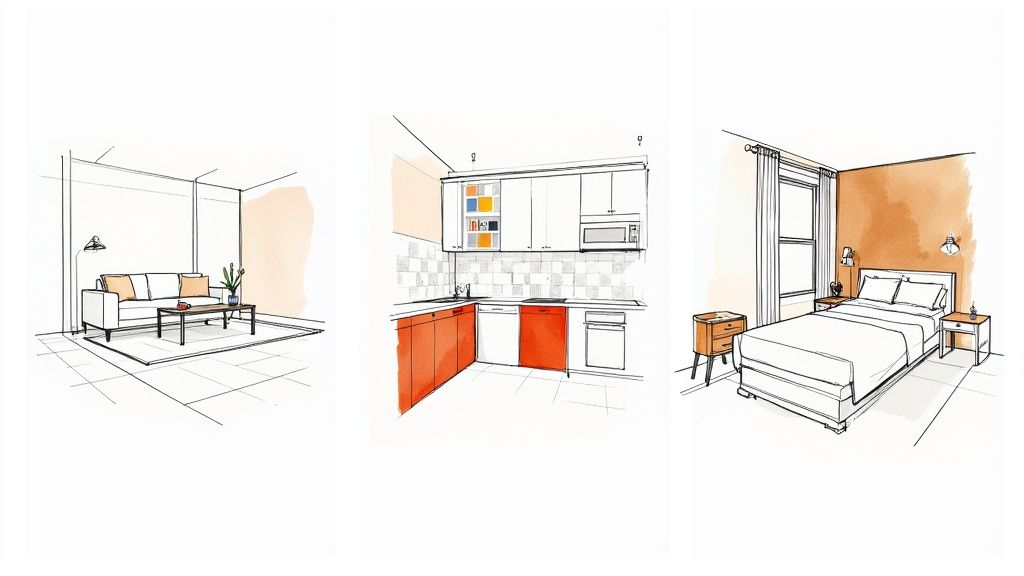
Scenario 1: Virtually Staging a Home for Sale
An empty room is a blank slate, and for most potential buyers, that’s a problem. It feels cold and impersonal, and many people just can't visualize how their own life (and furniture) would fit. Dated decor is even worse; it can actively push buyers away.
This is where virtual staging becomes a game-changer. Instead of shelling out thousands for physical staging, you can use Interior Redesign AI to instantly generate gorgeous, fully furnished images that show a property’s true potential. You’re helping buyers form an emotional connection to the space, which almost always leads to faster sales and better offers.
Here’s a practical step-by-step:
- Get a Clean Shot: Start with a well-lit, clutter-free photo of the empty or dated room. Good lighting makes all the difference.
- Upload and Pick a Style: Pop the photo into the AI tool. Choose a style with broad appeal, like "Modern" or "Scandinavian." They’re known for their clean, inviting feel that clicks with most people.
- Generate and Choose: The tool will spit out several furnished options. Pick the one that best highlights the room's strongest features, like a cozy reading nook by a big window.
- Boost Your Listing: Add these compelling new images to your online listing. They’ll make it pop, boost its appeal, and pull in way more traffic.
Scenario 2: Planning a Kitchen Remodel Without the Risk
A kitchen remodel is one of the priciest projects you can take on, and the decision fatigue is real. Will those trendy green cabinets actually work with your flooring? What if the quartz countertop you've been eyeing clashes horribly with the backsplash tile?
An AI design tool completely removes that expensive guesswork. It's your digital sandbox, letting you use Interior Redesign AI to test out every combination of materials and colors before you spend a dime.
Use your AI tool like a digital mood board to test your wildest ideas. Seeing it first is the ultimate safety net, giving you the confidence to pull the trigger on a design you know you'll love for years.
Follow these steps for a stress-free planning phase:
- Snap a Photo of Your Current Kitchen: This gives the AI the exact layout and dimensions it needs to work its magic.
- Play with the Big Stuff: Use the tool to visualize different cabinet colors. See how dramatic navy looks versus a timeless white.
- Test Your Materials: Swap out countertops from marble to granite to butcher block. Do the same with flooring and backsplashes until you find the perfect match.
- Show Your Contractor: Once you land on a design you adore, you have a crystal-clear visual to share with your contractor. No more confusion, just a shared vision.
For more on this, check out our guide on creating powerful https://interiorredesignai.com/blog/interior-design-mood-board-examples to get all your ideas organized.
Scenario 3: Making Your Airbnb Listing Irresistible
In the cutthroat world of short-term rentals, your photos are your business. A listing with a cohesive, Instagram-worthy vibe doesn't just get more clicks—it gets more bookings and commands higher nightly rates. An online interior design tool is the perfect way to nail that standout look and boost your listing's appeal.
Whether you're going for a "Bohemian Desert" theme for a spot in Joshua Tree or a "Coastal Grandmother" aesthetic for a beachside cottage, Interior Redesign AI lets you see exactly how it will look in minutes.
Here’s how to create a booking magnet:
- Start with Your Space: Upload a photo of the main living area or bedroom.
- Explore Different Themes: Select styles like "Bohemian," "Coastal," or "Japandi" to see what best fits your property’s location and the kind of guest you want to attract.
- Refine the Vibe: Use the AI to test different color palettes. Does a calming, neutral scheme feel more inviting, or would something more vibrant and energetic get more attention?
- Refresh Your Listing: Use the best AI-generated images to give your Airbnb listing a major facelift and watch the bookings roll in.
These scenarios are really just the tip of the iceberg. Whether you’re a homeowner agonizing over the perfect look for your dining room or a designer mocking up concepts for a client, an AI tool brings clarity and a fresh dose of inspiration to the table. For specific spaces, you can find plenty of modern trends and practical tips, like these fantastic dining room decorating ideas.
The whole point is to move past the "what ifs" and start creating. With the right online design tool in your corner, you have everything you need to reimagine any space with total confidence.
Tips for Getting Professional-Quality Results
So, you’ve got an online interior design tool at your fingertips. It’s exciting, right? But how do you ensure the results feel less like a fun experiment and more like a professional's vision board? The secret isn’t about having a design degree; it’s about setting the AI up for success. With a few simple tricks, you can generate stunning, high-quality visuals that are genuinely helpful for your project.
Think of it like being the director of a photoshoot. The better your prep and input, the more incredible the final shots will be. The same exact principle applies here.
Prepare Your Space for the Best Input
Before you even launch the design tool, a little prep work on your room photo goes a surprisingly long way. This step is all about giving the AI a clean, accurate canvas to build upon.
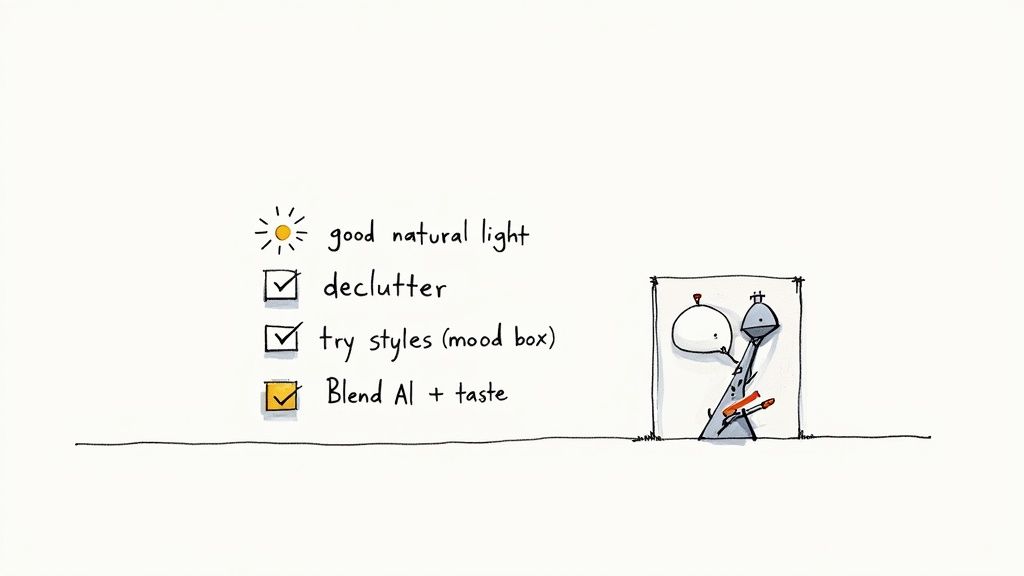
- Let There Be Light: Always try to take your photo during the day. Good, natural light helps the AI understand the space's real dimensions and colors without getting confused by weird shadows or the warm glow of a lamp.
- Declutter First: I can't stress this enough—clear away the stacks of mail, the kids' toys, and any other random clutter. A tidy space lets the AI focus on the important stuff: the walls, floors, and key furniture. This leads to much cleaner and more believable designs.
- Get the Right Angle: Stand in a corner or a doorway to capture as much of the room as you can in one shot. This gives the AI a comprehensive view to work from, which results in renderings that feel more realistic and spatially aware.
Embrace the Creative Brainstorming Mindset
Think of an AI design tool as your creative partner, not your boss. Its main job is to flood you with ideas. Some you’ll love, some you’ll hate, and that's the whole point. The key is to treat it like a brainstorming engine that can kickstart your own creativity.
Don't be afraid to try out styles you think aren't "you." You might be a die-hard minimalist who discovers a surprising soft spot for the cozy textures of a "Bohemian" or "Japandi" design. Experimenting is fast and free, so use it to uncover some unexpected inspiration. You just never know what might click.
Treat AI as your tireless design assistant. It can generate dozens of concepts in the time it takes you to make a cup of coffee. Your job is to curate, refine, and infuse those ideas with your personal taste.
Blend AI Suggestions with Your Personal Touch
While AI is brilliant at generating gorgeous images, it doesn't know you. It has no idea that you need a durable, stain-resistant sofa because you have a dog and two kids, or that you need a good reading lamp in that one specific corner. The absolute best results happen when you blend the AI's suggestions with your real-world needs and personal style.
Once you have a few designs from Interior Redesign AI that catch your eye, start asking practical questions. How would that layout really work for your daily routine in your apartment? Do those colors actually make you feel happy and calm? Our guide on how to choose paint colors for rooms can help you translate a digital palette into a real-world feeling. At the end of the day, you're the final editor.
It's also crucial to be honest about the technology's limits. For major structural changes, complex electrical work, or plumbing, the AI is just a starting point. It’s an idea generator, not a licensed architect. Always, always consult a licensed professional or designer before you start knocking down walls or making significant alterations.
Ready to see what’s possible? Upload a photo of your room to Interior Redesign AI and instantly reimagine your space with just a few clicks.
Where Home Design Goes From Here
The days of interior design being locked away behind expensive agency doors and intimidating consultations are officially over. We've seen how the new wave of online interior design tools is completely changing the game, putting the power to create beautiful spaces right where it belongs: in your hands. This isn't just some passing trend—it’s a real shift in how we approach the places we call home.
Gone is the slow, costly back-and-forth and the endless second-guessing. We're now in an age of instant, affordable, and hands-on digital design. The numbers don't lie: the virtual interior design market was valued at USD 5.07 billion in 2024 and is on track to nearly triple by 2035. This boom is all thanks to smart, AI-driven platforms that finally make professional-grade design accessible to anyone. You can dig into the data on the virtual design market to see just how fast things are moving.
Putting the Power in Your Hands
Ultimately, this is all about empowerment. Whether you're a homeowner trying to make the most of a tight budget, a real estate agent who needs to stage a listing yesterday, or an Airbnb host chasing that five-star look, these tools give you the ability to see what's possible in an instant. They take the stress out of making big decisions, help you sidestep expensive mistakes, and give you the confidence to build a home that feels uniquely you.
The future of design isn’t about replacing human creativity; it's about amplifying it. These tools act as your co-pilot, handling the heavy lifting of visualization so you can focus on bringing your unique vision to life.
You don't have to just wonder what your space could be anymore. With a tool like Interior Redesign AI, you can actually see it for yourself.
Stop just dreaming about your perfect room. It's time to start creating it. Upload a photo or sketch to Interior Redesign AI and watch your space transform in seconds.
Frequently Asked Questions About Online Design Tools
Jumping into any new technology brings up a few questions. Whether you're a homeowner excited to kick off your first project or a real estate agent looking for a faster way to stage properties, it's smart to get the lay of the land first. Here are some straightforward answers to the questions we hear most often about using an online interior design tool.
Do I Need Any Design Experience to Use These Tools?
Absolutely not. In fact, that’s one of their biggest perks. Modern AI-powered platforms like Interior Redesign AI are built from the ground up for beginners. The whole experience is designed to be second nature: you upload a photo, pick a style you love, and the AI takes care of all the heavy lifting.
You don't have to know the first thing about technical concepts like negative space—the empty areas around objects that create balance—or complex color theory. The tool does the hard work for you, serving up a beautiful, professional-looking design you can use as a starting point. It’s less about having technical skills and more about having fun exploring what’s possible for your home.
How Accurate Are the Colors and Furniture Sizes?
This is a fantastic question because it gets right to the heart of how you should use these tools. The renderings you get are incredibly realistic and super helpful for planning, but they are still digital visualizations.
Think of AI renderings as your project's first draft, not the final blueprint. They're perfect for trying out ideas and making big-picture decisions, but always trust your tape measure and physical samples before you buy anything.
Here's a good way to think about accuracy:
- Colors: The colors you see on screen are a very close approximation, but they can look a little different depending on your monitor’s calibration and the lighting in your actual room. Always get a physical paint swatch or fabric sample to see how it looks in your home's natural light before you commit.
- Furniture Sizes: The AI does an excellent job of estimating scale to create a believable layout. It is, however, a visual guide, not a precise architectural plan. Before you fall in love with that perfect sofa in the rendering, measure your space carefully and check the dimensions of the actual product to make sure it will fit.
Can I Use These Tools for Outdoor Spaces Too?
Yes! This is an exciting area where these tools are getting better all the time. Many modern platforms, Interior Redesign AI included, aren't just for the four walls inside your home anymore. You can use them to completely reimagine outdoor areas like patios, balconies, decks, and even entire backyards.
This is especially useful for creating that seamless indoor-outdoor flow everyone is talking about. For example, you could:
- Plan a Patio Makeover: See what different furniture layouts, outdoor rugs, or even materials like pavers and decking would look like.
- Design a Cozy Balcony: If you live in an apartment, you can use Interior Redesign AI to test out small-scale furniture, planters, and lighting to turn a tiny balcony into your personal oasis.
- Boost Curb Appeal: Real estate agents can virtually stage a home's front porch or backyard to show potential buyers how amazing it could be for entertaining.
Being able to design both inside and out with the same tool helps you create a unified, harmonious feel across your entire property. It makes your backyard feel less like an afterthought and more like a true extension of your living space.
Ready to stop wondering and start seeing? Interior Redesign AI can instantly reimagine your room from a simple photo or sketch. Try it now and bring your design ideas to life in seconds.