
Ever wished you could see your dream living room before splurging on that new sofa? Or test a bold paint color without lifting a brush? Welcome to the world of interior design online tools. These powerful apps and websites aren't just for professional designers anymore. For homeowners, Airbnb hosts, and real estate agents, they are the secret to saving time, money, and decision-making stress.
Making design choices on guesswork alone is expensive. The wrong furniture, a clashing color palette, or a layout that just doesn't work can lead to costly mistakes. This guide cuts through the noise to help you find the perfect tool for your project, whether you're tackling a simple bedroom refresh or a full-scale renovation. We’ll explore 12 of the best platforms, from AI visualizers that turn a photo into a stunning redesign in seconds to robust 3D modeling software for detailed planning. These tools go beyond simple room layouts, offering advanced features like virtual staging techniques that can dramatically boost a property's appeal.
In this guide, you'll find a clear breakdown of each tool, its pros, cons, and who it's best for. Let’s unlock your inner designer and start creating spaces you'll love—confidently and on budget.
1. Interior Redesign AI
Best for: Rapidly visualizing design ideas and exploring different styles before you buy anything.
Interior Redesign AI is a game-changer for anyone who wants to see design ideas come to life instantly. Instead of spending hours learning complex software, you just upload a photo of your room. In as little as 10 seconds, the AI generates realistic design concepts. This speed makes it invaluable for homeowners brainstorming a weekend project, Airbnb hosts looking to attract more bookings, or real estate agents wanting to show a property's potential.
What makes it so practical is the ability to try out tons of different looks. You can select from over 50 styles—like the clean, cozy vibe of Scandinavian design or the raw, edgy feel of Industrial—and see how they fit your space. You can even tell the AI to use specific materials like "oak floors" or "marble countertops," helping you make material choices without costly samples.
Key Features and Workflow
This tool is more than just a style generator. Here’s how it helps with real-world projects:
- Canvas Editor: Want to see how a dark green accent wall would look in your bedroom? Use this brush tool to select just that wall and change its color, leaving the rest of the room untouched. It’s perfect for testing small changes without redoing everything.
- Instant Variations: Found a design you almost love? With one click, the AI can generate several similar but unique versions. This helps you quickly compare slightly different furniture arrangements or decor, saving hours of manual tweaking.
- AI Interior Designer: This is the core of the tool. It helps you visualize ideas before committing, try multiple styles quickly, and test different layouts or materials, reducing the stress of making expensive decisions. For more insights on how AI is transforming the field, you can learn more about how AI is used for room design on the Interior Redesign AI blog.
- High-Quality Exports: For professionals, the ability to download images in up to 4K resolution is perfect for client presentations or marketing materials.
Pros and Cons
| Pros | Cons |
|---|---|
| Exceptional Speed: Generates high-quality visuals in seconds, perfect for busy people who want quick answers. | Artistic Interpretation: AI is creative, not a mind-reader. You might need to try a few different prompts or styles to get the exact look you envision. It's a great starting point for ideas. |
| Vast Customization: With 50+ styles and detailed controls for materials and colors, you have endless creative freedom. | Not for Construction: This is a visualization tool for aesthetics, not a construction program. It won't produce the technical blueprints an architect or contractor needs. |
| Precise Editing Tools: The Canvas Editor lets you make targeted changes, giving you more control than many other AI tools. | |
| Useful for Everyone: It serves homeowners, interior designers, real estate agents, and architects with features that help with everything from choosing a paint color to staging a home for sale. |
Pricing: Plan-specific information is available on the website's dedicated pricing section.
Website: https://www.interiorredesignai.com
2. SketchUp (Trimble)
Best for: Creating precise, custom 3D models for detailed renovation or construction projects.
SketchUp is the industry standard for 3D modeling, ideal for when you need more than just a style suggestion. It lets you build everything from a custom bookshelf to an entire house from scratch with exact measurements. This precision is why it's a favorite among architects, interior designers, and serious DIYers who are planning complex projects like a kitchen remodel or a home extension.

Key Features & Ideal Users
While it has a steeper learning curve, SketchUp’s power is in its flexibility. Its 3D Warehouse is a massive library of free 3D models of real-world furniture, appliances, and decor that you can drop right into your design. This helps you see how a specific sofa from a real brand would look and fit in your layout.
Step-by-step example for a bathroom remodel:
- Measure your bathroom and draw the floor plan to scale in SketchUp.
- Add doors and windows in their exact locations.
- Search the 3D Warehouse for a specific vanity and bathtub model you're considering.
- Place the 3D models in your plan to check for clearance and visual balance before you buy them.
For those using SketchUp, mastering the visual presentation of your designs is crucial. You can find a useful guide on how to render in SketchUp that walks through creating photorealistic images from your models.
- Best for: Interior designers, architects, and serious DIYers who require precise, custom 3D models.
- Pricing: A capable free version (SketchUp for Web) is available. Paid plans (Pro, Studio) are offered via subscription, starting around $349/year.
- Pros: Highly versatile, massive library of models and plugins, strong community support.
- Cons: Steeper learning curve than simpler tools; pro features require a paid subscription.
SketchUp is a powerful asset in the world of interior design rendering software, enabling professionals to produce highly detailed and customized visuals for client presentations.
3. Floorplanner
Best for: Quickly creating 2D and 3D floor plans to visualize room layouts and furniture placement.
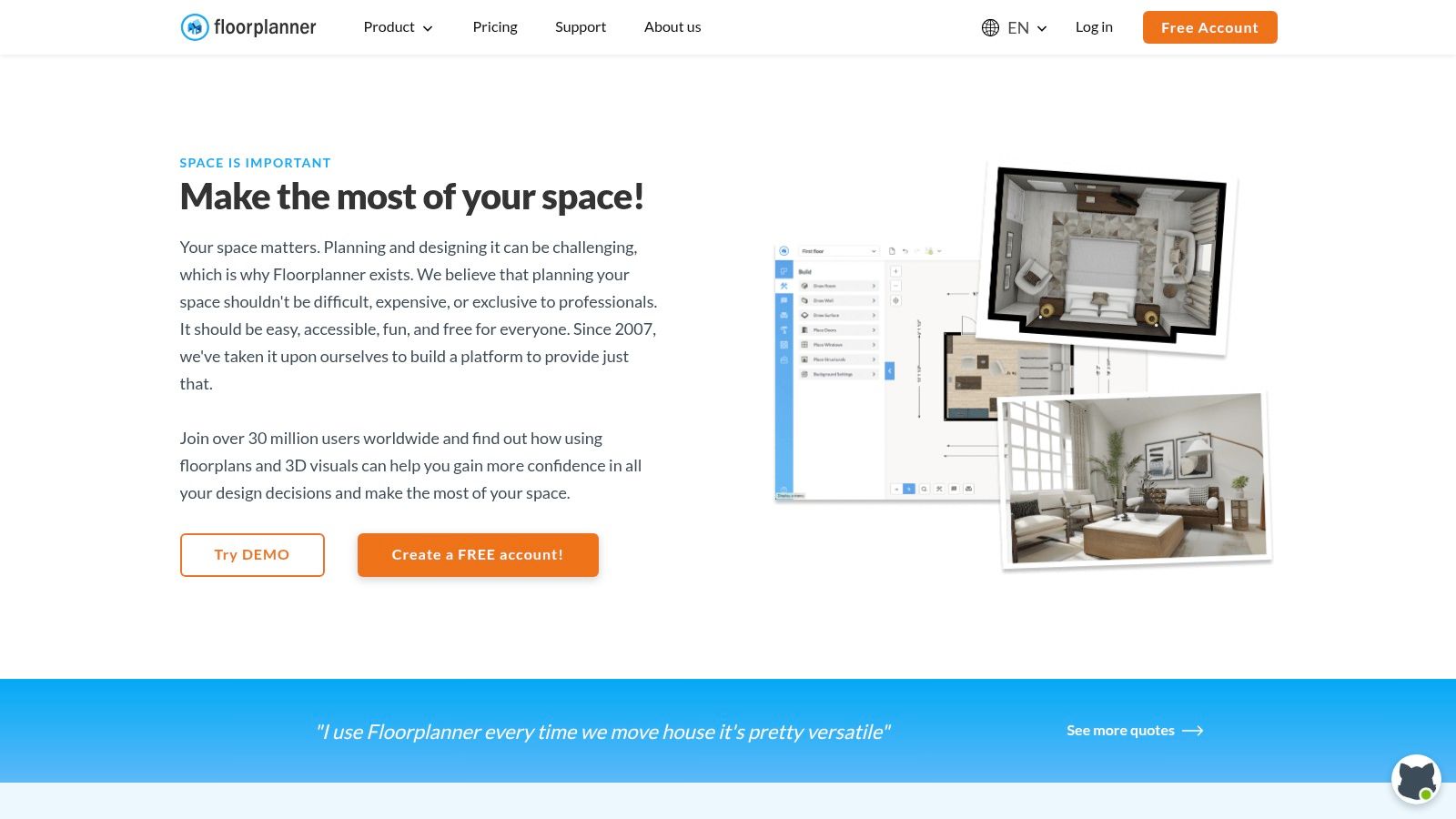
Floorplanner is a super accessible, browser-based tool that makes creating detailed floor plans easy. It's perfect for anyone who needs to quickly map out a space without getting bogged down by complicated software. You can draw your rooms, add doors and windows, and then furnish the space from a huge library of items. Its best feature is the ability to instantly switch from a 2D blueprint to a 3D model, giving you a real feel for the space.
Key Features & Ideal Users
This tool is incredibly useful for practical tasks. For example, if you're renting a new apartment, you can use Floorplanner to make sure your existing furniture will fit before you move. For real estate agents, it's a fantastic way to create professional-looking floor plans for listings, helping potential buyers visualize the property's layout.
Step-by-step example for a living room layout:
- Draw the shape of your living room, adding dimensions.
- Place doors and windows where they are in the real room.
- Drag and drop generic furniture shapes (sofa, coffee table, TV stand) into the plan.
- Move them around to test different layouts to see what maximizes space and flow.
For those mapping out spaces, a good online home design planner like Floorplanner is an invaluable first step before diving into detailed decoration and styling.
- Best for: Real estate agents, property managers, and DIY renovators who need fast, attractive floor plans and 3D visuals.
- Pricing: Free basic plan with watermarked SD exports. Credits can be purchased for high-quality renders, or subscription plans start at $5/month.
- Pros: Very easy to learn and use, runs entirely in the browser, flexible pay-per-render model for high-end visuals.
- Cons: Less precision for custom architectural details compared to professional CAD software; the best renders are behind a paywall.
4. RoomSketcher
Best for: Creating polished, professional-looking floor plans and 3D walkthroughs with ease.
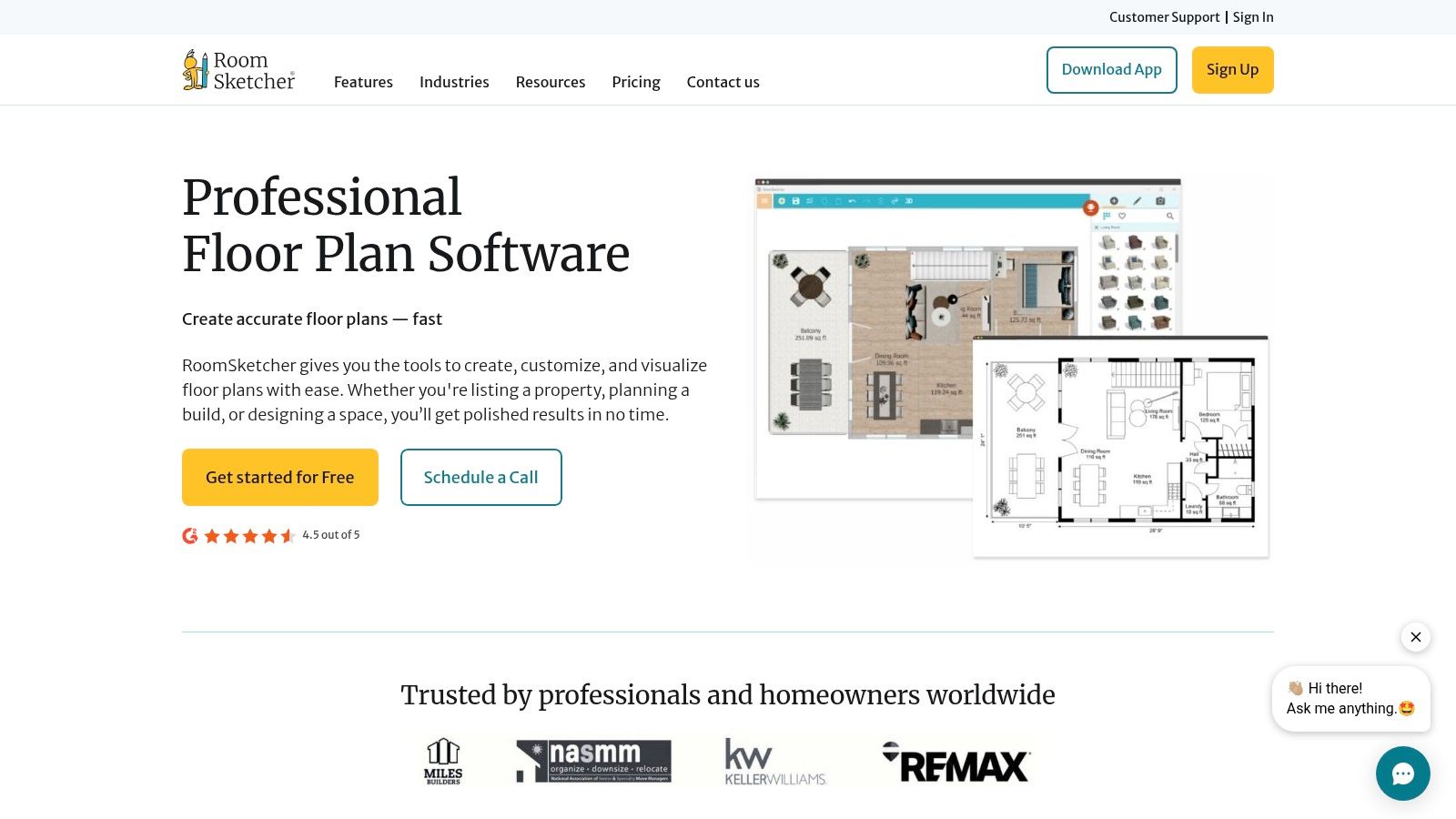
RoomSketcher makes high-quality floor planning accessible to everyone. It’s a great middle-ground tool that’s easy enough for homeowners but powerful enough for professionals. You can create detailed 2D floor plans, furnish them, and then instantly generate stunning 3D photos and interactive walkthroughs. This helps you get a true sense of the space, from the flow of a room to the view from a window.
Key Features & Ideal Users
For real estate agents or Airbnb hosts, the 3D walkthroughs are a fantastic marketing tool to make listings stand out. For homeowners planning a renovation, seeing a 3D model can confirm that your kitchen island isn't too big for the space or that you have enough room to walk around the bed comfortably. It removes the guesswork and helps prevent costly layout mistakes.
Step-by-step example for an outdoor patio design:
- Draw the dimensions of your patio or deck.
- Add elements like stairs, railings, and sliding glass doors.
- Use the outdoor furniture library to place a dining set, grill, and lounge chairs.
- Generate a 360 View to see how the space will feel from every angle.
This makes it an ideal choice among the best free interior design apps for users who value both ease of use and high-quality presentation visuals.
- Best for: Homeowners, real estate professionals, and interior designers who need polished 2D and 3D floor plans without a steep learning curve.
- Pricing: A basic free version is available for creating and furnishing projects. Paid plans (Premium, Pro) offer advanced features and outputs, starting around $49/year.
- Pros: Very easy to learn, high-quality visualization outputs, works across multiple devices (PC, Mac, tablet).
- Cons: The best rendering features require credits or a subscription; less flexibility for creating custom 3D objects compared to CAD software.
5. Homestyler
Best for: Creating high-quality, photorealistic images of your design ideas.
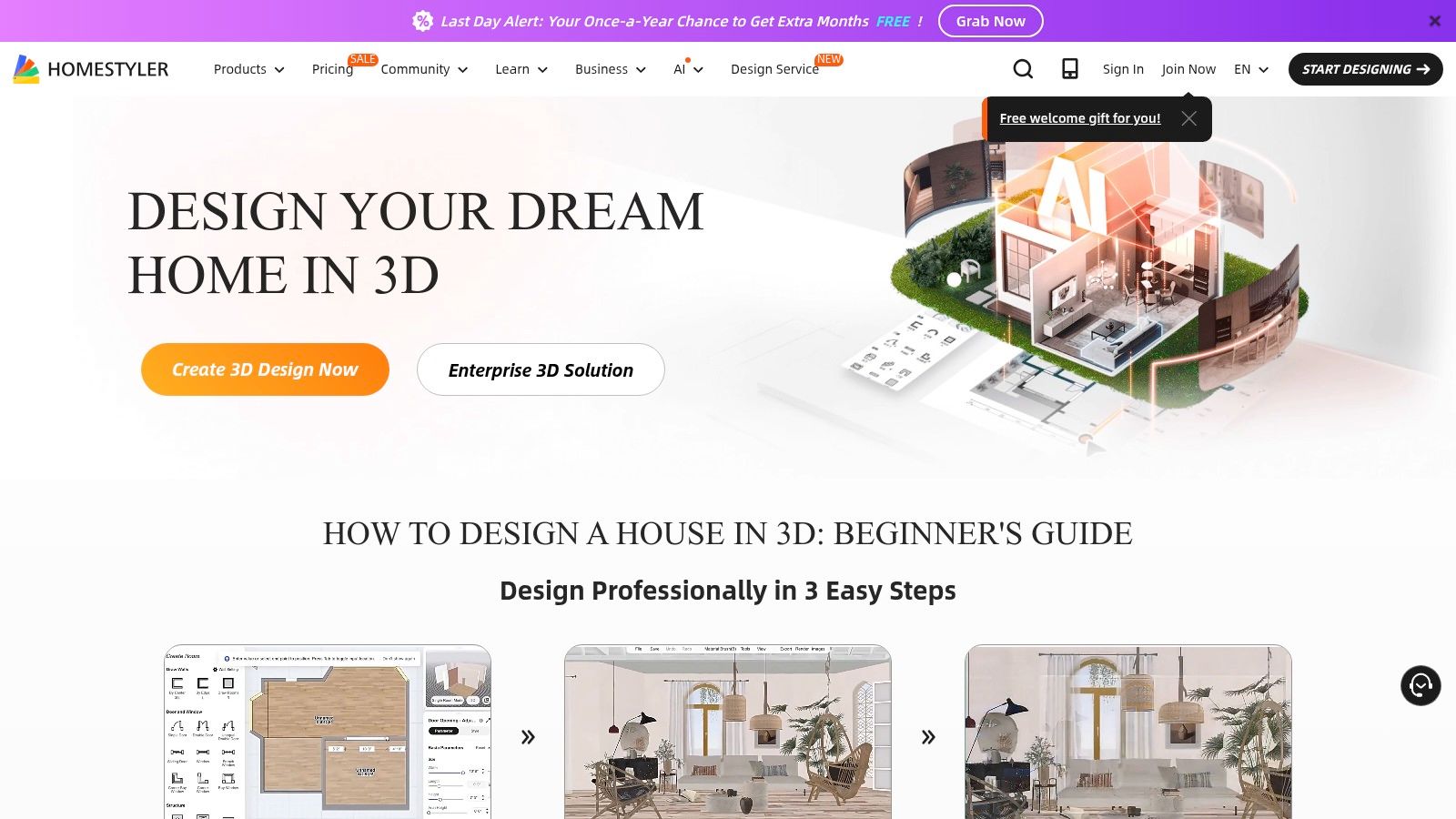
Homestyler is a powerful, browser-based tool that excels at creating stunningly realistic images (called "renders"). It combines the ease of a drag-and-drop interface with advanced features that let you control lighting, textures, and camera angles, making it a favorite for designers who want to create impressive visuals for clients without needing expensive desktop software.
Key Features & Ideal Users
The high-quality rendering is what makes Homestyler stand out. For an interior designer, this means you can show a client exactly how the morning sun will look streaming through the windows of their new kitchen. For a homeowner, you can test different wallpaper patterns and see how they look in realistic lighting before you buy. The platform also has an AI Designer to help you get started with style suggestions. This comprehensive feature set makes it one of the leading choices for online home design software available today.
- Best for: Interior designers, real estate professionals, and homeowners who want high-quality rendering without desktop software.
- Pricing: A generous free plan is available. Paid plans (Pro, Master) start around $4.90/month, with options to purchase rendering credits or "coins" for premium features.
- Pros: Exceptional built-in rendering quality, extensive model libraries, and collaborative features for teams.
- Cons: The interface can be overwhelming for beginners; the best features and assets are locked behind a paywall or require in-app currency.
6. Planner 5D
Best for: An easy-to-use, all-around design tool that works on any device, from your computer to your phone.
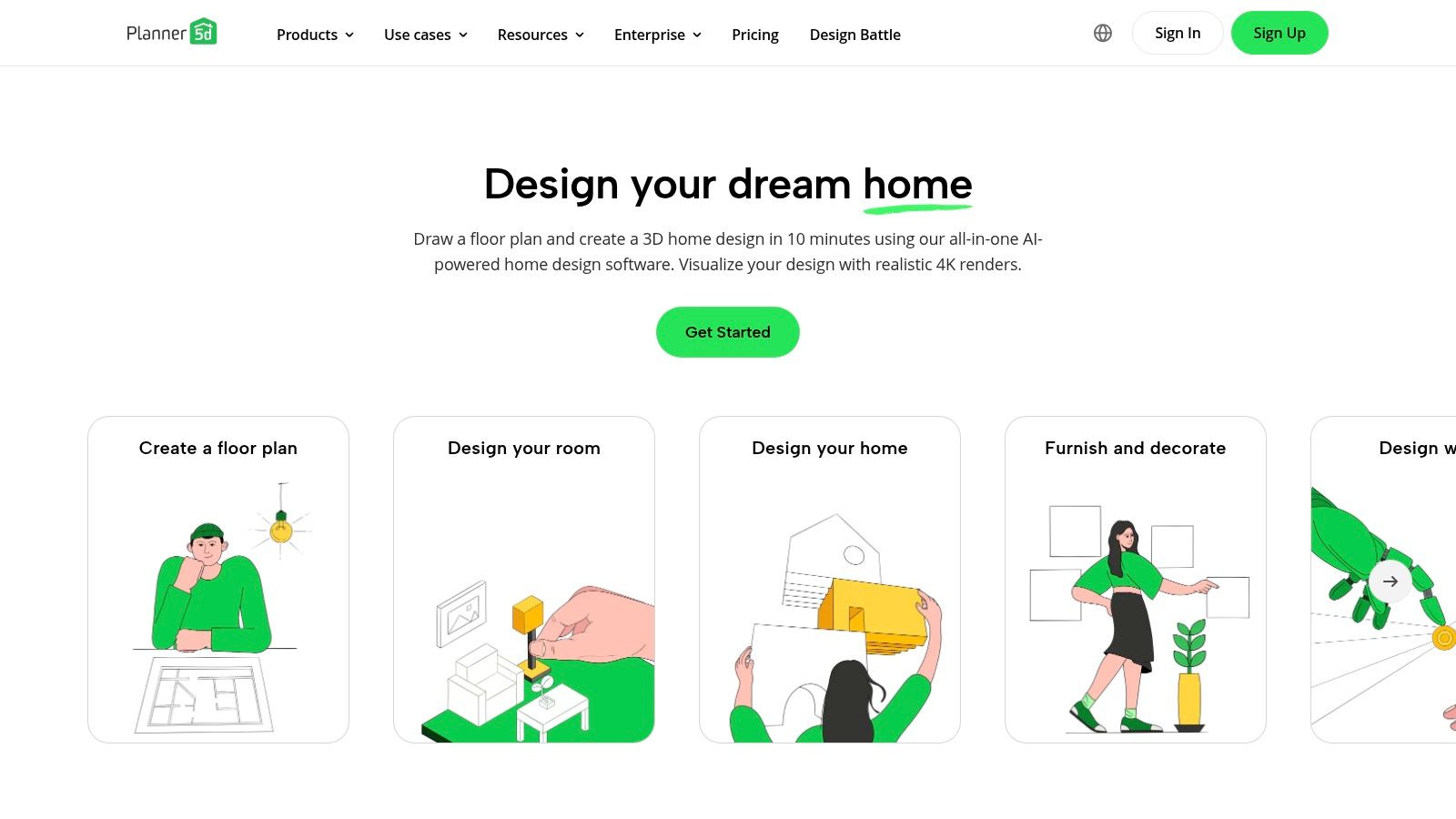
Planner 5D is one of the most popular and user-friendly design tools out there. It makes it simple to create 2D floor plans and instantly switch to a 3D view to decorate the space. Because it works on web and mobile, you can start designing on your computer and continue tweaking on your tablet while sitting in the actual room. This accessibility makes it perfect for homeowners, renters, and hobbyists.
Key Features & Ideal Users
Planner 5D is great for practical planning in apartments and smaller homes. Its drag-and-drop interface and massive catalog of furniture and decor empower you to visualize changes without any design experience. For instance, a renter can use it to plan a furniture layout that works around tricky constraints like oddly placed radiators or non-negotiable wall colors. The ability to create high-quality 4K images of your design is a huge plus for sharing your vision with a partner or landlord.
- Best for: DIY enthusiasts, homeowners, and renters who want an easy-to-use tool for planning renovations and redecorations.
- Pricing: A robust free version is available. Paid plans start at around $6.99/month, with options for yearly subscriptions.
- Pros: Very accessible interface with guided creation tools, affordable premium plans, and impressive rendering capabilities.
- Cons: The platform can feel slow on lower-powered devices when working on large, complex projects; lacks professional-grade precision for construction documents.
7. IKEA Kreativ (US)
Best for: Visualizing how IKEA furniture will look and fit in your actual room.
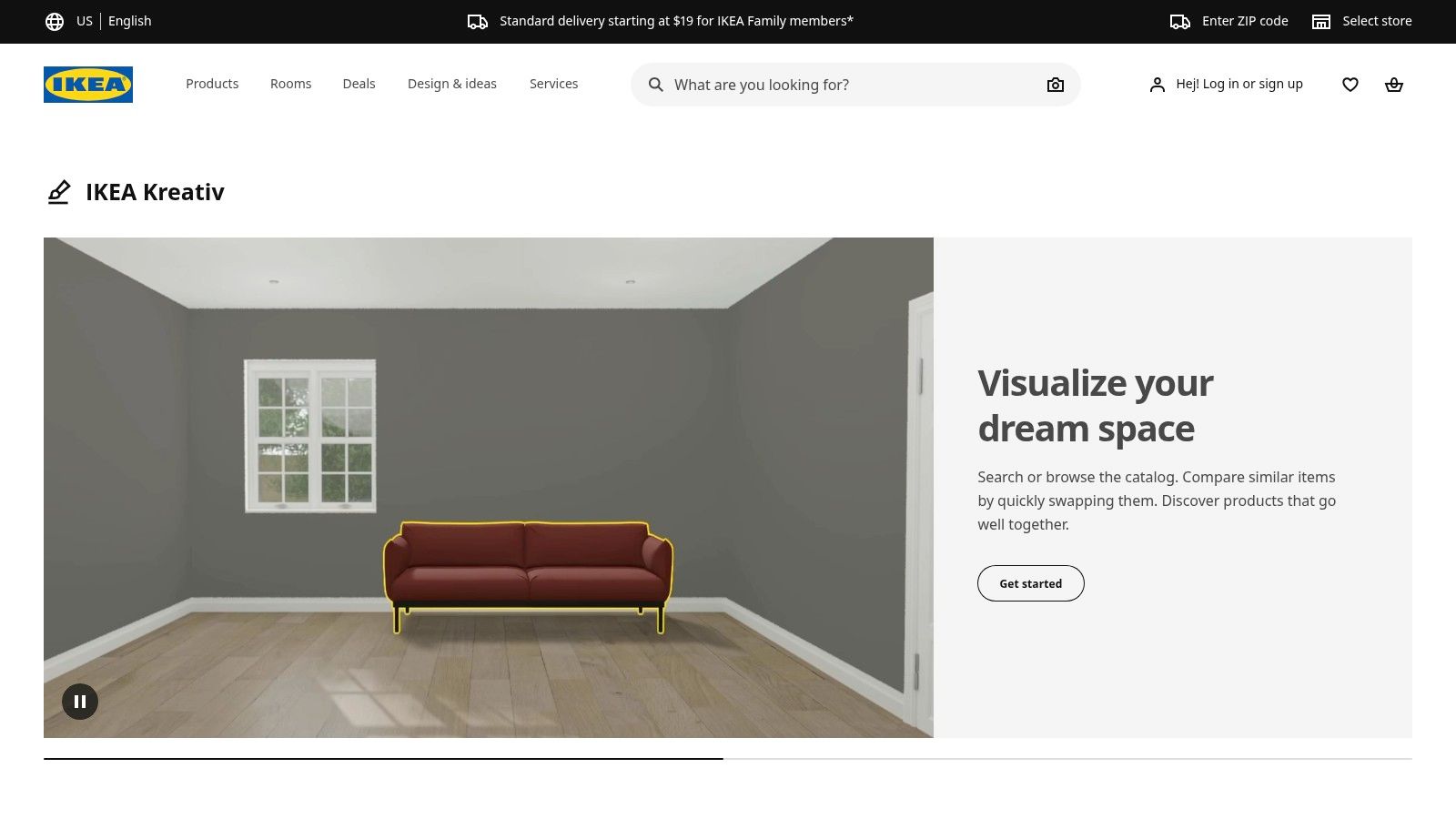
IKEA Kreativ is an incredibly practical tool for anyone planning a room makeover with IKEA products. Available in the US, this tool lets you scan your room with your phone to create a 3D replica. Its killer feature is the ability to digitally erase your existing furniture, giving you a clean slate to test out new IKEA pieces. This takes the guesswork out of wondering if that BILLY bookcase will fit or if the color of that EKTORP sofa will clash with your walls.
Key Features & Ideal Users
Because it's directly connected to the IKEA catalog, you can design your room and add the items straight to your shopping cart. This makes it one of the most seamless tools for going from idea to purchase. It’s perfect for homeowners and renters on a budget who need to furnish a space affordably and want to be sure everything will work together before they buy. It's especially useful for planning complex systems like PAX wardrobes or SEKTION kitchens.
- Best for: Homeowners, renters, and DIYers planning to furnish their space primarily with IKEA products.
- Pricing: Completely free to use.
- Pros: Excellent for visualizing IKEA furniture in your actual room, connected directly to the US catalog for easy purchasing, simple and accessible interface.
- Cons: Limited to the IKEA product ecosystem; not suitable for incorporating custom pieces or furniture from other brands. Product coverage is still expanding.
8. Wayfair (Room Planner 3D, Decorify, Muse)
Best for: Designing with real, shoppable products and visualizing them in your space before you buy.
Wayfair's design tools are built right into its massive online store, creating a seamless link between designing a room and buying the items for it. This makes it incredibly practical for homeowners who want a streamlined process. You can use the Room Planner 3D to create a layout with furniture from Wayfair's catalog, and then use the "View in Room 3D" feature in the mobile app to see how a specific armchair or rug looks in your actual room using augmented reality (AR).
Key Features & Ideal Users
The AR feature is a game-changer for avoiding common purchasing mistakes, like buying a coffee table that's too big for your living room. By projecting a true-to-scale 3D model into your space, you can check proportions and fit with confidence. For those needing inspiration, tools like Decorify use AI to generate design ideas based on a photo of your room, helping you discover new styles and products you might not have found otherwise.
- Best for: Homeowners and shoppers who want to design with real, purchasable products and visualize them at scale before buying.
- Pricing: All design tools are free to use.
- Pros: Huge, shoppable product catalog, tools link directly to real items, mobile AR is excellent for verifying furniture size.
- Cons: Design options are limited to Wayfair's inventory; AI and AR features are not available for every single product.
9. Amazon – Room Decorator / View in Your Room
Best for: Quickly checking how a piece of furniture or decor from Amazon will look in your home.
Amazon has integrated powerful augmented reality (AR) features into its shopping app, turning it into a surprisingly useful design tool. The "View in Your Room" function lets you use your phone's camera to place a 3D model of a product—like a lamp, chair, or rug—into your actual room. This instantly answers the question, "Will this fit and does the color work?" It removes the biggest risk of online furniture shopping and helps you buy with confidence.
Key Features & Ideal Users
The convenience is unmatched. You can be browsing for a new accent chair, visualize it next to your sofa, check its scale, and add it to your cart in seconds. You can even place multiple items together to see how they look as a group. This is perfect for homeowners and renters who are actively shopping and need to make quick, informed decisions, especially when furnishing a space on a tight deadline or budget.
The "View in Your Room" feature is a powerful tool for visualizing furniture in a room, bridging the gap between online browsing and real-life application.
- Best for: Homeowners, renters, and anyone actively shopping for furniture and decor who wants to visualize products in their home before purchasing.
- Pricing: The "View in Your Room" feature is completely free to use within the Amazon app and website. Product prices vary.
- Pros: Enormous product selection with competitive pricing, fast and reliable shipping (especially with Prime), helps prevent costly purchasing mistakes.
- Cons: AR availability is limited to select products; not every item has a 3D model. Product quality can be inconsistent across different sellers.
10. Houzz
Best for: An all-in-one platform for finding inspiration, shopping for products, and hiring local professionals.
Houzz is more than just a tool; it's a complete ecosystem for home design. It combines a massive library of beautiful design photos with a marketplace and a directory of professionals. You can see a professionally designed kitchen, find out exactly which faucet and countertops were used, and then hire a local contractor to replicate the look—all within the same platform. This seamless connection between inspiration and action makes it incredibly practical.
Key Features & Ideal Users
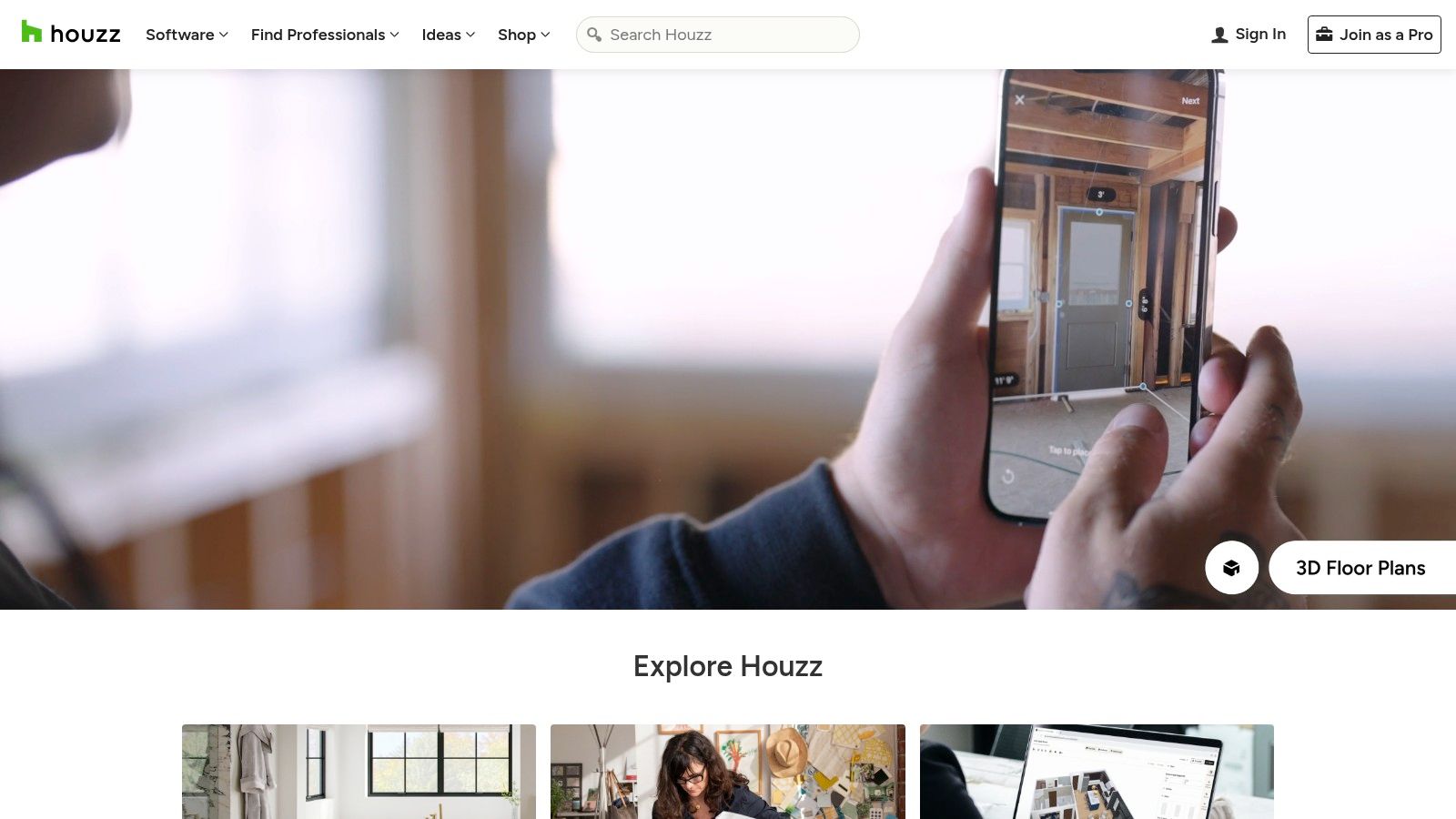
Its "View in My Room 3D" augmented reality tool is a standout feature. Like Amazon's tool, it lets you place 3D models of furniture into your actual space to check the fit and style. You can also create Ideabooks to save and organize your favorite photos and ideas, which is a great way to collaborate with a partner or show your vision to a designer. It's the perfect platform for homeowners planning a significant renovation who need inspiration, products, and professional help.
- Best for: Homeowners and renovators who want an all-in-one platform for inspiration, shopping, and professional hiring.
- Pricing: Free to use. Product prices and professional fees vary.
- Pros: Incredible library of inspirational photos tied to shoppable products, excellent AR tool for visualizing items, active community and direct access to local pros.
- Cons: Not all marketplace items have a 3D/AR model; the shopping experience and shipping can vary significantly between third-party sellers.
11. Havenly
Best for: Getting professional interior design help for a flat, affordable fee.
Havenly takes a different approach. Instead of giving you DIY software, it connects you with a professional interior designer online. This service is perfect for people who feel overwhelmed by design decisions, don't have the time to do it themselves, or simply want an expert's eye. For a flat fee, a designer will work with you to create a custom design for your room, complete with a mood board, a 3D rendering, and a shopping list.
Key Features & Ideal Users
The process is simple and collaborative. You take a style quiz, get matched with a designer, and work with them to perfect the vision for your space. Havenly then helps you purchase all the items from your design, often with access to discounts. It makes professional interior design accessible and budget-friendly, which is great for homeowners or renters who want a polished, cohesive look without the high cost of traditional design services.
- Best for: Homeowners and renters who want professional design guidance without the high cost of traditional interior design services.
- Pricing: Design packages start with a Mini option from $129 and a Full room design from $199.
- Pros: Access to professional designers at a fixed, affordable price; streamlined shopping process with purchasing support; clear, collaborative process.
- Cons: The final result is highly dependent on the designer match; product lead times and availability are controlled by third-party vendors.
12. Morpholio Board
Best for: Interior designers who need a powerful tool for creating professional mood boards and client presentations.
Morpholio Board is a mobile-first app designed specifically for design professionals. While other tools focus on 3D layouts, Board excels at the creative brainstorming stage. It allows designers to quickly create beautiful mood boards using furniture, textures, and images. Its real power lies in how it connects that visual board to a practical shopping list and specification sheet, saving designers hours of administrative work. A mood board is a collage of images, materials, and text used to communicate a design concept.
Key Features & Ideal Users
The app is packed with products from top design brands, which can be dragged directly onto your board. It then automatically generates a spec sheet with all the product details. The augmented reality (AR) feature also lets a designer show a client how a piece of high-end furniture will look in their actual home using an iPhone or iPad. It's an essential tool for professionals who need to create compelling presentations and streamline their workflow.
- Best for: Interior designers, architects, and design professionals who need an efficient tool for creating mood boards and FF&E specifications on Apple devices.
- Pricing: A free "Essentials" tier is available with project limits. Paid "Premium" and "Pro" subscriptions unlock unlimited projects and advanced export features, available via in-app purchase.
- Pros: Streamlines visual ideation and client presentations, deep library of real-world products, professional export workflows save significant time.
- Cons: Exclusive to Apple platforms (iOS, iPadOS, macOS); full functionality and unlimited projects require a paid subscription.
Morpholio Board is an indispensable tool for designers looking to translate creative concepts into actionable, organized project documents and is a top choice among mobile interior design online tools.
Top 12 Interior Design Tools — Feature Comparison
| Product | Core features | Target audience | Unique selling points | Pricing model |
|---|---|---|---|---|
| Interior Redesign AI | Photo/sketch → photoreal redesigns; 50+ styles; Canvas Editor; 4K; walkthrough videos | Homeowners, designers, real estate pros, architects | Ultra-fast (1–10s), brush-based area edits, instant variations | Plan-based subscription (details on site) |
| SketchUp (Trimble) | 3D modeling (web/iPad/desktop); 3D Warehouse; LayOut; plugins | Pro designers, architects, millwork specialists | Large ecosystem, CAD interoperability, Pro tools (V-Ray, Revit importer) | Free web; paid Pro / Studio tiers |
| Floorplanner | Browser 2D/3D plans; furniture library; credits for HD/3D tours | Real-estate, agents, DIYers needing quick layouts | No-install, easy learning curve, pay-as-you-go credits | Free + credit system; team subscriptions |
| RoomSketcher | 2D/3D plans, Live 3D, 3D photos & 360 views; furniture library | Homeowners and pros seeking presentation-ready visuals | Approachable pricing, clear visuals, redraw service available | Free tier; paid tiers / credits |
| Homestyler | Multi-floor layouts; advanced lighting; 2K/4K/12K renders; AI Designer | Designers, studios, enterprises needing high-res renders | High-res rendering (up to 12K), BOM & construction outputs, collaboration | Free/basic; membership or in-app coins for features |
| Planner 5D | 2D/3D editor; AI Smart Wizard; moodboards; 4K & 360 renders | DIYers, cross-device users, hobby designers | Guided creation, community templates, affordable Pro renders | Free tier; Pro subscription for advanced features |
| IKEA Kreativ (US) | Room scanner; erase existing items; virtual IKEA product placement | IKEA shoppers in the US planning room updates | Direct IKEA catalog integration and checkout | Free to use; products purchased separately |
| Wayfair (Room Planner 3D, Decorify, Muse) | Room Planner 3D; generative-AI inspiration; AR View in Room | Shoppers who want to visualize & buy Wayfair products | Tools tied to large catalog; AR + direct purchase flow | Free tools; purchases on Wayfair |
| Amazon – Room Decorator / View in Your Room | AR multi-item placement; save layouts; shop marketplace | Amazon shoppers comparing many brands | Huge selection, Prime shipping, multi-item AR | Free tools; marketplace pricing per product |
| Houzz | AR "View in My Room 3D"; ideabooks; surface estimation; pro network | Inspiration seekers and users hiring local pros | Rich photo inspiration linked to shoppable items & pros | Free to use; purchases via merchants |
| Havenly | Designer matching; moodboards; 3D renders; curated shopping lists | Clients wanting flat-rate designer services | One-on-one designer packages, clear deliverables | Flat-rate packages (mini/full/in-person) |
| Morpholio Board | Drag-and-drop moodboards; brand catalogs; AR previews; spec exports | Interior designers using Apple devices for FF&E & presentations | Professional exports (PDF/PSD/Excel) and curated brand libraries | In-app subscriptions (Essentials/Premium/Pro) |
Choosing the Right Tool for Your Project and Bringing Your Vision to Life
With so many interior design online tools available, the best one depends entirely on your goal. Don't look for the tool with the most features; find the one that does exactly what you need it to do. The good news is that technology has made design accessible to everyone, giving you the power to visualize changes, avoid costly mistakes, and make decisions with confidence.
A Practical Guide to Selecting Your Tool
To find the right tool, just ask yourself: what is my main goal for this project?
For Quick Inspiration and Style Exploration: If you feel stuck and want to see different design possibilities for your room fast, you need an AI tool.
- Best Picks: Interior Redesign AI, Wayfair's Decorify. These are perfect for homeowners who want to try a new style (like Japandi—a mix of Japanese minimalism and Scandinavian function), Airbnb hosts looking to update their listing photos, or anyone wanting instant ideas from a photo.
For Precise Layouts and Furniture Planning: If your project involves figuring out if furniture will fit or planning a new layout, you need a floor planner.
- Best Picks: Floorplanner, RoomSketcher, Planner 5D. These are essential for homeowners finalizing a renovation, renters making sure their sofa fits in a new apartment, or real estate agents creating marketing floor plans.
For Professional Presentations and Custom Designs: If you're an interior designer or architect, you need tools that offer control, customization, and high-quality outputs for clients.
- Best Picks: SketchUp, Morpholio Board. These platforms provide the depth needed for detailed 3D models and polished mood boards that help sell a design concept.
The Modern Design Workflow: Combining Tools
Remember, you don't have to pick just one! The most effective approach often involves using a few different tools.
- Start with AI for ideas: Use a tool like Interior Redesign AI to generate a dozen exciting concepts for your living room makeover.
- Move to a floor planner for layout: Take your favorite concept and use Floorplanner to map out the exact furniture placement and make sure everything fits to scale.
- Use AR to verify purchases: Before you buy that specific armchair, use Amazon's or Wayfair's "View in Your Room" tool to see how it looks in your actual space.
This hybrid approach saves time, prevents expensive mistakes, and reduces the stress of design decisions. These interior design online tools are your creative partners, helping you turn a vague idea into a concrete plan. While AI is a fantastic starting point for inspiration, always combine its ideas with your personal taste. For major projects, consulting a professional designer is a great way to bring it all together.
Ready to stop dreaming and start visualizing? The journey from a tired room to an inspiring space begins with a single idea. Use the power of AI to kickstart your project and see your home’s potential in seconds.
Try Interior Redesign AI today to instantly reimagine your room from a photo or sketch!