
Ever tried to picture a new sofa in your living room, only to buy it and realize it completely swallows the space? Or spent a weekend painting a wall, then immediately wished you could hit "undo"? An online home design planner is your secret weapon against these exact problems.
Think of it as a digital sandbox for your home. It's a place where you can play with layouts, swap out furniture, and test paint colors without spending a dime or lifting a single heavy object. For homeowners, this means avoiding expensive mistakes. For Airbnb hosts and real estate agents, it means creating a vision that attracts more bookings and buyers.
Your Digital Blueprint for a Perfect Space
An online home design planner closes that frustrating gap between the beautiful room you see in your mind and the physical reality of your four walls. It's about moving from guesswork to confidence.
You can create a digital twin of any room—your kitchen, bedroom, or even your entire house. This lets you make smart, informed decisions before you commit. Whether you're a homeowner staring down a renovation, an Airbnb host looking to boost your listing's appeal, or a real estate agent trying to show a property's true potential, this tool turns a potentially overwhelming project into a fun, creative process.
Why Digital Planning Is a Game Changer
At its core, a design planner puts you back in the driver's seat. It gives you the clarity to avoid that sinking feeling of buyer's remorse that hits when a layout just doesn't work or styles clash. You get to experiment endlessly with just a few clicks.
Here’s why it makes such a difference for your real-world space:
- Avoid Costly Mistakes: You can check if that dream sectional actually fits before you swipe your credit card, saving you money and hassle.
- Save Valuable Time: Forget driving to a dozen stores. Compare styles, colors, and materials right from your screen.
- Reduce Decision Stress: Seeing your ideas come to life in a realistic 3D model makes it so much easier to feel good about the final plan.
- Improve Collaboration: A visual plan is the best way to get on the same page with your partner, designer, or contractor. No more misunderstandings.
If you're new to this, exploring different types of interior design software for beginners is a great place to start. Modern tools have made the process incredibly simple. For instance, AI-driven planners like Interior Redesign AI help you visualize ideas before buying by taking a single photo of your room and instantly generating multiple design concepts, giving you a powerful dose of inspiration right from the get-go.
What's Really Inside a Modern Design Planner?
Forget simple digital sketchpads. Today's best design planners are sophisticated visualization engines that let you see, feel, and walk through your ideas before you ever spend a dime. Let's pull back the curtain on the core features that make an online home design planner an indispensable tool for any room makeover.
Think of 2D and 3D visualization as having two different pairs of glasses for your project. The 2D view is your blueprint—the flat, top-down perspective where you get the layout just right. This is where you drag and drop furniture, check measurements, and make sure everything fits without blocking a doorway. It's all about precision.
Then, with a click, you switch to the 3D view. Suddenly, you’re standing in the room. You can see how the light hits the floor, get a feel for the flow between spaces, and spot potential problems you'd never catch on paper. Is that sofa too bulky for your small apartment? You’ll know instantly.
From Digital Swatches to Realistic Simulations
One of the most powerful features is the material and texture library. This is your endless digital swatch book. Instead of guessing how that dark green velvet sofa will look against an exposed brick wall, you can see it for yourself. AI Interior Designer helps you test different materials quickly, so you can try out dozens of combinations—light oak floors, marble countertops, bold wallpaper—without any commitment.
Some of the more advanced planners even include lighting simulators. This is an incredible tool that shows you how your room will look at different times of day. You can see how the bright morning sun makes your paint color pop versus how it looks under the soft glow of evening lamps. It’s the difference between picking a color you like and one you’ll love living with 24/7.
This diagram helps visualize how all these planning elements come together, not just for aesthetics but for your budget and well-being, too.
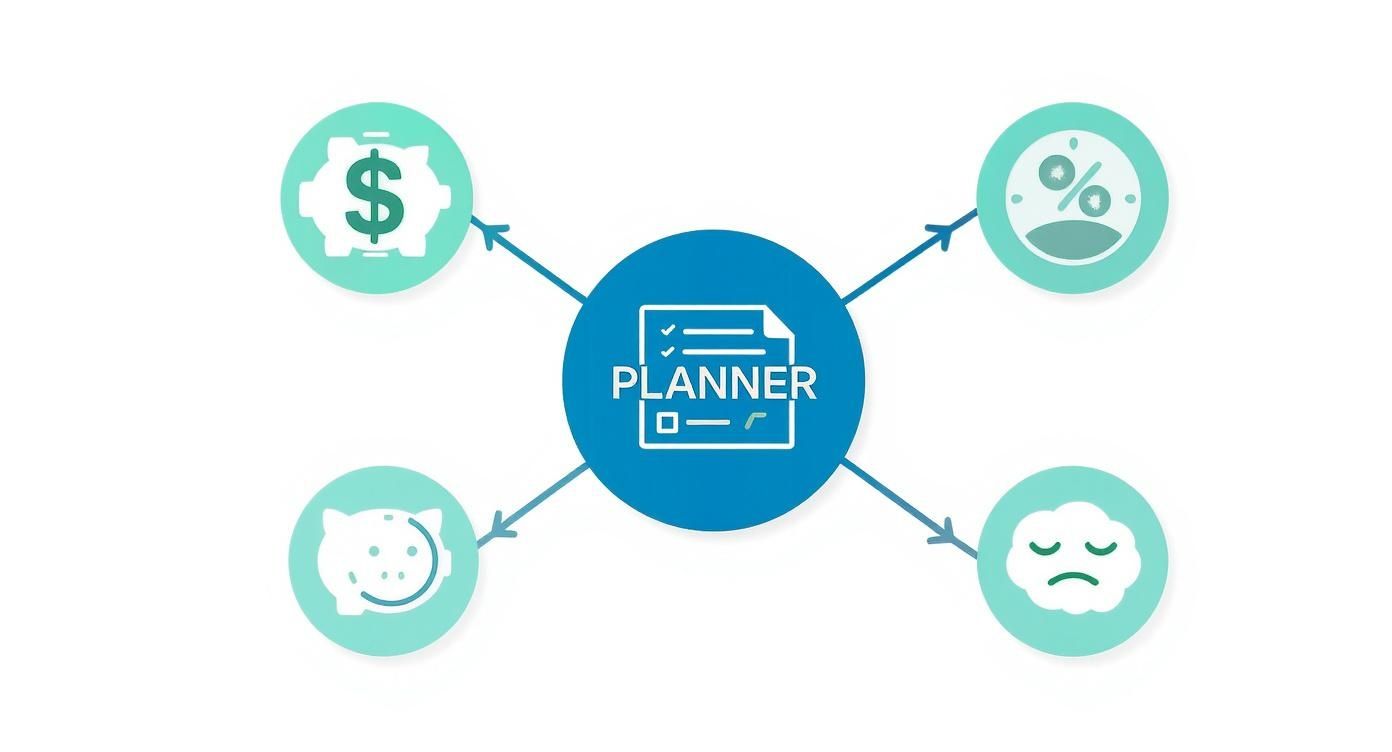
As you can see, the goal is to turn abstract ideas and anxieties into a clear, visual, and actionable plan.
Essential vs Advanced Planner Features
Not all planners are created equal. Some offer the basics for free, while others provide professional-grade features powered by AI. This table breaks down what to look for based on your project needs.
| Feature Type | What It Does | Who It's For |
|---|---|---|
| 2D Floor Planning | Lets you create a simple, top-down layout of your room. | Anyone starting a basic room layout or furniture arrangement. |
| Basic 3D Visualization | Turns your 2D plan into a simple 3D model to check scale and flow. | Homeowners trying to visualize a new furniture purchase. |
| Furniture & Object Library | Provides a catalog of generic items (sofas, tables, etc.) to place in your plan. | DIY decorators and casual users exploring different layouts. |
| Advanced 3D Rendering | Creates photorealistic images with accurate lighting, shadows, and textures. | Interior designers, real estate agents, and serious renovators. |
| AI-Powered Design | Generates multiple design concepts automatically from a photo of your space. | Anyone looking for quick inspiration or feeling stuck with a blank slate. |
| Collaboration Tools | Allows you to share your project with family, designers, or contractors for feedback. | Teams, couples, and anyone working with a professional. |
Knowing the difference helps you choose the right tool for your specific project, ensuring you're not paying for features you don't need or settling for a tool that can't deliver.
The AI Advantage: From Hours to Seconds
Traditional planners give you fantastic manual control, but AI-powered tools like Interior Redesign AI flip the script entirely. Instead of painstakingly building a room from scratch, you just upload a photo of your space. The AI does the heavy lifting, generating multiple, fully-styled 3D concepts in a matter of seconds. It's a huge leap forward, especially if you're staring at an empty room and don't know where to begin.
This technology is catching on fast. The 3D home design software market was valued at USD 1,142 million in 2025 and is still growing as more people see what’s possible. If you want a deeper dive into how these incredible visuals are made, check out our guide to the best interior design rendering software.
In the end, whether you love the hands-on approach or prefer instant AI magic, these features all serve one purpose: to give you the confidence to create a home that truly reflects you.
Your Step-By-Step Guide to Designing a Room
Ready to stop dreaming and start doing? Let's take that intimidating blank canvas of a room and turn it into a space that’s both beautiful and works for your life. We'll use a living room for our walkthrough, but these steps apply just as well to a bedroom, kitchen, bathroom, or even a small outdoor patio.
Using an online home design planner makes this whole process visual and lets you experiment without any real-world risk. The core principles are the same whether you're using sophisticated software or just a good old-fashioned pencil and paper.
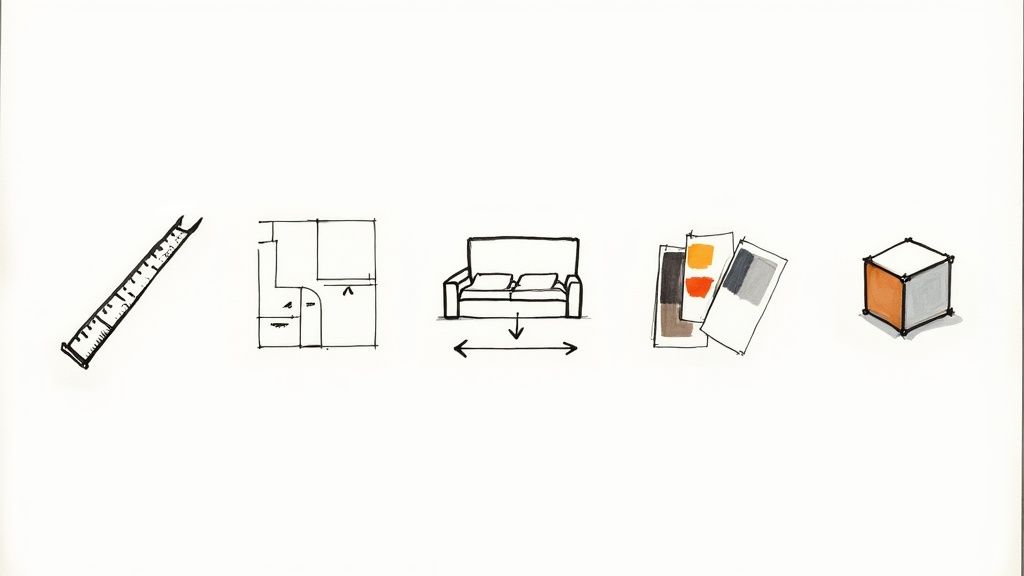
Step 1: Measure Twice, Design Once
Before you even think about moving a virtual chair, you need to get the lay of the land. Grab a tape measure and get your room's exact dimensions—length, width, and ceiling height. Note where windows and doors are, and measure them too. Don't forget any permanent features, like a fireplace or built-in shelving. This is critical for making sure furniture actually fits in real life, especially in apartments or small homes with tight space constraints.
With the numbers down, ask yourself the most important question: What is the primary job of this room? Is this a cozy den for family movie nights? A quiet, sun-drenched reading nook? Or a formal space for entertaining? Your answer is the compass that will guide every single decision.
Step 2: Sketch a Basic Floor Plan
Now, take those measurements and draw a simple, top-down view of the room. This is your blueprint. The whole point is to accurately map out the walls, windows, and doorways because these fixed elements dictate how you can move through the space and where the big furniture can—and can't—go.
If you're using an AI-powered tool like Interior Redesign AI, you often get to skip the manual work. Just upload a photo of your empty room, and the AI has the "blueprint" it needs to get started, saving you time and guesswork.
Step 3: Arrange Furniture and Find Your Flow
Here comes the fun part. Start by placing your biggest, most important piece of furniture.
- Living Room: The sofa is your anchor. Place it first to establish the room’s focal point.
- Bedroom: The bed is the star. Its position will determine the layout of everything else.
- Kitchen: Focus on the "work triangle" between the sink, stove, and fridge for an efficient layout.
Once your anchor piece is in place, build the rest of the layout around it. Pay close attention to the traffic flow—the natural paths people will take to walk through the room.
A great rule of thumb is to leave at least 3 feet of clearance for major walkways. This ensures the space feels open and easy to move through, not like an obstacle course. For tighter spots, like between a coffee table and a sofa, 18 inches usually does the trick.
Step 4: Play with Colors and Textures
With the layout locked in, it's time to inject some personality. This is your chance to test-drive different paint colors, flooring materials, and fabric textures without any commitment. See how a dark, moody accent wall totally changes the vibe, or compare the cozy warmth of a wool rug against the sleek look of a modern cowhide.
This stage is all about experimentation. AI Interior Designer is perfect here, allowing you to try multiple styles quickly. See how a minimalist aesthetic feels versus a bohemian one in just a few clicks. For more ideas, our article is packed with beautiful interior design mood board examples.
Step 5: Do a 3D Walk-Through and Refine
Finally, it's time for the ultimate reality check. Switch your 2D plan over to a 3D view and take a virtual stroll through your newly designed space. How does it feel? Check your sightlines—can you see the TV from the main couch? Assess the scale of your furniture—does that oversized armchair you love actually make the room feel cramped?
This is where you make those final, crucial tweaks. You might suddenly realize that swapping the sofa and chairs creates a much better conversation area, or that a lighter paint color makes the whole room feel bigger. This back-and-forth process is what ensures the final design isn't just stunning on a screen, but perfectly functional for real life.
How Real People Use Online Design Planners
It’s one thing to talk about features and workflows, but the real magic of an online home design planner happens when it solves actual problems for real people. These tools aren’t just for the pros; they're for anyone with a space and an idea.
Let's dive into a few real-world scenarios.
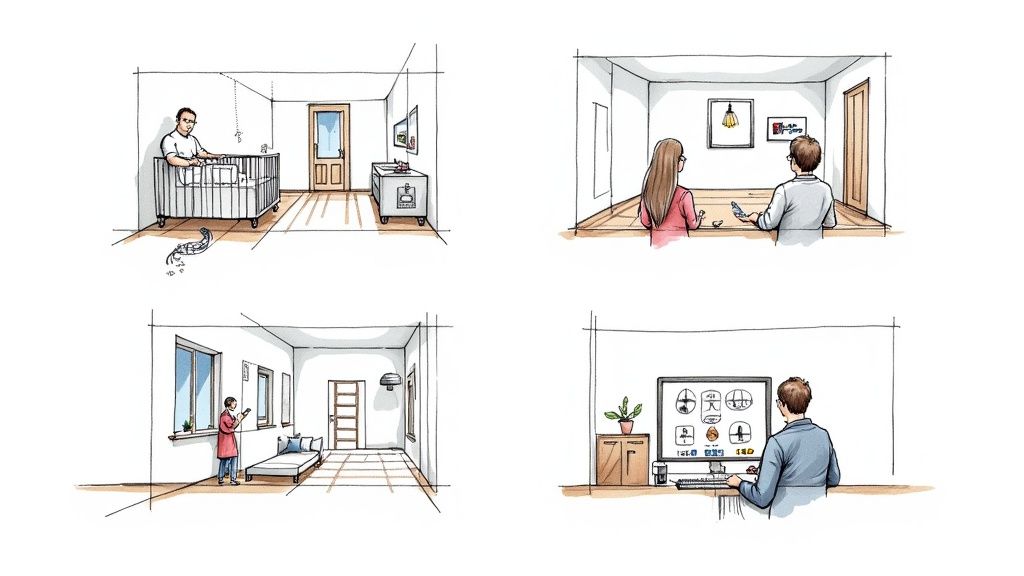
For the Growing Family Planning a Nursery
Picture a couple expecting their first child. They have a spare room, a long list of nursery must-haves, and a whole lot of questions about how to make it all fit without feeling cramped or unsafe. An online planner is their ticket to a stress-free setup.
Instead of just guessing, they can create a digital copy of the room. This lets them test different crib placements to keep it safely away from windows and cords—a huge peace-of-mind factor. They can try out a compact changing table here, a tall bookshelf there, and instantly see how every decision affects the flow of the room.
With a tool like Interior Redesign AI, they can take a quick photo of the room and visualize ideas before buying. Will it be a calm, Scandinavian vibe or a playful woodland retreat? Seeing the options visually helps them land on a look they both love, dodging those classic decor disagreements and saving money.
For the Airbnb Host Aiming for Five Stars
An experienced Airbnb host knows the secret to success: amazing photos get more bookings. The goal is to create a space that’s not just stylish, but also durable and welcoming for guests—and that pops on the screen.
Using an online design planner, the host can work smarter, not harder.
- Boost Listing Appeal: They can experiment with a standout feature, like a bold accent wall or a cozy reading nook, that will make their listing unforgettable.
- Perfect the Layout: They can map out the flow to make sure it’s intuitive for guests, with clear pathways and amenities right where they're needed.
- Test for Durability: They can visualize how different materials, like tough laminate flooring or easy-to-clean upholstery, will actually look in the space. It’s all about balancing great style with the reality of a high-traffic rental.
Even better, with AI-powered tools, they can generate photorealistic images of the redesigned space to update their listing before the renovation is even complete. This minimizes downtime and keeps the bookings rolling in, saving time and money. If you're looking to make your rental a guest favorite, our guide on how to increase Airbnb bookings is a great place to start.
For the Real Estate Agent Selling a Vision
A real estate agent is trying to sell a fantastic property, but there's one problem: it's completely empty. It’s a common hurdle, as many buyers just can't visualize how their own furniture will fit, making it tough to emotionally connect with the house.
This is where virtual staging comes in. The agent uses a design planner to digitally furnish the empty rooms. In minutes, that vacant living room becomes a warm, inviting space complete with a sofa, rug, and art on the walls. Buyers can finally see themselves living there. It’s a game-changer—faster and far more affordable than hauling in physical furniture, which boosts the property's appeal.
The trend is clear. The virtual interior design market was valued at USD 9.36 billion in 2025 and is set to keep growing as more people look for accessible design help. (Learn more about the virtual design market's growth on Mordor Intelligence).
How to Choose the Right Online Design Tool
With a sea of online home design planners out there, how do you pick the right one? It's easy to get bogged down by feature lists, but the secret is pretty simple: find the tool that fits your project, your budget, and your tech skills. A high-powered, complex program is useless if it just gives you a headache.
The goal here is to find a planner that feels like a creative partner, not a frustrating roadblock. Let's walk through what really matters so you can pick a tool that sets you up for success right from the start.
Start with Ease of Use
Honestly, the best tool is the one you'll actually open and use. If you're just starting out, a clunky interface with a massive learning curve will kill your motivation fast. I always recommend looking for tools with a simple drag-and-drop system or, even better, an AI-driven workflow that does the heavy lifting for you.
Pro Tip: Don't just read reviews. Most of these planners offer a free trial or a basic free version. Spend 15 minutes playing around in a few different ones. You'll quickly get a gut feeling for which interface works for you before you ever pull out your credit card.
Evaluate the Key Features
Not all design tools are built the same. If you're an Airbnb host looking to quickly stage a rental, your needs are worlds apart from an architect planning a home from the ground up.
Here’s what I look for:
- 3D Visualization: How easy is it to flip from a flat 2D floor plan to a 3D model you can walk through? Being able to see your space in three dimensions is non-negotiable for getting a true feel for scale and flow.
- Object Libraries: Take a look at the catalog of furniture, lighting, and materials. Does it have a good range of items that actually match your style, or is it a small collection of generic pieces? A weak library will box you in creatively.
- AI-Powered Generation: For anyone needing a spark of inspiration, AI is a total game-changer. Instead of spending hours building a room from a blank slate, tools like Interior Redesign AI can generate a bunch of different design concepts from a single photo of your room. It’s the difference between staring at a blank page and having a handful of great first drafts to work from.
Understand the Costs
Money talk. Online design planners usually operate on one of three pricing models. It’s crucial to know what you’re paying for.
- Free Tools: These are perfect for basic floor plans and shuffling furniture around. Just be prepared for limited features, smaller object libraries, and probably some ads.
- One-Time Purchase: You pay a single fee for a software license. This can be a great deal for one big project, but you might miss out on future updates and new features down the line.
- Subscription Models: This is your typical monthly or yearly fee. It keeps you on the latest version with access to the best features, support, and the biggest libraries. It’s the go-to for design professionals or anyone tackling projects on an ongoing basis.
Check for Compatibility
Last but not least, make sure the planner actually works where you work. Some are browser-based, which is amazing for flexibility—you can log in and design from any computer. Others are downloadable software, which can be more powerful but ties you to a specific machine. It's also worth checking if there's a mobile app for those moments when you need to pull up a plan on-site with a contractor.
Ultimately, finding the right planner is a balancing act between creative freedom and getting things done efficiently. Traditional tools give you meticulous manual control, but AI-powered options are brilliant for generating instant, high-quality ideas that break through creative blocks and let you explore different styles in a flash.
Why AI Is the Future of Home Design
If you think of traditional online design planners as a digital pencil and paper, then AI planners are your creative co-pilot. They don't just replace older tools; they're solving age-old design problems in ways we couldn't before, making great design something anyone can achieve.
This big shift is happening because AI is incredibly good at spotting the complex connections between color, light, space, and style—things that can take a human years to master. Instead of spending hours searching for a color palette that works, an AI can generate ten beautiful, harmonious options in a matter of seconds. It's this blend of speed and creative horsepower that's completely changing the game.
The numbers back this up. The global online home decor market, a sector that includes these powerful new tools, was valued at USD 120.65 billion in 2025. It’s expected to more than double to USD 255.27 billion by 2032, which tells you just how quickly homeowners and professionals are getting on board. You can read more about these home decor market trends on Coherent Market Insights.
Bridging the Gap Between Idea and Reality
So, what does all this tech actually do for your living room makeover? It lets you move from a vague idea to a concrete plan faster and with a lot more confidence. AI-powered platforms like Interior Redesign AI can take a simple photo of your room and instantly show you what it could become.
Here’s where it gets really practical:
- It finds furniture that actually fits. AI can suggest pieces that work with your room's precise dimensions, helping you sidestep that classic mistake of buying a sofa that overwhelms the space.
- It provides endless style variations. Ever been curious about Japandi (that beautiful blend of Japanese minimalism and Scandinavian function)? An AI can show you what it would look like in your room, right now.
- It cuts down on decision fatigue. Instead of drowning you in options, AI serves up curated, stylish concepts to get your creative juices flowing, reducing the stress of a big project.
Of course, it's important to keep things in perspective. AI is a brilliant tool for brainstorming and seeing possibilities, but it doesn't replace your own unique taste. Think of it less as a director and more as a super-talented assistant that brings you fantastic ideas. You're still the one who makes the final call. Our guide on using AI for room design dives deeper into how this partnership works.
Ultimately, the future of home design is all about pairing smart technology with human creativity. The AI does the heavy lifting, which frees you up to focus on what really matters: creating a space that feels like home.
Common Questions About Home Design Planners
Jumping into an online home design planner is exciting, but it’s totally normal to have a few questions before you get started. Whether you're a homeowner looking to refresh a room, an Airbnb host staging a rental, or a real estate agent trying to show a property's potential, getting these answers first will help you design with confidence.
Let's walk through a few of the most common questions we hear all the time.
Can I Use These Planners for Outdoor Areas?
Yes, absolutely! The best modern planners have moved far beyond the four walls of your house. You can just as easily use them to map out and visualize patios, balconies, decks, and even entire backyard layouts.
This is a game-changer for creating functional and beautiful open-air retreats. You can play around with different arrangements for outdoor sofas, dining sets, and planters to get the flow just right. For example, an AI-powered tool can show you what a fire pit seating area would actually look like on your deck or help you create a cozy, well-lit balcony nook, making the most of every square foot of your property.
Do I Need Any Design Experience to Start?
Not at all. In fact, the best online planners are built with beginners in mind, featuring drag-and-drop interfaces and simple controls. You don’t need any technical skills or a background in interior design to bring your ideas to life.
AI-powered tools make this process even easier. Instead of staring at a blank canvas or trying to draw walls, you just upload a photo of your room. In seconds, you can get back multiple, fully-styled design concepts. This makes the online home design planner the perfect starting point for anyone, removing the intimidation factor and reducing decision stress.
How Realistic Are the Colors and Furniture?
Today’s digital planners can generate stunning, often photorealistic, visuals that are incredibly helpful for making decisions. They give you a solid feel for scale, layout, and the overall vibe of a space. But it's smart to remember that the real world has a few variables a screen can't perfectly capture.
The biggest one? Lighting. The way natural and artificial light shifts in your actual room throughout the day can subtly change how a paint color or fabric looks. For this reason, we always recommend getting physical paint swatches and fabric samples before you commit. This one extra step ensures the look you fell in love with on screen is exactly what you get in your home.
Ready to stop wondering and start visualizing? With Interior Redesigne AI, you can instantly reimagine your room from a simple photo or sketch. Explore dozens of styles and get your dream design in seconds. Try it now at https://www.interiorredesignai.com.