
Imagine showing a potential buyer a cold, empty house. It’s just walls, floors, and a whole lot of echo. Now, picture showing them that same exact house, but this time it’s filled with beautiful modern furniture, perfect lighting, and tasteful decor that makes it feel like home. The best part? You didn’t have to lift a single box or spend thousands on rentals.
That’s the magic of virtual staging AI. It's a technology that lets you digitally furnish and decorate photos of empty spaces, turning them from blank canvases into inviting homes that sell or rent faster.
What Is Virtual Staging AI?
At its core, virtual staging AI is like having a professional interior designer and a full-service moving company right inside your computer. The software uses artificial intelligence to look at a photo of an empty room, figuring out its dimensions, where the light comes from, and the overall layout. Then, it fills the space with incredibly realistic furniture and decor that looks like it truly belongs there. It's so much more than a simple photo filter; it’s a smart design tool.
This technology is a huge deal for anyone trying to sell a house, rent out an Airbnb, or even just reimagine a room in their own home. Why? Because it helps people build an emotional connection to a space. An empty living room is just a box, but a virtually staged one tells a story—it helps people picture themselves hosting friends or enjoying a quiet evening on the couch. You can dive deeper into how this works in our guide on using AI for room design.
Why a Great First Impression Matters
In today's crowded online real estate market, that first click is everything. Virtual staging gives you the power to present a property at its absolute best, transforming an empty shell into a compelling vision of what "home" could be. It's all about showing off the potential and helping buyers or renters see themselves living in the space, not just looking at four walls. This is crucial for:
- Real Estate Agents: Capturing a buyer's attention instantly and making your listing memorable.
- Airbnb Hosts: Creating a listing that looks welcoming and justifies a higher nightly rate.
- Homeowners: Visualizing a renovation before spending money, reducing the stress of making big decisions.
The numbers don't lie. Properties that use AI staging tools can see a massive 72% increase in online traffic and a 44% jump in qualified inquiries. To get a better handle on the concepts and how they're being applied across the industry, checking out the broader AI Interior Design category is a great next step. The data also shows that these listings spend up to 36% less time on the market and can fetch selling prices as much as 22% higher.
Ultimately, virtual staging AI bridges the "imagination gap." It makes a property stick in people's minds and feel more valuable—all while saving you the thousands of dollars and weeks of hassle that come with traditional physical staging.
How AI Turns an Empty Room Into a Dream Home
Ever wonder what actually happens when you upload a photo of an empty room to a virtual staging tool? It's not just a fancy copy-paste job. Think of it like handing a blueprint to a team of super-fast interior designers who have an endless warehouse of furniture at their fingertips.
It all begins with your photo. You upload an image of a vacant space—a living room, bedroom, or even a simple sketch. The AI’s computer vision immediately kicks in, scanning every pixel to understand the room's size, the light pouring through the windows, and the unique camera angle. It’s not just seeing an image; it's learning the space.
The Magic Behind the Curtain
Once the AI has a solid grasp of the layout, it accesses a huge digital library of 3D furniture models, decor, and textures. This is where your creative input comes in. You select a style, say "Modern Farmhouse" or "Industrial Loft," and the AI's generative algorithms get to work.
These algorithms are smart. They consider classic interior design principles to create a layout that feels balanced, realistic, and genuinely inviting. A sofa is scaled to fit perfectly against a wall, a floor lamp casts a believable shadow, and the grain on a wooden coffee table looks just right. For homeowners and Airbnb hosts, this means you can try dozens of design ideas from the comfort of your couch without buying a thing. Our own guide on free AI room design walks you through how to get started on your own projects.
This simple workflow shows just how quickly an empty space can become a fully-realized home.
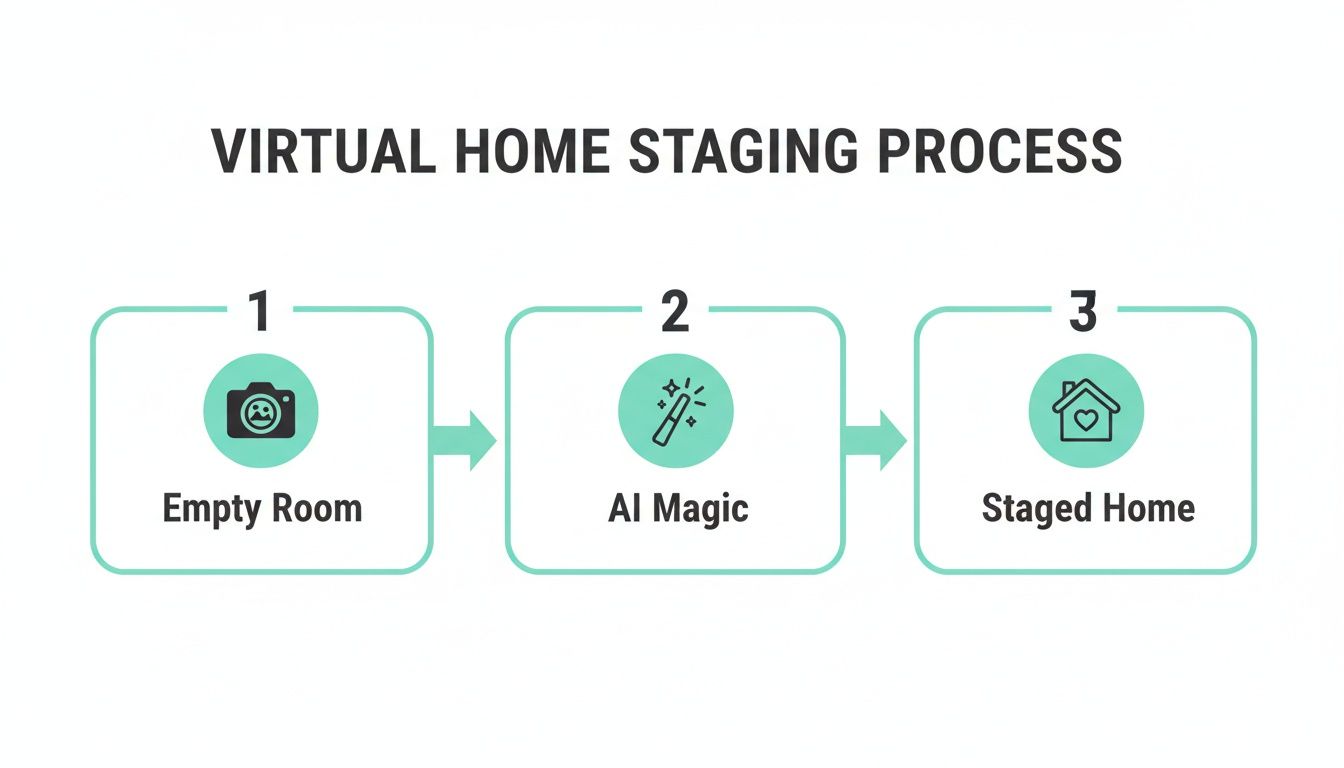
The entire process is built for speed and simplicity, turning a basic photo into a powerful marketing tool in just a few minutes.
Beyond Automation: You're Still in Control
This level of technology is precisely the secret to showcasing high-end real estate with stunning visual appeal. It’s how you transform an empty shell into an aspirational vision that hooks potential buyers from the first glance.
But the best tools, like Interior Redesign AI, don't just stop at one-click magic. They hand the creative reins back to you. After the AI creates an initial design, you can dive in and fine-tune the details—swap out an oak finish for marble, change the color of the accent pillows, or rearrange the furniture until it feels perfect.
This blend of smart automation and hands-on control makes virtual staging AI a true design partner. However, remember its limitations. AI is fantastic for ideas and speed, but it doesn't replace your personal taste or the expertise of a professional designer for complex projects. Think of it as a powerful starting point to explore possibilities.
The Game-Changing Benefits for Your Property
Moving from an empty, uninspired listing to one filled with stunning, digitally-placed furniture isn't just a cosmetic upgrade. Virtual staging AI brings real, measurable advantages for everyone involved with a property—from real estate agents and Airbnb hosts to homeowners planning their next big renovation.
For agents, the main win is undeniable: elevated listing appeal. An empty room can feel cold and confusing, leaving too much to a buyer's imagination. But a beautifully staged space helps people forge an immediate emotional connection, letting them truly picture their future lives within those walls. That feeling is what drives faster sales and better offers.
Boost Bookings and Justify Higher Rates for Your Airbnb
In the crowded world of short-term rentals, visuals are everything. Virtual staging is a powerful tool for standing out, letting you show off your rental in its best light and highlight its potential for comfort and style.
- Attract More Guests: It’s simple—eye-catching photos with stylish decor get more clicks, which leads to more bookings.
- Command Better Prices: A professionally presented space just looks more valuable, giving you the confidence to justify a higher nightly rate.
- Test Different Vibes: Wondering if a "Coastal" theme will outperform a "Bohemian" one for your rental? You can find out in minutes without buying a single pillow. This is perfect for rentals in small spaces or apartments where every design choice counts.
Save Money and Reduce Renovation Stress as a Homeowner
Homeowners also stand to gain enormously. Before you commit to knocking down a wall or splurging on a new sofa, you can visualize your ideas with incredible accuracy. Tools like Interior Redesign AI let you experiment with different layouts, materials, and color palettes, making sure you love the final result before you spend a single dollar. This is invaluable for preventing costly mistakes and taking the stress out of big decisions, especially when working with a tight budget or tricky room layout.
At its heart, virtual staging AI excels at one thing: turning abstract potential into a tangible vision. It’s not just about adding furniture; it’s about selling a lifestyle, inspiring a renovation, or securing a booking.
The financial upside is hard to ignore. With the generative AI market projected to soar to $1.3 trillion by 2032, its impact on industries like real estate is becoming clearer every day. We already know that traditionally, 83% of staged homes sell at or above the asking price. Now, AI makes that same benefit accessible for over 95% less cost. You can dive deeper into these AI trends and their effects by reading these insightful statistics.
Ultimately, the speed and flexibility are what make this technology so powerful. An agent can virtually stage an entire house in under an hour. An Airbnb host can refresh their listing photos to match the season. A designer can present a client with five distinct concepts in the time it used to take to create a single mood board. And of course, starting with great photos is key, so be sure to check out our real estate photography tips.
Practical Steps to Create Stunning Staged Images
Getting a professional-looking result from a virtual staging AI isn't as complicated as it sounds. It all boils down to one thing: the quality of your "before" photo. A sharp, well-lit picture is the secret sauce for a stunning, believable "after" that grabs the attention of potential buyers or renters.
Think of it as giving the AI a perfect canvas to work on. A little prep work upfront makes a huge difference in the final result.
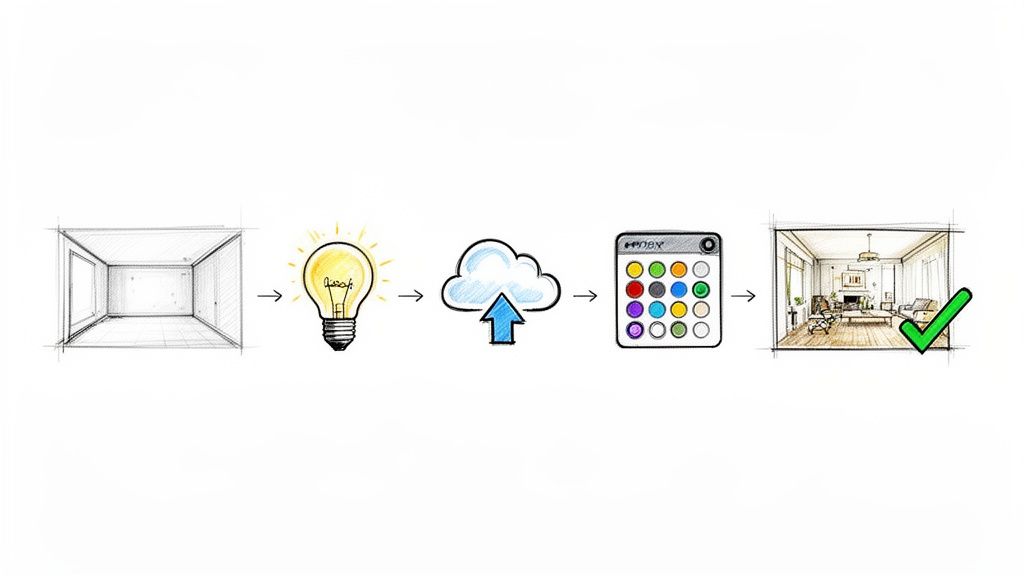
Step 1: Prepare Your Space and Take the Perfect Photo
Before you even log into an AI tool, get the room ready. This initial effort is what sets your project up for success.
- Declutter Completely: Get everything out. We’re talking empty. Remove any stray boxes, leftover decor, or random items. The cleaner the space, the better the AI can read its true dimensions.
- Let There Be Light: Natural light is your best friend. Open all the blinds and curtains to let it flood in. Flip on all the lights too, but watch out for harsh glares. A bright, evenly lit photo always produces the most realistic results.
- Find the Right Angle: Stand in a corner and shoot toward the opposite corner of the room. This is a classic real estate photography trick that makes rooms feel bigger and shows off the layout. Keep your camera level to avoid weirdly distorted lines.
Step 2: Work with the AI to Bring Your Vision to Life
Once you have your photo, it’s time for the fun part. Inside a tool like Interior Redesign AI, the process is more about creativity than technical skill.
- Upload Your Image: Start by uploading your clean, well-lit photo of the empty room.
- Choose Your Style: This is where you tailor the design to your target audience. Listing a sleek urban apartment? Try "Minimalist." A breezy vacation rental? "Coastal" is a perfect fit. Or maybe "Modern Farmhouse" for a cozy family home.
- Generate and Refine: The AI will produce a fully furnished concept in just a few seconds. But don't stop there. This is your chance to fine-tune the look. Most tools let you adjust materials, swap out specific furniture, or tweak the color scheme until it feels just right. For a deeper dive into making these choices, check out our guide on effective strategies for staging home interiors.
Remember, you’re not just filling a room—you’re telling a story. You’re crafting a vision of a lifestyle that will connect with potential buyers or guests. The right style helps them see themselves living there.
Virtual staging AI is an incredible assistant, but it works best when you’re in the driver’s seat. Use the generations as a creative starting point, but always apply your own expertise and knowledge of the property. When you combine the AI's speed with your human touch, you get images that are polished, compelling, and ready to impress.
Choosing the Right Virtual Staging AI Tool
With a flood of virtual staging AI options on the market, picking the right one can feel overwhelming. But here’s the thing: not all tools are created equal. The best choice for you really boils down to your needs—are you a real estate agent trying to sell a house faster, an Airbnb host looking to spruce up your listing photos, or a homeowner trying to visualize a renovation?
It’s tempting to go for the tool with the most features, but what really matters is whether it gets the job done easily and effectively. A platform that promises incredible visuals but is a nightmare to use will just end up gathering digital dust. On the flip side, a cheap tool that churns out fake-looking images can do more harm than good, making your listing look unprofessional.
Must-Have Features for Quality Results
When you're comparing different platforms, use this simple checklist. There are a few key features you’ll need to create images that look authentic and draw people in.
- High-Resolution Output: Your final images have to be crisp and clear, especially since potential buyers might be viewing them on a large monitor. Make sure the tool can export in at least 4K resolution so your property always looks its best.
- Wide Variety of Styles: One size definitely does not fit all. A good tool should have a deep library of design styles, from "Japandi" (a mix of Japanese and Scandinavian minimalism) to "Industrial," letting you match the virtual furniture to the home's vibe.
- Ease of Use: You shouldn't need a degree in 3D modeling to stage a living room. Look for a clean, intuitive interface that makes the process simple. An easy upload-select-generate workflow, like the one in Interior Redesign AI, is a huge time-saver.
- Advanced Editing Controls: The AI’s first attempt is a great starting point, but the magic happens when you can make your own tweaks. The best platforms give you the power to adjust materials (like changing a wood floor to marble), switch up colors, or move furniture around.
Practical Considerations Before You Commit
Beyond the creative features, a few practical details will make or break your experience. Don't skip these.
Choosing a tool isn't just about the technology; it's about finding a reliable partner for your workflow. Pay attention to pricing, privacy, and the quality of the final product.
First, take a hard look at the pricing model. Is it a monthly subscription or do you pay per image? Make sure it's transparent and aligns with how often you plan to use it. Also, think about data privacy. You're uploading photos of a property, so you need to know the platform has a clear, trustworthy policy about how it protects your data. For a deeper dive into how different tools stack up, check out our guide on the best virtual home staging software.
By keeping these features and practical points in mind, you can find a virtual staging AI that not only produces stunning results but also fits seamlessly into how you work.
Practical Examples of AI Staging for Different Rooms
Theory is one thing, but seeing is believing. Let's look at how virtual staging AI works in different rooms to solve real problems for homeowners, agents, and Airbnb hosts.
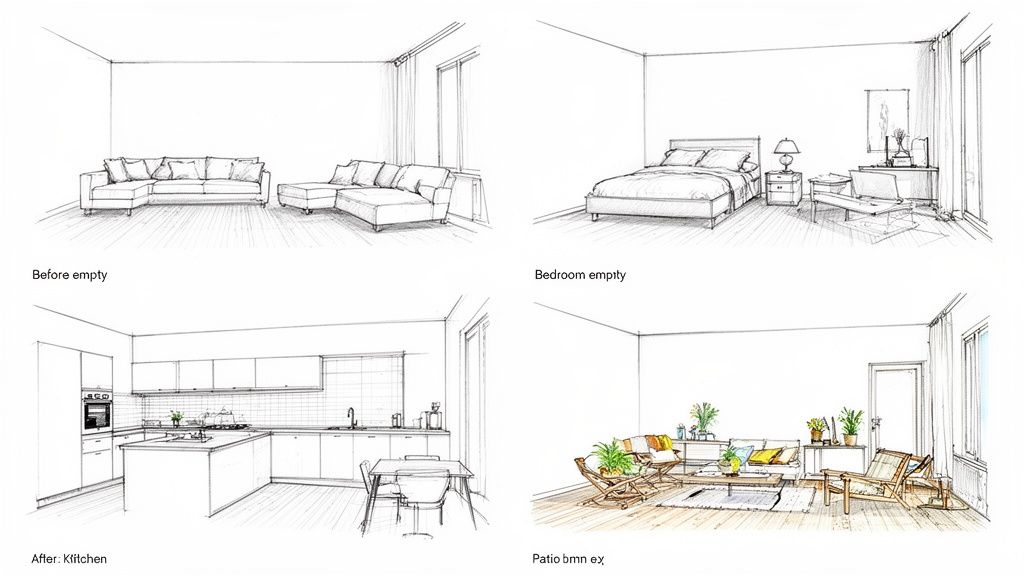
Living Room: From Empty Box to Cozy Hub
- The Challenge: An agent had a listing for a small apartment with an awkward layout. As an empty room, it just looked cramped. Buyers couldn't picture their own furniture in it and immediately wrote it off.
- The AI Solution: The agent took a photo, uploaded it to Interior Redesign AI, and chose a "Scandinavian" style. The AI used light colors, clean lines, and minimalist furniture to make the room feel bigger. By adding a sleek sofa and a slim coffee table, it showed buyers a functional layout that still felt stylish and open.
Kitchen: Updating a Dated Look on a Budget
- The Challenge: A seller was stuck with a kitchen straight out of the 1990s—think oak cabinets and worn laminate countertops. They couldn't afford a full renovation before listing.
- The AI Solution: Using an AI tool, they created a vision for buyers. They virtually "painted" the cabinets a modern gray, swapped the countertops for a digital marble look, and added stylish pendant lights. The before-and-after showed buyers the kitchen’s hidden potential, making them see a fun weekend project instead of an expensive gut job.
Bedroom: Creating a Relaxing Retreat
- The Challenge: A family wanted to turn their cluttered spare room into a peaceful guest bedroom but felt overwhelmed by design choices and the small size of the room.
- The AI Solution: They uploaded a photo and tried out a "Bohemian" style. The AI added a low-profile bed, layered rugs, and lots of plants, showing them how to use texture to make a small space feel cozy and inviting without feeling crowded. They could visualize the result before buying a single item.
Outdoor Space: An Inviting Oasis
- The Challenge: An Airbnb host had a bland concrete patio that was an eyesore in their listing photos. It was a huge missed opportunity to show off an outdoor living area.
- The AI Solution: They used virtual staging AI to completely reimagine the space. The AI added a comfortable outdoor sofa, a fire pit, dreamy string lights, and lush potted plants. Instantly, that dull concrete became a cozy spot perfect for relaxing, making the listing far more appealing.
Your Questions About Virtual Staging AI Answered
It's completely normal to have questions before you jump into something new. Let's walk through some of the most common ones people ask about virtual staging AI.
Is Virtual Staging Deceptive to Buyers?
This is a really important question, and the answer comes down to one word: transparency. The whole point isn't to trick anyone; it's to help buyers see what's possible in an empty space.
Best practice is always to clearly label virtually staged photos, either with a watermark or a simple note in the property description. Think of it less as a "before and after" and more as an "inspirational look." When you're upfront about it, virtual staging becomes a fantastic tool for helping people imagine a house as their future home.
How Much Does Virtual Staging AI Cost?
This is where the technology really shines. Traditional, physical staging can easily run into the thousands of dollars. Virtual staging AI, on the other hand, is a tiny fraction of that cost.
Most tools use a pay-per-image or a simple subscription model, often costing just a few dollars per photo. We're talking about a potential cost saving of over 95%. It makes professional-looking staging something anyone can afford, not just high-end listings.
Can AI Stage Rooms That Already Have Furniture in Them?
Yes, many of the more sophisticated AI tools can tackle this. They often include an ‘item removal’ feature that can digitally clear out old furniture before placing the new virtual items. It's a great way to show how a cluttered or dated room can get a complete facelift.
That said, for the absolute best results, starting with a completely empty room is the way to go. It gives the AI a clean slate to work with and provides the most flexibility for bringing your design ideas to life.
By being honest and using it to spark imagination, virtual staging AI is a powerful asset for marketing properties or even just planning your own renovations. It’s all about showing what a space could be.
Ready to bring your vision to life? Try Interior Redesign AI to instantly reimagine any room from a simple photo or sketch. Visit us at https://www.interiorredesignai.com to get started.