
The right virtual home staging software can be your secret weapon, turning an empty or dated property into a buyer's dream. It’s all about helping people emotionally connect with a space and see its true potential. Tools like Interior Redesign AI use artificial intelligence to transform a simple photo into a beautifully furnished room in minutes, saving you time, money, and the stress of physical staging.
Why Virtual Staging Is a Game-Changer for Your Listings
Gone are the days of spending thousands on rental furniture just to make a listing look warm and inviting. Virtual home staging has completely changed how real estate agents, Airbnb hosts, and homeowners market their properties. Forget the logistical headaches of moving sofas; now you can create stunning, photorealistic interiors right from your laptop.
At its heart, this digital approach is about creating a connection. When a potential buyer or guest scrolls through listings, an empty room feels cold and impersonal. A virtually staged space, however, tells a story. It helps someone imagine cozy family nights in the living room or waking up in a beautifully styled bedroom. This emotional hook is what makes a property memorable and boosts its appeal.
The Smart Shift from Physical to Digital Staging
Moving from physical to digital staging isn't just a trend—it's a smart business decision driven by efficiency and powerful results. It’s no wonder the market for these tools is booming.
- Saves Money: Physically staging a home can easily cost thousands of dollars. Virtual staging achieves a similar, often better, result for a tiny fraction of the price. This is a huge benefit for anyone on a budget, from a first-time seller to an Airbnb host.
- Saves Time and Boosts Flexibility: It can take weeks to coordinate physical staging. With software, you can stage an entire home in an afternoon. Want to see if a “Modern Farmhouse” look works better than a “Minimalist” one for your target audience? You can try both in minutes.
- Wider Appeal: Many people struggle to visualize how their furniture would fit in an empty room. Staging provides scale and purpose, helping buyers and renters overcome that mental block and see the property's potential right away.
This technology levels the playing field. It gives anyone—not just those with big budgets—the power to present a property at its absolute best. It’s less about how much you can spend on physical furniture and more about creatively showcasing a home’s potential.
The numbers confirm this shift. The global virtual home staging software market was valued at USD 0.26 billion in 2024 and is projected to hit USD 1.32 billion by 2033, showing just how essential this technology has become.
Choosing the right software unlocks these advantages. Whether you're a real estate agent trying to sell a property faster, an Airbnb host aiming for more bookings, or a homeowner planning a renovation, the best virtual staging tool can make all the difference. Learn more in our complete guide to virtual staging for real estate.
How to Choose the Right Virtual Staging Software
Picking the best virtual home staging software can feel overwhelming. To find the right fit, it helps to know what features truly matter for creating realistic and appealing designs. A great platform does more than just drop digital furniture into a room; it creates a convincing, aspirational space that helps sell a property or visualize a design.
The difference between a good and a bad tool is huge—it's the difference between an image that looks like a cheap video game and one that’s so realistic it looks like a professional photograph. Creating that illusion of reality is everything. This is why the market is booming—a recent analysis valued the global virtual home staging software market at USD 230 million in 2023 and predicts it will hit USD 1.2 billion by 2030. You can see the full breakdown at Archive Market Research.
Let’s break down what you should look for.
AI Realism and Image Quality
This is the most important factor. Does the final image look real? The best tools use advanced AI to analyze the lighting, shadows, and perspective in your photo. It then blends the digital furniture into the scene so seamlessly that it looks like it was always there.
Here's what to check for:
- Accurate Lighting and Shadows: The AI should cast believable shadows based on the room's light sources (like windows or lamps). Without this, furniture looks fake and pasted-on.
- High-Resolution Outputs: For professional real estate listings or client presentations, you need sharp, clear images. Blurry results will look unprofessional and undermine your efforts.
- Realistic Textures: Look for details like the grain on a wood table or the weave of a rug. These textures make digital objects feel real and tangible.
Style Libraries and Customization Freedom
A large and diverse library of furniture and decor is essential. You need access to styles that fit the property, whether it's a sleek city apartment or a cozy suburban home.
Beyond just adding furniture, look for customization options. Can you change the wall color? Can you swap dated carpet for modern hardwood floors? Being able to make these "virtual renovations" is a game-changer, showing buyers a home's full potential without any physical work.
The best tools empower you to tell a visual story. An Airbnb host might use a “Coastal” style to create a relaxing vacation vibe, while a real estate agent might opt for a neutral “Scandinavian” look to appeal to a wider audience.
Tools like Interior Redesign AI shine here, letting you visualize dozens of styles in minutes. Just upload a photo, and you can see your room transformed from a minimalist retreat to a bold, eclectic space. This helps you test ideas quickly before committing to buying new furniture or paint. We cover this in more detail in our post on using AI for room design.
Ease of Use and Workflow
Finally, the software has to be easy to use. As a busy agent, host, or homeowner, you don’t have time for a steep learning curve. The best platforms offer a simple workflow: upload a photo, pick a style, and let the AI do the heavy lifting. This efficiency saves an incredible amount of time and removes the stress from the design process.
Comparing the Top Virtual Home Staging Tools
Choosing the right virtual staging software is like picking the right tool for a job. Some are built for speed and simplicity, perfect for a busy real estate agent. Others offer the deep customization that a professional interior designer needs. Let's look beyond the marketing claims to see how the top platforms actually work.
This side-by-side comparison will help you understand the key differences so you can pick the software that best matches your goals, whether you're selling a home, updating a rental, or planning a renovation.

AI-Powered Speed vs. Manual Control
The first big choice is between an AI-driven platform and a more traditional, manual tool. This decision fundamentally changes your workflow and how much time you'll spend.
- AI-Powered Platforms (like Interior Redesign AI): These tools are all about efficiency. You upload a photo of an empty room, pick a style like "Modern" or "Bohemian," and the AI generates a fully furnished space in seconds. It’s an incredible time-saver for anyone who needs high-quality results without getting bogged down in placing every single pillow and plant.
- Manual Staging Software (like VisualStager): These platforms give you a blank canvas and a library of 3D models. You become the designer, dragging and dropping each piece of furniture, adjusting its size, and tweaking the lighting. This offers complete creative control but requires a good eye for design and a significant time investment.
For most real estate agents and Airbnb hosts, the speed of AI is a game-changer. It lets you create multiple design concepts for a single room, which is perfect for testing which style will attract the most buyers or guests without spending hours on each version.
Virtual Home Staging Software Feature Comparison
This table offers a clear, side-by-side view of how the top options stack up, highlighting who each tool is for and its key features.
| Software | Best For | Key Features | AI Capabilities | Pricing Model | Ease of Use |
|---|---|---|---|---|---|
| Interior Redesign AI | Real estate agents, designers, and homeowners needing fast, high-quality designs and creative ideas. | 50+ design styles, Canvas Editor for fine-tuning, AI video walkthroughs from one photo. | Fully AI-driven for generating entire room designs, with manual override. | Subscription-based (monthly/yearly). | Very Easy |
| BoxBrownie | High-volume agents and teams looking for a hands-off, full-service photo editing solution. | Outsources staging to human designers, item removal, virtual renovations, photo enhancement. | Not a DIY AI tool; uses professional designers. | Pay-per-image. | N/A (Service) |
| VisualStager | DIY-focused users and designers who want total manual control over every furniture piece. | Drag-and-drop interface, large 3D furniture library, perspective and lighting tools. | None; fully manual process. | Pay-as-you-go (credits). | Moderate |
This comparison highlights a clear divide: AI-driven tools like Interior Redesign AI are designed for speed and creative exploration, while manual tools like VisualStager put every design choice in your hands. Outsourced services like BoxBrownie offer a different path, trading instant results for a completely hands-off process.
A Closer Look at the Key Players
The virtual staging market is a mix of established services and new, tech-forward innovators. The industry is moderately concentrated, with the top five companies estimated to control about 40% of the market share. While a few big names dominate, there’s plenty of room for specialized tools, especially those using advanced AI. You can dive deeper into these market dynamics by reviewing the full industry analysis.
Here's how the top contenders compare in practice.
Interior Redesign AI
- Best For: Speed, ease of use, and creative exploration for real estate agents, homeowners, and designers.
- How It Works: It's completely AI-driven. You upload your photo, choose from over 50 distinct styles, and get multiple design concepts back almost instantly. The Canvas Editor allows you to make specific edits, blending automation with just the right amount of control.
- Key Differentiator: The ability to generate a full video walkthrough from a single photo is a huge plus. It offers an immersive way for potential buyers to experience a space before they ever visit.
BoxBrownie
- Best For: Real estate professionals who need a reliable, full-service editing partner for a high volume of listings.
- How It Works: This is a service, not a DIY tool. You send your photos, and their team of human designers stages them for you. They also handle other tasks like removing clutter and virtual renovations.
- Key Differentiator: It’s a one-stop shop for all real estate photo editing. The quality is consistently professional, but you trade the instant results of AI for a 48-hour turnaround time.
VisualStager
- Best For: DIY enthusiasts and designers who want complete, hands-on control over every element in the room.
- How It Works: This is a classic browser-based, drag-and-drop tool. You manually select each piece of furniture and place it in your photo, adjusting for scale and perspective.
- Key Differentiator: Its pay-per-use credit system makes it affordable for occasional projects. The trade-off is a steeper learning curve and significantly more time spent on each image.
The decision really comes down to this: Do you want to be the designer, or do you want a powerful AI assistant to act as your designer? Answering that one question will quickly point you toward the right tool.
For anyone new to digital design, an AI-powered tool is almost always the best starting point. It removes the intimidation factor and lets you produce professional-grade results from day one. If you want to explore this topic further, our guide to the best interior design software for beginners offers some great insights.
Ultimately, the best software is the one that fits your workflow. For creating stunning visuals quickly to captivate buyers, an AI tool like Interior Redesign AI is hard to beat. But for those who enjoy the design process and want to control every detail, a manual platform offers a different, more hands-on kind of value.
Putting Virtual Staging to Work: Real-World Scenarios
It's easy to talk about features, but what really matters is how these tools solve real-world problems. Let's look at how virtual staging helps real estate agents, Airbnb hosts, and homeowners in practical, everyday situations.
The Real Estate Agent with an Empty Listing
The Problem: You have a great new listing, but the rooms are empty. In photos, the space looks cold and buyers can't figure out if their sofa will fit. They scroll right past it.
The Solution: Use an AI staging tool to bring the living room to life.
- Upload a Photo: Start with a bright, high-quality photo of the empty room.
- Pick an Appealing Style: To attract the most buyers, choose a popular, inviting style like "Modern Farmhouse" or "Scandinavian."
- Generate and Post: In seconds, the AI creates several fully furnished options. You pick the best one and add it to your listing photos.
The Benefit: You create an immediate emotional connection. The National Association of Realtors reports that 82% of buyers’ agents said staging helps clients visualize a property as their future home. This simple step can lead to more showings and a faster sale, all while saving thousands on physical staging costs.
The Airbnb Host Planning a Refresh
The Problem: Your Airbnb bedroom feels a bit dated, and you want to update it to boost bookings. You're stuck between a trendy "Bohemian" look and a relaxing "Coastal" vibe. Buying new decor is a costly gamble if guests don't like it.
The Solution: Use Interior Redesign AI to visualize both styles before spending a dime.
- Test the "Coastal" Look: Upload a photo of the current bedroom and apply the "Coastal" style. The AI generates images with light woods, breezy blues, and a serene feel.
- Test the "Bohemian" Look: Next, try the "Bohemian" style on the same photo. The AI fills the room with rich textures, plants, and eclectic patterns.
The Benefit: You can compare the designs side-by-side, or even use the new images in your listing to see which one gets more attention. This data-driven approach removes the guesswork, ensuring your redecorating budget is spent on a style that will attract more guests and pay for itself.
The Homeowner Overwhelmed by a Renovation
The Problem: You’re planning a kitchen renovation but feel paralyzed by all the choices. Dark cabinets or light? Marble countertops or butcher block? A wrong decision could be a costly mistake you have to live with for years.
The Solution: Use an AI tool to test different ideas and build your perfect design.
- Visualize New Finishes: Upload a photo of your current kitchen. With Interior Redesign AI, you can virtually paint the cabinets, change the flooring to modern tile, and test different countertop materials.
- Finalize the Layout: See what open shelving would look like versus traditional cabinets, helping you make a confident decision about the layout.
- Create a Mood Board: Save your favorite AI-generated images to create a visual plan. This becomes the perfect tool to show your contractor exactly what you want. You can find more tips in our guide to interior design mood board examples.
The Benefit: The stressful renovation process becomes a fun, creative experience. You can finalize every detail with confidence, knowing exactly how it will all look together before the project even begins.
Our Top Picks for Every Staging Need
https://www.youtube.com/embed/Ofs84fXs_FQ
Now that we've seen what these tools can do, let's match the right software to the right job. The "best" virtual staging software depends on your specific needs—a high-volume real estate agent has different priorities than a homeowner planning a single renovation.
Here are our clear, practical recommendations for different users.
The Speed Demon: Interior Redesign AI
For anyone whose time is money—real estate agents, busy Airbnb hosts, or designers juggling multiple clients—Interior Redesign AI is the clear winner. Its entire workflow is built for AI-driven speed and efficiency, without sacrificing image quality.
Instead of spending hours placing each piece of furniture, you just upload a photo, pick from over 50 styles, and the AI generates several professional-quality concepts in seconds.
This means you can:
- Stage an entire property in under an hour, helping you get a new listing live faster.
- Test multiple looks instantly. Not sure if a "Modern" or "Japandi" style (a trendy blend of Japanese minimalism and Scandinavian warmth) will work best? Generate both in minutes to see which one makes the space shine.
- Create impressive video walkthroughs from a single photo, giving potential buyers a more immersive tour.
The real magic of AI is rapid iteration. You can explore dozens of design ideas in the time it used to take to create one manual render. This helps you discover the perfect look to maximize a property's appeal and save a huge amount of time.
The Budget-Friendly DIY Option: VisualStager
If you're a homeowner with a one-off project or an agent who only stages properties occasionally, a pay-as-you-go model makes financial sense. This is where VisualStager excels, offering a hands-on approach that keeps costs low.
Its credit-based system means you only pay for what you use. It requires a manual touch—you'll be dragging and dropping each piece of furniture—but it offers a solid library and full control. It's a great choice for anyone who enjoys the design process and wants to stage a room for less than the price of a coffee.
The Full-Service Pro: BoxBrownie
Sometimes, you just want someone else to handle it. For professionals who prefer to outsource the work, BoxBrownie is a top-tier service. It’s not software, but a team of human designers you hire on a per-image basis.
You send them your photos, and they handle everything from staging to removing clutter. The trade-off is time—the turnaround is typically 48 hours—but the results are consistently professional. This makes it a perfect fit for large real estate teams who need a reliable, hands-off solution.
The flowchart below can help you visualize which path makes the most sense for your main goal.
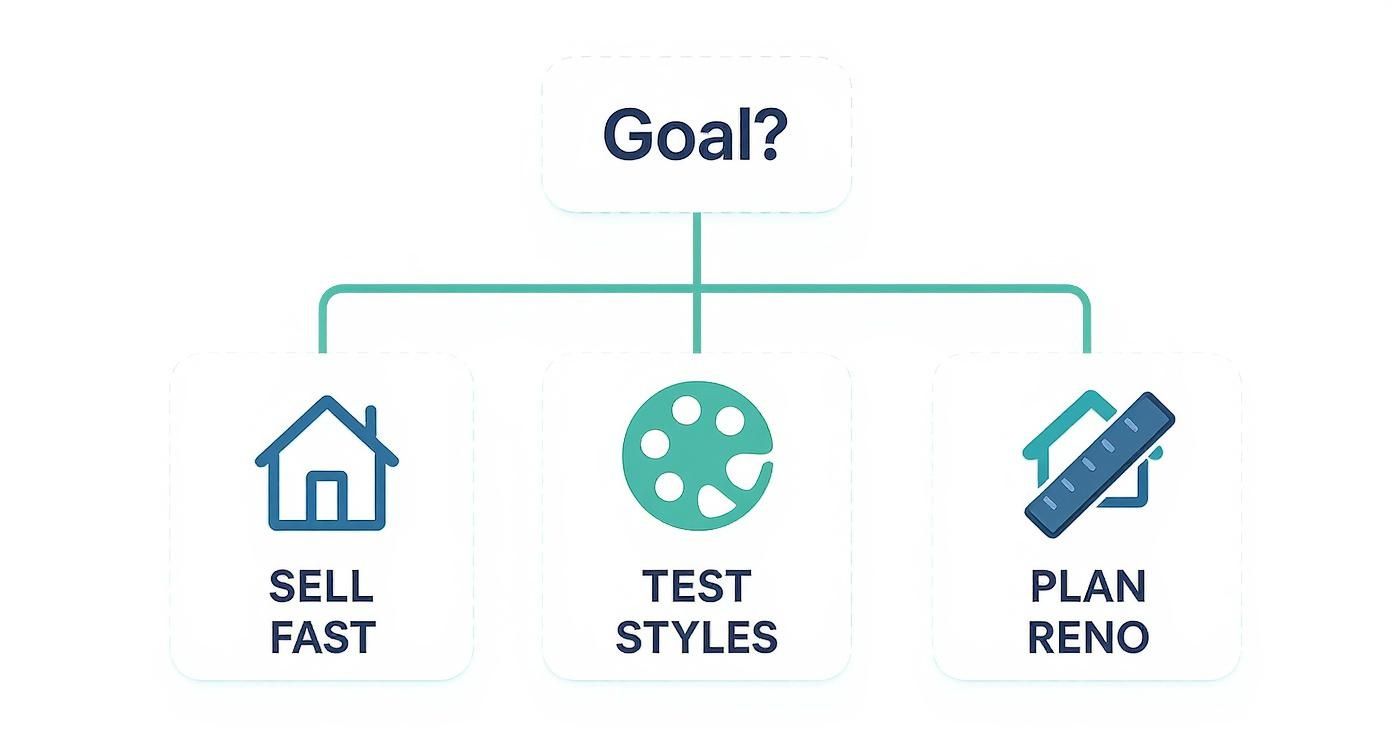
As this shows, if your goal is speed and style exploration—two of the most common reasons for staging—an AI tool is often the most direct path. For Airbnb hosts, this rapid visualization is incredibly valuable for finding themes that attract more guests and implementing strategies to increase Airbnb bookings with better visuals.
Getting Pro-Level Staging Results
Even the best virtual staging software is just a tool—it still needs your guidance to create stunning results. Think of the platform as your creative partner. A few simple best practices can transform your images from "good" to truly memorable.
These practical tips will help you create staged photos that look authentic, feel compelling, and grab the attention of potential buyers or guests.
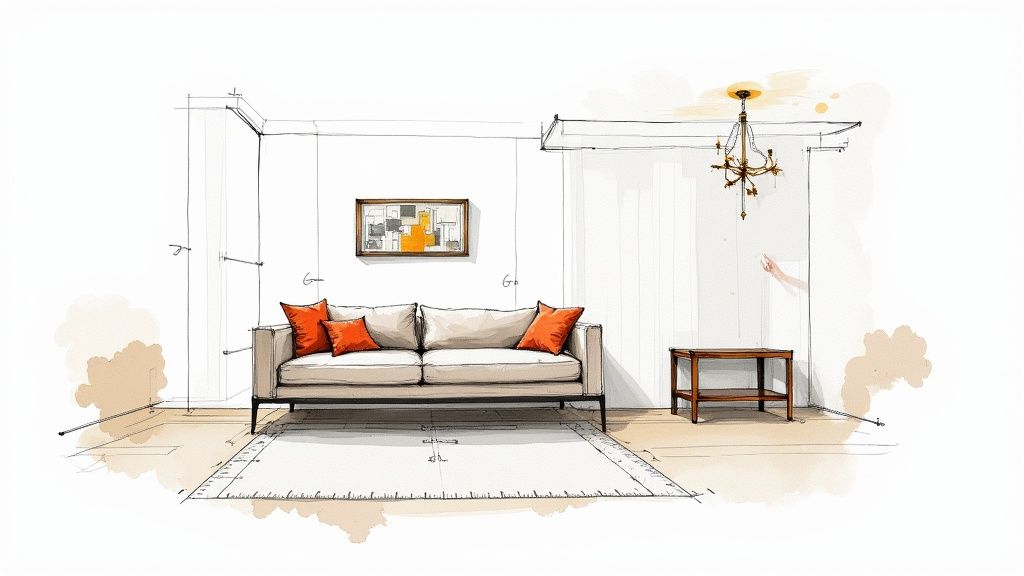
Everything starts with your photo. A blurry, dark, or crooked shot won't give you a professional result. Always begin with a high-resolution image taken in bright, natural light. This gives the AI the best possible canvas to work with.
Lean on Timeless Design Principles
You don't need to be an interior designer, but knowing a few basics makes a huge difference. Your goal is to choose furniture and decor that complements the home's style.
- Mind the Scale: Don't put a huge sofa in a small apartment living room, or tiny chairs in a large, open-concept space. The furniture should fit the room's proportions.
- Establish a Focal Point: Every room should have a star. In a bedroom, it’s the bed. In the living room, it might be the fireplace or a large window. Arrange your virtual furniture to draw the eye to that key feature.
- Leave Room to Breathe: Resist the urge to fill every corner. Negative space—the empty area around furniture—is what makes a room feel open and inviting, not cluttered and chaotic.
Think of virtual staging as a collaboration. The AI provides the speed and options; you provide the vision. Your goal is to create an aspirational but believable scene that helps people connect with the property. Be honest about the limitations—AI is a fantastic starting point, but always combine its ideas with your own taste.
Let AI Do the Heavy Lifting, Then Add Your Touch
The real magic of today's AI software is its ability to rapidly test ideas. A platform like Interior Redesigne AI can generate a half-dozen design concepts in seconds, giving you an amazing starting point. From there, you can act as the editor.
Use the AI to quickly explore different styles—modern, farmhouse, coastal—and see what works. Once you have a look you like, you can step in to make small tweaks that pull it all together.
For example, if the AI generates a beautiful modern living room, you might use an editor to change an accent pillow to a color that matches the home's exterior. It's a tiny detail, but it makes the design feel thoughtful and cohesive. Combining the AI's power with your creative insight is the secret to producing images that get results.
Ready to see how AI can help you? Try Interior Redesign AI and instantly reimagine your own space from a simple photo or sketch.
Answering Your Top Virtual Staging Questions
Getting started with virtual staging often brings up a few questions. Whether you're a real estate pro looking to improve your marketing or a homeowner exploring design ideas, let's clear up some common curiosities.
Just How Real Can These Staged Photos Look?
The short answer? Incredibly realistic, but only with the right tool. High-quality virtual staging software does more than just paste digital furniture into a picture.
The best platforms use advanced AI to analyze your photo's lighting, shadows, and angles. This allows them to blend in new furniture so naturally that it looks like it was there during the photoshoot. The AI can even render realistic textures, like the fabric on a sofa or the grain of a wood table, making the final image nearly indistinguishable from a traditionally staged photo.
Can This Work if My Room Is Already Full of Stuff?
Yes, and this is where the technology is especially powerful for homeowners and agents dealing with occupied spaces. Many of the best tools include a feature called "virtual cleaning" or "item removal." You can take a picture of a cluttered room, and the software will digitally empty it for you.
Once the AI has cleared the space, you have a blank canvas to stage with a completely new style of furniture and decor. This is a game-changer for selling tenant-occupied properties or for anyone who wants to visualize a new look for their home without moving heavy furniture first.
Is Virtual Staging Software Too Complicated for a Beginner?
Not the modern AI-powered ones. While professional 3D rendering software can be very complex, today's best virtual home staging software is designed for everyone, regardless of their tech skills.
The goal of tools like Interior Redesign AI is to make high-end design accessible to anyone. The process is simple: you upload a photo, pick a design style you like, and the AI handles the rest. You don't need any design experience to get professional-quality results in minutes.
While your own taste will always add a personal touch, the software does all the heavy technical work, saving you time and reducing decision stress.
Ready to see how simple it is to bring a new vision to life? Try Interior Redesign AI and instantly reimagine any room from a simple photo or sketch. Start creating today!