Ever had a brilliant design idea for a room, but struggled to explain it? That’s where architectural rendering comes in. Think of it as a sneak peek into the future—a realistic picture of your space before you’ve spent a dime on paint or furniture.
It takes a simple floor plan, a quick sketch, or even just a photo of your current room and turns it into a vivid preview of what’s possible.
See Your Dream Space Before It Exists
We've all been there. Staring at a tiny paint swatch, wondering if that bold green will make your small bedroom feel like a cave. Or trying to guess if that gorgeous sofa you saw online will actually fit your living room. Architectural rendering solves this frustrating guesswork.
It’s the tool that helps you make confident decisions, saving you time, money, and stress.
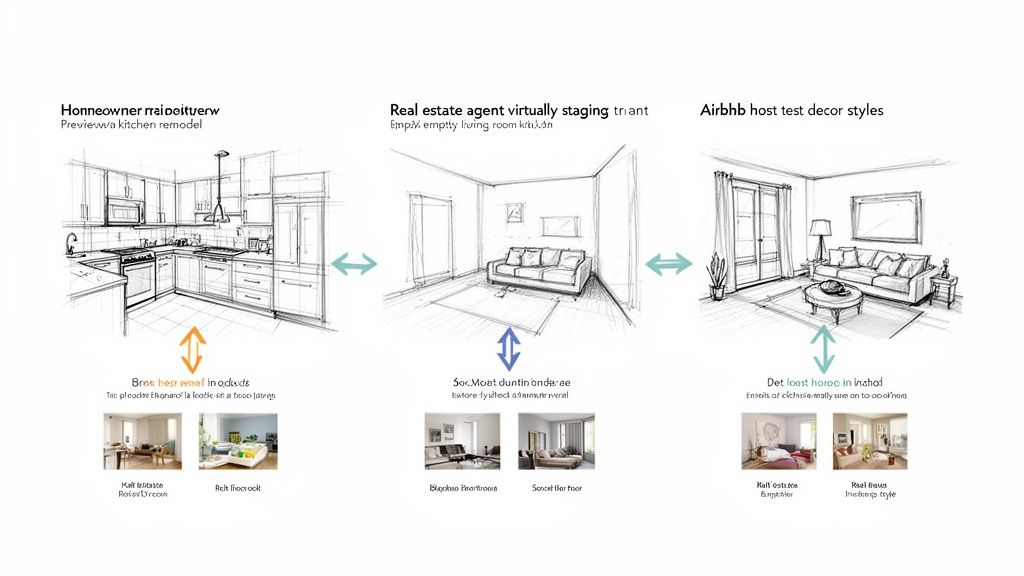
- For homeowners: It’s the difference between hoping your new open-plan kitchen will work and knowing it will look amazing.
- For real estate agents: It’s about showing a vacant property’s true potential with virtual staging, helping buyers fall in love.
- For Airbnb hosts: It’s a way to test-drive different decor themes to see which one will grab the most bookings.
From Hand-Drawn Sketches to Instant AI Previews
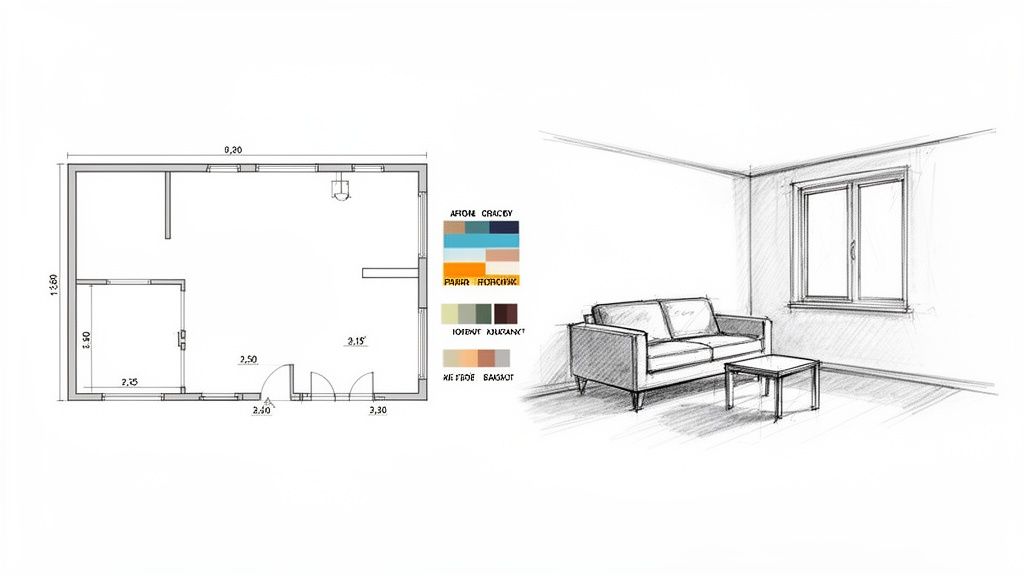
It wasn’t always this easy. Architects used to spend hours creating beautiful but time-consuming hand-drawn perspectives to share their vision. The artistry was stunning, but the process was slow and expensive.
Today, the game has completely changed. We now use powerful digital tools to create 3D visualizations that realistically show textures, lighting, and mood. What was once a luxury is now a key part of designing both interiors and exteriors.
The best part? You no longer need to be a tech wizard to bring your own ideas to life.
How AI Makes Design Easy for Everyone
This is where things get really exciting. AI-powered platforms like Interior Redesign AI have put professional-quality visualization right at your fingertips. Instead of battling complex software, you just upload a photo of your room.
The AI analyzes your space and generates a whole gallery of design concepts in minutes. You can try out different styles, swap furniture, and test layouts with a few clicks. It’s a powerful, simple, and fun way to see what's possible for your home, rental, or listing.
This technology isn't just a cool gimmick; it solves the real-world headaches that pop up in almost every design project.
How Rendering Solves Common Design Headaches
Visualizing a finished room isn't just for fun—it directly fixes some of the biggest pain points for homeowners, designers, and real estate agents.
| Common Problem | How Rendering Provides the Solution | Why It Matters for You |
|---|---|---|
| "I just can't picture it." | Creates a clear, photorealistic image of the final result, removing all the guesswork. | You can feel confident in your choices and get excited about the outcome. |
| Fear of a costly mistake. | Lets you test colors, materials, and furniture digitally. You can "try before you buy." | Avoids the "oops" moment of buying a sofa that's too big or paint that's too dark, saving you money. |
| Disagreements with a partner. | Provides a concrete visual that everyone can see and agree on, getting you both on the same page. | Ends debates over design choices and makes the process more collaborative and less stressful. |
| Stuck between different styles. | Generates multiple design options almost instantly, making it easy to compare looks like modern, minimalist, or bohemian. | Helps you discover what you truly love without committing to a single style too early. |
| Explaining your idea to a contractor. | Gives your contractor an exact blueprint of what you want, reducing the risk of mistakes. | Ensures your vision gets built correctly the first time, preventing costly re-work and delays. |
Ultimately, rendering gives you the confidence to move forward. When you can see a realistic preview of your finished project, you can make decisions with certainty and excitement.
You can explore a whole suite of these powerful visualization tools in our guide to the best interior design software online.
Exploring Different Types of Architectural Renders
Not all architectural renders are the same. Just like you'd use a quick phone snapshot for one thing and a professional portrait for another, different types of renders serve different purposes. Knowing which one you need is key to moving your project forward without wasting time or money.
Let’s start with the basics: the 2D elevation. Think of this as a flat, head-on view of a single wall. If you're planning a new kitchen, a 2D elevation is perfect for showing how the cabinets, backsplash, and appliances line up. It's great for checking measurements, but it won't give you a true sense of the room's depth or overall feel.
Stepping into Three Dimensions
This is where it gets exciting. 3D renderings take those flat plans and build a world around them, creating an immersive view that makes you feel like you're actually standing in the space.
Within the world of 3D, the visuals generally fall into two main styles:
Non-Photorealistic Renders: Picture a beautiful, hand-drawn sketch or a clean, stylized digital model. These are perfect for the early brainstorming phase. They focus on the big picture—the layout, flow, and scale of a room—without getting bogged down in tiny details. This is the best way to decide if an open-plan living room feels right before you pick out a single piece of furniture.
Photorealistic Renders: This is the style that’s so realistic it’s often mistaken for a photograph. These incredibly detailed images simulate light, shadow, and the texture of materials with stunning accuracy. These are what you use for final decisions, helping you lock in the exact slab of marble for a countertop or see precisely how a velvet sofa will look in the afternoon light.
An Airbnb host might use a non-photorealistic render to quickly test ten different furniture layouts. But the photorealistic render? That becomes the stunning hero image on their listing that grabs attention and gets the booking.
Deciding between these styles often comes down to where you are in your project.
Choosing the Right Render for Your Project
This simple chart can help you decide which rendering type is best for different stages of your design or real estate project.
| Rendering Type | Best For | Example Use Case |
|---|---|---|
| 2D Elevation | Technical planning and measurements | Confirming cabinet heights and appliance placement in a kitchen design. |
| Non-Photorealistic 3D | Early-stage concept and layout ideas | Testing different open-plan living room configurations to see what feels best. |
| Photorealistic 3D | Final design decisions and marketing | Creating a stunning listing photo to sell a home or attract Airbnb guests. |
The goal is to use the right level of detail at the right time to make confident decisions.
How AI Simplifies Your Choice
Not long ago, creating a single photorealistic render was a slow, technical, and expensive process. That's all changed. AI-powered tools like Interior Redesign AI have completely flipped the script. Now, you can upload a photo of your room and generate dozens of different photorealistic concepts in minutes.
This incredible speed opens up a new world of experimentation. You can try out bold styles or materials you might have been hesitant about before, seeing the results instantly. It puts powerful visualization tools in the hands of everyone, from a real estate agent staging a vacant property to a renter who just wants to see how a new sofa will look in their apartment.
To see how these new tools stack up against traditional options, take a look at our breakdown of the best interior design rendering software on the market today.
How the Architectural Rendering Process Works
Ever wondered how a simple idea on a napkin blossoms into a stunning, lifelike image of your future room? It’s a fascinating journey that turns abstract concepts into something you can almost touch.
In the past, this was a highly technical job. A 3D artist would start with a digital "skeleton" of the room. Then, they’d meticulously apply materials and textures, and finally, set up digital lights and cameras to capture the perfect mood. The final step, rendering the image, could tie up a powerful computer for hours, or even days.
This infographic breaks down that classic process, showing how each stage adds another layer of reality.
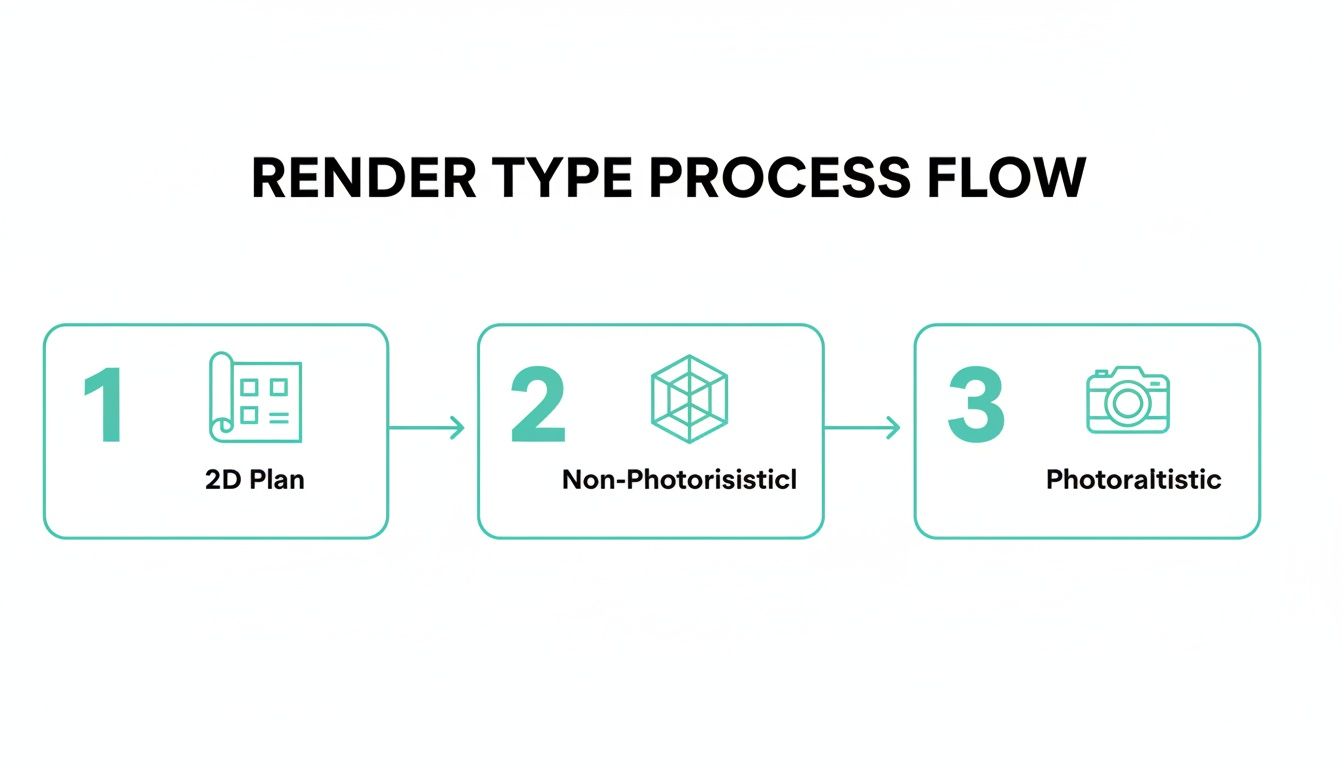
As you can see, you start with the bones—the 2D plan—and gradually build up detail until you have a rich, convincing final picture.
The Modern AI-Powered Workflow
Now, AI is completely flipping that script. It takes all the complex, technical parts and hides them behind a simple, friendly interface. Instead of needing specialized training, AI-powered tools put the creative power directly into your hands.
The new workflow, using a platform like Interior Redesign AI, is refreshingly straightforward:
- Start with a Photo: Just snap a picture of your current room and upload it. This photo becomes the canvas, giving the AI the layout and dimensions it needs to work with. You can also begin with a basic drawing, which is a fantastic way to explore concepts from scratch. If you need some pointers, check out these tips for making great interior design sketches.
- Choose Your Style: This is the fun part. You simply select the aesthetic you're going for. Curious about "Japandi" (a calm mix of Japanese and Scandinavian styles) or the raw, edgy feel of "Industrial"? Just pick one from a list.
- Generate and Refine: With a click, the AI takes over. It handles all the heavy lifting—the modeling, texturing, and lighting—in seconds. It then presents you with a high-quality, photorealistic render of your reimagined space. Don't love the first one? Generate new variations instantly until you find the perfect one.
This shift is massive. What used to take a professional artist five days can now be done in just five minutes. It's a game-changer for homeowners, real estate agents, and designers who need to visualize new possibilities quickly and affordably.
Putting Architectural Renders to Work in the Real World
So, we've covered the what and the why. But how does this actually help you in real life? Let's talk about the practical, everyday situations where architectural rendering isn't just a neat trick—it's an essential tool. This technology has moved far beyond massive architectural firms and is now incredibly useful for all sorts of projects.
The 3D rendering market is growing fast for a reason. Valued at about USD 6.4 billion in 2025, it’s on track to hit a staggering USD 40.97 billion by 2035. A huge part of that growth comes from architecture and real estate, where being able to visualize a space is invaluable.
For Homeowners Planning a Renovation
Let's say you're tackling a kitchen remodel. Before you even call a contractor, rendering lets you step into your future kitchen and see how every choice plays out.
- Kitchen: Wondering if quartz or granite countertops are the right choice? See them both in place. Does an open-plan layout really flow with the living room? A render will show you.
- Living Room: Test different sofa sizes and layouts to make sure the room feels balanced, not cramped. See how that bold accent wall you're considering will look with your existing furniture.
- Bedroom: Experiment with calming color palettes and furniture placement to create the perfect sanctuary before you start painting.
- Outdoor Spaces: Visualize a new deck or patio furniture to ensure it fits your lifestyle and budget before you start building.
Spotting a layout that doesn't work or a color that clashes before the work starts saves you from expensive mistakes and a whole lot of stress.
For Real Estate Agents and Property Managers
An empty property is a tough sell. It lacks warmth and makes it hard for buyers to imagine their life there. This is where virtual staging comes in. Instead of the cost and hassle of renting physical furniture, you can digitally furnish an empty home with stunning, perfectly styled decor.
This simple step transforms a cold, vacant space into a welcoming home, helping potential buyers make an emotional connection. Listings with great virtual staging tend to sell faster and for higher prices because they clearly show a property's true potential.
For Airbnb Hosts Maximizing Bookings
If you're an Airbnb host, your photos are everything. They are your most important sales tool. Architectural rendering can be your secret weapon for creating scroll-stopping images that attract more guests and justify a higher price.
You can experiment with entirely different design concepts for a room in minutes. Unsure if a serene ‘Japandi’ theme will get more bookings than a colorful ‘Bohemian’ vibe? An AI tool like Interior Redesign AI can generate both versions in a flash, letting you see which one feels more inviting and marketable.
Once your renders have helped you nail down the perfect vision, you'll be set for the next step, which is where something like a practical guide to furnishing a new home comes in handy.
How AI Is Changing the Rendering Game
Not long ago, high-quality design visualization was locked away, accessible only to big firms with deep pockets. Creating a single render required expensive software and a highly trained artist.
But AI is changing all that. A new wave of AI-powered platforms is putting incredible creative power into everyone's hands. This shift is happening because AI delivers on three game-changing promises: speed, affordability, and a level of creative freedom that was previously unimaginable.
Instead of waiting days for a 3D artist to create a single image, you can now generate a whole gallery of design concepts in just a few seconds. That kind of speed completely changes how we think about the creative process.
Unleash Your Inner Designer Instantly
Let's make this real. Imagine you're standing in your living room, wanting a change but stuck between a few different vibes.
- Japandi: You love the idea of that calm, minimalist mix of Japanese and Scandinavian design, full of natural textures and clean lines.
- Industrial Chic: But part of you is drawn to an edgier look with exposed brick, metal details, and a raw, warehouse feel.
- Coastal Grandmother: Then again, who doesn't love a cozy, elegant space with breezy fabrics and a beach-house color palette?
With an AI tool like Interior Redesign AI, you don't have to guess. You just upload a photo of your room and watch as it’s instantly reimagined in each style. This ability to test-drive ideas without any real-world commitment is a massive confidence booster. We dive deeper into this in our guide to AI for room design.
Speed and Affordability at Scale
This isn't just a win for homeowners. The impact on professional design and real estate workflows is huge. AI-assisted rendering is already cutting image production time by an estimated 20–30% on large-scale commercial projects.
Think about it: an Airbnb host can generate ten different versions of their listing photo in an hour to A/B test which one gets the most clicks. A real estate agent can virtually stage an entire empty house in minutes, not days.
Know the Limits of AI
Of course, it's crucial to be honest about what AI is—and what it isn't. AI is a phenomenal brainstorming partner. It’s your creative sidekick for exploring aesthetics, playing with color palettes, and testing furniture layouts. The rise of AI has also kicked off a fascinating conversation about creativity, which is explored in debates like AI art vs. real art.
However, AI is not a substitute for a licensed architect or a qualified contractor. When it comes to moving walls, rerouting plumbing, or touching anything electrical, you need a human expert.
Think of AI as your creative co-pilot. Use it to visualize all the "what ifs," but always combine its ideas with your own personal taste and bring in a professional for the technical "how-tos."
Stop Guessing and Start Seeing Your Future Space
Architectural rendering has moved far beyond the architect's studio. It’s now a powerful and surprisingly easy tool for anyone who wants to make smarter, more confident design decisions. It’s all about seeing the end result before you pick up a hammer or a paintbrush.
By creating a clear picture of what’s possible, you get to trade costly uncertainty for exciting clarity. This saves you time, reduces stress, and helps ensure the final project is exactly what you were hoping for.
Whether you're planning a kitchen renovation, staging a property to sell, or just want to refresh your living room, rendering closes the gap between a vague idea and a beautiful reality. If you're eager to try out different styles without any risk, you can learn more about our free AI home design tools and start experimenting right away.
The real magic of rendering is the confidence it gives you. When you can see a realistic preview of your finished project, you’re free to make bold, creative choices without that nagging fear of an expensive mistake.
Ready to see the incredible potential hidden in your own space?
Frequently Asked Questions
Still have a few questions? Let's clear up some of the most common things people ask about architectural rendering.
How Much Does Architectural Rendering Cost?
Traditionally, hiring a 3D artist could cost anywhere from a few hundred to several thousand dollars for a single image, depending on the complexity.
But AI-powered tools have completely changed the game. A platform like Interior Redesign AI lets you generate an endless stream of design concepts for a simple, low-cost subscription. This makes high-quality visualization affordable for everyone, from homeowners playing with ideas to real estate agents staging dozens of properties.
What’s the Difference Between Rendering and 3D Modeling?
Great question. Think of it like building a movie set versus filming the scene.
- 3D Modeling is "building the set." It’s where you create the digital framework—the walls, furniture, and layout—of a room. It's all about structure.
- Rendering is "filming the scene." This is where the magic happens. We take that digital model and add realistic details—textures, lighting, and shadows—to turn it into a convincing, lifelike image.
How Long Does It Take to Get a Render?
Here’s where you’ll see the biggest difference. A professional 3D artist might need several days to perfect a single photorealistic render.
AI rendering, however, is practically instant. You can upload a photo of your space and get back a handful of fully rendered design concepts in less than a minute. The speed is incredible for brainstorming and lets you explore dozens of possibilities in the time it takes to drink your morning coffee.
Do I Need Any Technical Skills?
For the traditional route? Absolutely. You'd need to be skilled in complex software. But with modern AI platforms, the answer is a resounding no.
Tools like Interior Redesign AI are built for everyday users. If you can upload a photo to social media, you have all the skills you need to start bringing your ideas to life. It removes the technical roadblocks so you can focus on your creative vision, not on learning software.
Ready to stop guessing and start seeing? Try Interior Redesign AI today to instantly reimagine your room from a simple photo or sketch.